EasyManua.ls Logo

Hotpoint AH12E07D - User Manual

Hotpoint AH12E07D
48 pages
Print Icon
To Next Page IconTo Next Page
Loading...
49-5000684 Rev. 1 06-23 GEA
Write the model and serial numbers here:
Model # _______________________
Serial # _______________________
Find these numbers on a label on the
front of the base pan behind the front
grille.
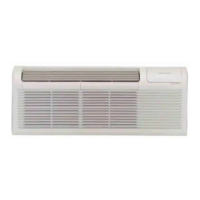
AIR CONDITIONER
Packaged Terminal
AH12E07D
AH12H07D
AH12E09D
AH12H09D/E
AH12E12D
AH12H12D/E
AH12E15D
AH12H15D
ESPAÑOL
Para consultar una version
en español de este manual
de instrucciones, visite nuestro
sitio de internet
www.hotpoint.com.
OWNER’S MANUAL
AND INSTALLATION
INSTRUCTIONS
SAFETY INFORMATION .........3
USING THE AIR CONDITIONER
Controls ..............................4
Features ..............................5
Dip Switch Configuration ...............6
Wall Thermostat Installation ............7
CARE AND CLEANING ...........9
INSTALLATION ....................10
TROUBLESHOOTING TIPS ......12
Normal Operating Characteristics .......13
LIMITED WARRANTY ...........15
CONSUMER SUPPORT ..........16

Questions and Answers

  • J
    Jay BrownAug 5, 2025
    Why is my Hotpoint Air Conditioner not cooling/heating the room?
    • G
      garciaraymondAug 5, 2025
      If your Hotpoint Air Conditioner isn't cooling or heating the room, several factors could be at play. First, ensure that curtains, blinds, or furniture aren't blocking the unit's airflow. You might also need to adjust the temperature setting higher or lower. Dirty air filters can also cause this issue, so remove and clean them. If the room was excessively hot or cold when you started the unit, allow it sufficient time to adjust the temperature. Ensure the vent door is closed. The unit may be in a protection mode, so check the dipswitch and wall thermostat settings. Finally, allow approximately 15 minutes for the compressor to start.
  • M
    Melissa OchoaAug 10, 2025
    How to fix a Hotpoint Air Conditioner that won't start?
    • A
      ashleylopezAug 10, 2025
      If your Hotpoint Air Conditioner doesn't start, make sure it's securely plugged into the wall receptacle. Also, check that the unit is turned on using the bottom right button on the keypad.
  • K
    Kristi CantrellAug 15, 2025
    What causes compressor protection in a Hotpoint Air Conditioner?
    • R
      Ryan RobinsonAug 15, 2025
      The compressor in your Hotpoint Air Conditioner might be in a restart protection mode if the power has cycled. When the unit is plugged in or power is restored, a random compressor restart will occur.
  • P
    parkermichelleAug 21, 2025
    What to do if the Hotpoint Air Conditioner is dripping water outside?
    • R
      Rhonda AdamsAug 21, 2025
      If water is dripping outside from your Hotpoint Air Conditioner and a drain kit hasn't been installed, inspect the gaskets and fittings around the drain for leaks and plugs.
  • L
    Linda MillerAug 26, 2025
    Why does ice or frost form on the indoor coil of my Hotpoint Air Conditioner?
    • G
      Gina WilliamsAug 26, 2025
      If ice or frost forms on the indoor coil of your Hotpoint Air Conditioner, it could be due to low outdoor temperatures or dirty filters. If it's due to low outdoor temperature, switch the unit to FAN operation until the ice or frost melts. If it's due to dirty filters, remove and clean the filters.
  • A
    Angel HowardAug 30, 2025
    What causes a Hotpoint Air Conditioner to drip water inside?
    • K
      Kimberly SmithAug 30, 2025
      If water is dripping inside from your Hotpoint Air Conditioner, the wall sleeve might not be installed level. Check that the installation is level and make any necessary adjustments.

Summary

Safety Information

Safety Precautions

General safety warnings and precautions for operating the air conditioner.

Using Adapter Plugs Safely

Guidelines and warnings regarding the use of adapter plugs with the unit.

Using the Air Conditioner

Control Panel Overview

Details on the unit's control panel buttons, modes, and display.

Key Unit Features

Explanation of special features like compressor restart delay and memory.

Dip Switch Configuration

Guide to adjusting internal dip switches for various operational settings.

Installation

Wall Thermostat Installation

Instructions for installing an optional wall thermostat and wiring.

Front Desk Control System

Setup and operation of the front desk control system for room management.

Installation Preparation

Steps and considerations before installing the air conditioner unit.

Unit Installation Process

Detailed instructions for physically installing the air conditioner into a sleeve.

Care and Cleaning

Front Panel and Case Cleaning

How to clean the exterior housing and panels of the unit.

Outdoor Coil Maintenance

Procedures for inspecting and cleaning the outdoor coil for optimal performance.

Air Filter Maintenance

Instructions for cleaning and replacing air filters to maintain efficiency.

Vent Door Mesh Filter Cleaning

Steps for cleaning the mesh filter located on the vent door.

Troubleshooting Tips

Unit Start-Up and Protection Issues

Diagnosing problems related to unit not starting or being in protection mode.

Cooling and Heating Performance Problems

Resolving issues with the unit's cooling or heating capabilities.

Display Errors and Unit Noises

Troubleshooting strange display characters, error codes, and operational noises.

Water Dripping and Frost Formation

Addressing issues with water leaks or ice/frost buildup on the indoor coil.

Compressor and Heating Failure Diagnosis

Solutions for compressor protection delays and electric heating failures.

Understanding Normal Operating Sounds

Explanation of typical sounds the air conditioner may produce.

Limited Warranty

Warranty Coverage Exclusions

Details on what is NOT covered under the Hotpoint limited warranty.

Implied Warranty Limitations

Information on the exclusion and limitations of implied warranties.

Consumer Support

Hotpoint Appliances Website

Information on accessing the official Hotpoint website for support.

Register Your Appliance

Guide on how to register your product for warranty and service.

Schedule Service Appointment

Instructions on how to book a service appointment for your unit.

Extended Warranty Options

Information about purchasing extended warranty plans.

Order Parts and Accessories

How to order replacement parts and accessories for your unit.

Contacting Customer Support

Methods for contacting Hotpoint customer service for inquiries.

Hotpoint AH12E07D Specifications

General IconGeneral
BrandHotpoint
ModelAH12E07D
CategoryAir Conditioner
LanguageEnglish

Related product manuals