and save the choice using the key.
LANGUAGE
This function modifies the display language. Choose
from Italian, German, Portuguese, Spanish, English,
French and Dutch. The machine is generally
programmed with the language of the country where it
will be sold.
To change the language, use the
key to choose
this function:
and enable it with the key.
The display shows:
Select the required language by pressing the
key and use the key to save your choice.
CONTRAST
Regulates display contrast for better viewing.
Use the key to select this function:
Enable it with the key.
The display shows:
Now select the required contrast by pressing the
key and use the key to save your choice.
WATER HARDNESS
Water hardness varies according to geographical
region. Hence, the machine must be regulated for the
hardness of the water used. This is expressed on a
scale of 1 to 4. The appliance is already programmed
for average hardness (3).
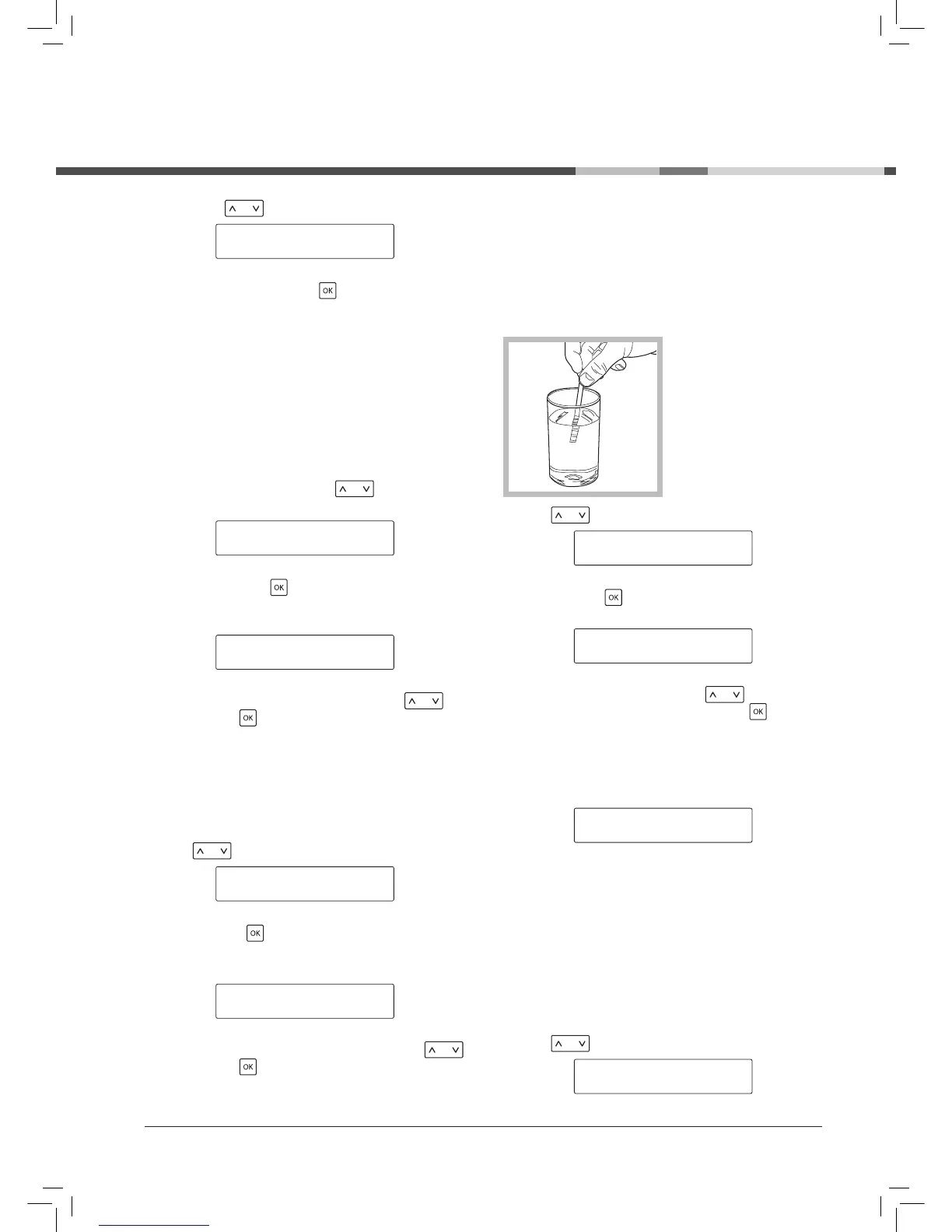
To regulate hardness,
briefly dip (1 second) the
strip provided in water.
Next, shake the strip
gently to eliminate
excess water. After one
minute the test results
are visible. Check the
number of squares that
have changed colour.
Use the key to select this function:
WATER HARDNESS *
WATERFILTER
Enable it with the key.
The display shows:
Select the right hardness using the key (e.g. 2
squares = Hardness 2) and save using the key.
! Warning: this setting allows the machine to notify
when it is time for descaling treatment.
The display shows:
WATER FILTER (where installed)
This function provides better management of the “water
filter (where installed), notifying the user when the filter
is to be replaced.
! The function must be enabled when installing the
water filter for the first time.
Use the key to select this function:



 To Next Page