EasyManua.ls Logo

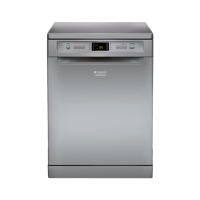
Hotpoint LFF 8B019 - User Manual

Hotpoint LFF 8B019
44 pages
Print Icon
To Next Page IconTo Next Page
Loading...
EN
1
Operating instructions
Contents
Product Fiche, 2
Precautions, advice and Assistance, 3
General safety
Disposal
Saving energy and respecting the environment
Assistance
Installation, 4-5
Positioning and levelling
Connecting the water and electricity supplies
Advice regarding the first wash cycle
Technical data
Description of the appliance, 6
Overall view
Control panel
Loading the racks, 7-8
Lower rack
Cutlery basket
Upper rack
Start-up and use, 9
Starting the dishwasher
Measuring out the detergent
Wash cycles, 10
Table of wash cycles
Special wash cycles and Options, 11
Rinse aid and refined salt, 12
Measuring out the rinse aid
Measuring out the refined salt
Care and maintenance, 13
Shutting off the water and electricity supplies
Cleaning the dishwasher
Preventing unpleasant odours
Cleaning the sprayer arms
Cleaning the water inlet filter
Cleaning the filters
Leaving the machine unused for extended periods
Troubleshooting, 14
LFF 8B019
DISHWASHER
English, 1
GB
RU

KZ


Table of Contents

Questions and Answers

  • T
    Thomas BerryJul 28, 2025
    Why won't my Hotpoint LFF 8B019 start or respond to controls?
    • D
      deborah89Jul 28, 2025
      If your Hotpoint Dishwasher isn't starting or responding, try these steps: First, turn the dishwasher off using the ON/OFF button, wait about a minute, and then turn it back on and reset the cycle. Also, ensure that the appliance is properly plugged in and that the dishwasher door is fully closed.
  • G
    ggonzalezAug 1, 2025
    Why does my Hotpoint LFF 8B019 display the H2O and tap symbol or F6?
    • O
      owalkerAug 1, 2025
      If your Hotpoint Dishwasher shows the H2O and tap symbol, or F6, it indicates a water intake problem. This could be due to: * No water in the mains supply. * A bent water inlet hose. * The appliance lock being activated. First, ensure that there is water in the mains supply and that the water inlet hose is not bent. Then, turn on the tap. If the appliance lock has been activated, switch off the dishwasher with the ON/OFF button, turn on the tap, and switch the appliance back on after a few seconds. Reprogram the appliance and restart the wash cycle.
  • D
    dhawkinsAug 5, 2025
    How to fix excessive noise from my Hotpoint LFF 8B019 Dishwasher?
    • H
      heather29Aug 6, 2025
      Excessive noise from your Hotpoint Dishwasher can be caused by dishes rattling against each other or the sprayer arms. Another cause could be too much foam due to incorrect detergent dosage or using a detergent not suitable for dishwashers. Ensure dishes are properly spaced and use the correct amount and type of detergent.
  • S
    Steven MorseAug 9, 2025
    Why is there white film on dishes from my Hotpoint LFF 8B019?
    • A
      Angela RowlandAug 10, 2025
      A white film or limescale deposits on dishes from your Hotpoint Dishwasher could be due to: low refined salt levels or incorrect dosage settings for water hardness, the salt dispenser lid not being closed properly, or the rinse aid being used up or the dosage being too low. Check these levels and settings to resolve the issue.
  • M
    Maurice ZimmermanAug 14, 2025
    Why do dishes from my Hotpoint Dishwasher have streaks or a bluish tinge?
    • C
      Christina FisherAug 14, 2025
      Streaks or a bluish tinge on dishes from your Hotpoint Dishwasher are likely due to a rinse aid dosage that is too high. Reduce the amount of rinse aid being dispensed.
  • V
    Victor HesterAug 18, 2025
    What does the filter symbol mean on my Hotpoint LFF 8B019?
    • D
      Diana RoseAug 18, 2025
      If the “filter” symbol lights up on your Hotpoint Dishwasher, ensure that the wash cycle has ended. Then, open the dishwasher door and clean the cup filter and stainless-steel filter. The “blocked filter” symbol will turn off when the next cycle starts.
  • E
    Erin ClarkAug 23, 2025
    What to do if the door of my Hotpoint LFF 8B019 Dishwasher won’t close?
    • K
      Kenneth RiceAug 23, 2025
      If the door of your Hotpoint Dishwasher won’t close, the lock was released. Push the door firmly until you hear a "clacking" noise.

Summary

Precautions and Safety Advice

General Safety

General safety guidelines for operating the appliance, including child supervision and domestic use.

Installation and Assistance

Positioning and Levelling

Guidance on placing and levelling the dishwasher on a sturdy floor for stability and quiet operation.

Water and Electricity Connections

Details on connecting water inlet/outlet hoses and electrical supply, including safety warnings.

Description of the Appliance

Control Panel

Explanation of buttons, display, and indicator lights on the control panel for operating the appliance.

Start-Up and Use

Starting the Dishwasher

Step-by-step guide to starting a wash cycle, including loading, detergent, and selecting programs.

Measuring Detergent

Guidance on the correct amount of detergent to use for optimal results and environmental impact.

Wash Cycles

Wash Cycle Overview

Table detailing different wash cycles, their durations, water and energy consumption.

Care and Maintenance

Shutting Off Water and Electricity

Procedure for safely shutting off water and electricity before cleaning or maintenance.

Troubleshooting

Common Problems and Solutions

Guide to identifying and resolving common issues such as the appliance not starting or poor cleaning results.

Hotpoint LFF 8B019 Specifications

General IconGeneral
TypeFreestanding
Number of Place Settings13
Water Consumption per Cycle11 L
Noise Level49 dB
Dimensions (H x W x D)85 x 60 x 60 cm
Control Panel ColourWhite
Built-in DisplayYes
Outlet Hose Length1.5 m
Number of Washing Programs8
Drying SystemStatic
Delayed Start TimerYes
Delay Start (max)24 hours
AquaStop FunctionYes
Power Consumption (off)0.5 W
Connected Load1900 W
Current10 A
Drying PerformanceA
Cleaning PerformanceA
Half Load OptionYes
Washing ProgramsEco, Intensive, Normal

Related product manuals