EasyManua.ls Logo

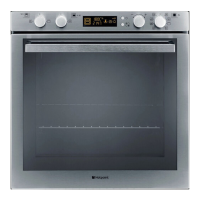
Hotpoint OSX 896 DC 0 X - User Manual

Hotpoint OSX 896 DC 0 X
20 pages
Print Icon
To Next Page IconTo Next Page
Loading...
Please phone us on
08448 24 24 24
to activate your
guarantee
OSX 896 DC 0 X
OSX 896L DC 0 X
English
Operating Instructions
OVEN
Contents
Operating Instructions,1
Warnings,2
Description of the appliance,3
Description of the appliance,4
Installation,5
Electrical Connection,5
Oven structure,7
Start-up and use,8
Cooking modes,9
Precautions and tips,15
Maintenance and care,15
Troubleshooting,17
After Sales Service,18
Guarantee,19

Questions and Answers

  • M
    Michael CharlesAug 11, 2025
    Why is the clock flashing on my Hotpoint OSX 896 DC 0 X?
    • J
      Jeffrey GillAug 11, 2025
      If the Clock button and digits are flashing on your Hotpoint Oven, it likely means the appliance has just been connected to the power supply or there was a power outage. To resolve this, you need to set the clock.
  • G
    Gregory CurtisAug 16, 2025
    Why is only the clock button lit on my Hotpoint OSX 896 DC 0 X?
    • J
      James RodriguezAug 17, 2025
      If only the high luminosity Clock button is lit on your Hotpoint Oven, the appliance is in standby mode. Simply press any button to exit standby mode.
  • S
    sheila07Aug 22, 2025
    What to do if my Hotpoint OSX 896 DC 0 X Oven displays 'Hot' and won't start?
    • D
      Deborah JohnsonAug 23, 2025
      If the Hotpoint Oven displays 'Hot' and doesn't start when an automatic mode is selected, it means the oven's internal temperature is higher than the mode's suggested value. Just wait for the oven to cool down before starting the cooking process.
  • H
    hendersonchristopherAug 29, 2025
    What to do if programmed cooking mode does not start on Hotpoint OSX 896 DC 0 X Oven?
    • R
      Rebecca HamiltonAug 29, 2025
      If a programmed cooking mode on your Hotpoint Oven doesn't start, it could be due to a power outage. You'll need to reprogram the cooking mode.
  • J
    Jaime HallSep 4, 2025
    Why does my food burn when using fan-assisted cooking in my Hotpoint Oven?
    • C
      Christopher ParrishSep 4, 2025
      If your food looks burnt when using fan-assisted cooking on your Hotpoint Oven, especially when using positions 1 and 5, it's because the direct heat can cause temperature-sensitive foods to burn. It is recommended to switch dripping pan positions halfway through cooking.

Hotpoint OSX 896 DC 0 X Specifications

General IconGeneral
BrandHotpoint
ModelOSX 896 DC 0 X
CategoryOven
Energy Efficiency ClassA
Control TypeElectronic
Dimensions (H x W x D)59.5 x 59.5 x 56.4 cm
ColorStainless Steel
Number of ovens1
Number of Cooking Levels5
Max Temperature250 °C
LightingHalogen
DoorTriple Glazed

Related product manuals