"'--usingthe Sabbath Feature. somemode/s
(Designed for use on the Jewish Sabbath and Holidays)
The Sabbath feature can be used for baking/roasting only. It cannot be used for broiling, self-cleaning
or Delay Start cooking.
NOTE: The oven light comes on automatically (on some models) when the door is opened and goes off when the door
is closed. The bulb may be removed. See the Oven Light Replacement section. On models with a light switch on the
control panel, the oven light may be turned on and left on.
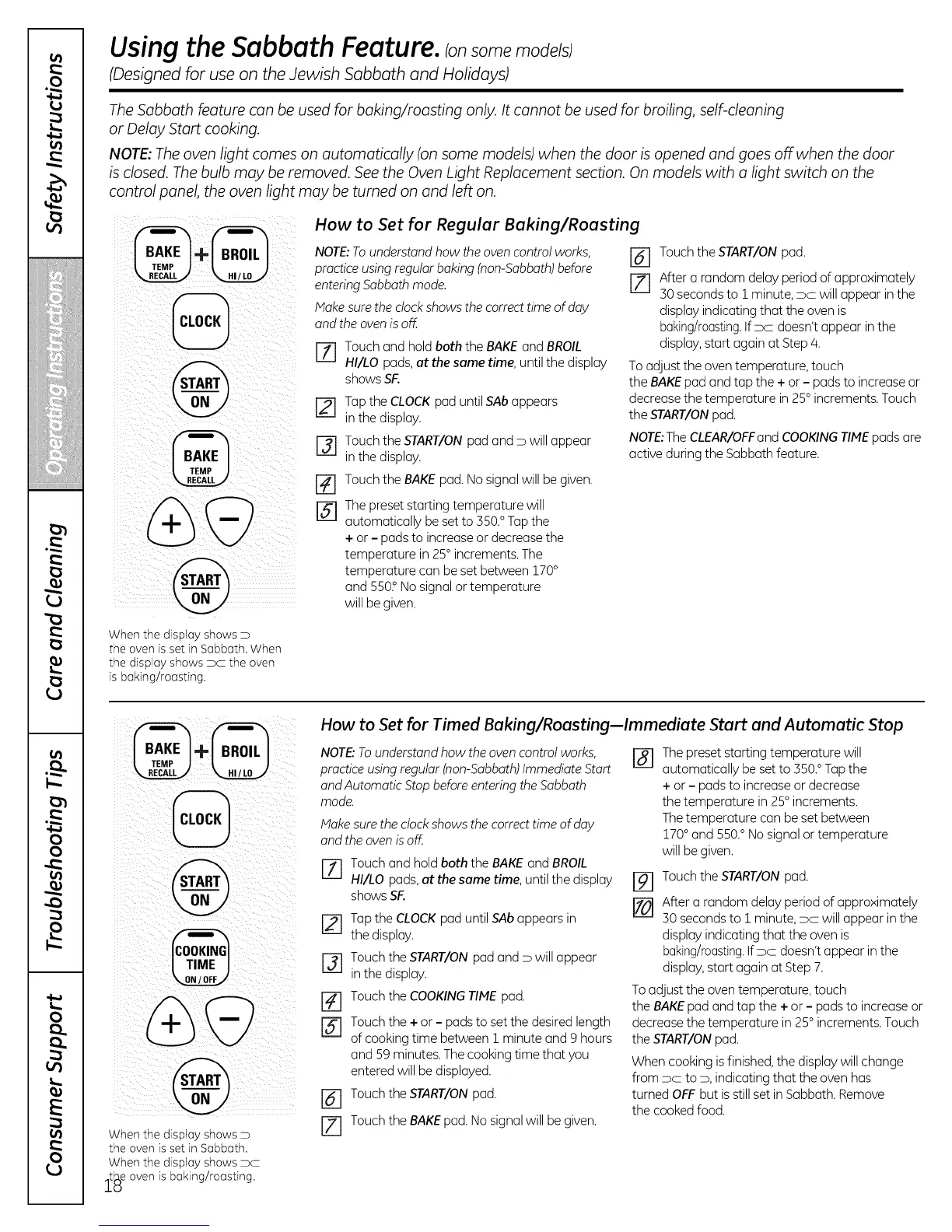
When the display shows D
the oven is set in Sabbath. When
the display shows x the oven
is baking/roasting.
How to Set for Regular Baking/Roasting
NOTE:Tounderstand how the oven control works,
practice using regular baking (non-Sabbath)before
entering Sabbath mode.
Make surethe clockshows the correct time of day
and the oven is off.
J-_ Touch and hold both the BAKE and BROIL
HI/LO pads, at the same time, until the display
showsSF.
r2q
[2]
[]
@
Tap the CLOCKpad until SAbappears
in the display.
Touch the START/ONpad and D will appear
in the display.
Touch the BAKE pad. No signal will be given.
The preset starting temperature will
automatically be setto 550.° Tapthe
+ or - pads to increase or decrease the
temperature in 25° increments. The
temperature can beset between 170°
and 5502No signal or temperature
will be given.
[-_ Touch the START/ONpad.
[] After a random delay period of approximately
50 secondsto 1 minute, DC will appear in the
display indicating that the oven is
baking/roasting.If x doesn't appear in the
display,starLagain at Step/4.
To adjust the oven temperature, touch
the BAKEpad and tap the + or - pads to increase or
decrease the temperature in 25° increments. Touch
the START/ONpad.
NOTE:The CLEAR/OFFand COOKINGTIMEpads are
active during the Sabbath feature.
When the display shows D
the oven isset in Sabbath.
When the display shows DC
_tlAeoven is baking/roasting.
_U:;
How to Set for Timed Baking/Roasting-Immediate Start and Automatic Stop
NOTE:Tounderstand how the oven control works,
practice using regular (non-Sabbath)Immediate Start
and Automatic Stop before entering the Sabbath
mode.
Make surethe clock shows the correct time of day
and the oven isoff.
7] Touch and hold both the BAKE and BROIL
HI/LO pads,at the same time, until the display
shows SF.
[21 Tap the CLOCKpad until SAbappears in
the display.
[_ Touch the START/ONpad and D will appear
in the display.
Touch the COOKINGTIME pad.
[] Touch the + or- pads to setthe desired length
of cooking time between 1 minute and 9 hours
and 59 minutes. Thecooking time that you
entered will be displayed.
[] Touch the START/ONpad.
71 Touch the BAKEpad.No signalwill be given.
[]
The preset starting temperature will
automatically beset to 350.°Tap the
+ or - pads to increase or decrease
the temperature in 25° increments.
Thetemperature can beset between
170° and 550.° No signal or temperature
will be given.
F#I
[]
Touch the START/ONpad.
After a random delay period of approximately
50 secondsto 1 minute, DC will appear inthe
display indicating that the oven is
baking/roasting.If DC doesn't appear in the
display,start again atStep 7.
Toadjust the oven temperature, touch
the BAKEpad and tap the + or - pads to increase or
decrease the temperature in 25° increments. Touch
the START/ONpad.
When cooking isfinished,the display will change
from DC to D, indicating that the oven has
turned OFFbut isstill set in Sabbath. Remove
the cookedfood.


 To Next Page
 Loading...





