EasyManua.ls Logo

Hotpoint RTA 42 - User Manual

Hotpoint RTA 42
12 pages
Print Icon
To Next Page IconTo Next Page
Loading...
GBGB
GBGB
GB
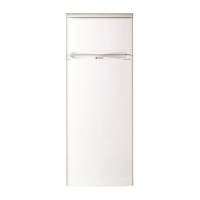
REFRIGERATOR/FREEZER COMBINATION
RTA 42 P
Contents
Installation, 2-3
Positioning and connection
Description of the appliance, 4
Overall view
Start-up and use, 5-6
Starting the appliance
Using the refrigerator to its full potential
Using the freezer to its full potential
Maintenance and care, 7
Switching the appliance off
Cleaning the appliance
Avoiding mould and unpleasant odours
Replacing the light bulb
Precautions and tips, 8
General safety
Disposal
Respecting and conserving the environment
Troubleshooting, 9
Hotpoint Guarantee, 11
Key Contacts, 12
Operating Instructions
English
GB
Question and Answer IconNeed help?

Do you have a question about the Hotpoint RTA 42 and is the answer not in the manual?

Summary

Installation

Positioning and connection

Details on placing the appliance and electrical connections for safe operation.

Electrical connections

Information on connecting the appliance to the mains supply safely and correctly.

Changing the plug

Guide on modifying or replacing the appliance plug for safety and compliance.

Disposing of the plug

Instructions on how to safely remove and discard the appliance plug.

Fitting a new plug

Description of the appliance

Overall view

Diagram and labels for the appliance's internal and external components.

Start-up and use

Starting the appliance

Steps for initial setup and powering on the appliance.

Setting the temperature

Guidance on adjusting the thermostat knob for optimal cooling.

Using the refrigerator to its full potential

Tips for efficient storage and operation of the refrigerator compartment.

Using the freezer to its full potential

Instructions for effective freezing and storage in the freezer compartment.

Maintenance and care

Switching the appliance off

Procedure for safely disconnecting the appliance for maintenance.

Cleaning the appliance

Methods for cleaning the interior, exterior, and accessories.

Avoiding mould and unpleasant odours

Tips to prevent odours and maintain a hygienic refrigerator environment.

Defrosting the appliance

Instructions for defrosting the freezer and refrigerator compartments.

Replacing the light bulb

Guide on how to safely replace the internal light bulb.

Precautions and tips

General safety

Essential safety warnings for domestic use and installation.

Disposal

Guidelines for environmentally responsible disposal of packaging and old appliances.

Respecting and conserving the environment

Advice on energy saving and environmental protection during appliance use.

Troubleshooting

Guarantee

After Sales Service

Essential Contact Information

Key contact details for Hotpoint service, parts, and accessories.

Appliance Registration

Information on registering the appliance to activate the 5-year parts guarantee.

Recycling & Disposal Information

Hotpoint's commitment to recycling and guidance on appliance disposal.

Summary

Installation

Positioning and connection

Details on placing the appliance and electrical connections for safe operation.

Electrical connections

Information on connecting the appliance to the mains supply safely and correctly.

Changing the plug

Guide on modifying or replacing the appliance plug for safety and compliance.

Disposing of the plug

Instructions on how to safely remove and discard the appliance plug.

Fitting a new plug

Description of the appliance

Overall view

Diagram and labels for the appliance's internal and external components.

Start-up and use

Starting the appliance

Steps for initial setup and powering on the appliance.

Setting the temperature

Guidance on adjusting the thermostat knob for optimal cooling.

Using the refrigerator to its full potential

Tips for efficient storage and operation of the refrigerator compartment.

Using the freezer to its full potential

Instructions for effective freezing and storage in the freezer compartment.

Maintenance and care

Switching the appliance off

Procedure for safely disconnecting the appliance for maintenance.

Cleaning the appliance

Methods for cleaning the interior, exterior, and accessories.

Avoiding mould and unpleasant odours

Tips to prevent odours and maintain a hygienic refrigerator environment.

Defrosting the appliance

Instructions for defrosting the freezer and refrigerator compartments.

Replacing the light bulb

Guide on how to safely replace the internal light bulb.

Precautions and tips

General safety

Essential safety warnings for domestic use and installation.

Disposal

Guidelines for environmentally responsible disposal of packaging and old appliances.

Respecting and conserving the environment

Advice on energy saving and environmental protection during appliance use.

Troubleshooting

Guarantee

After Sales Service

Essential Contact Information

Key contact details for Hotpoint service, parts, and accessories.

Appliance Registration

Information on registering the appliance to activate the 5-year parts guarantee.

Recycling & Disposal Information

Hotpoint's commitment to recycling and guidance on appliance disposal.

Hotpoint RTA 42 Specifications

General IconGeneral
BrandHotpoint
ModelRTA 42
CategoryRefrigerator
LanguageEnglish

Related product manuals