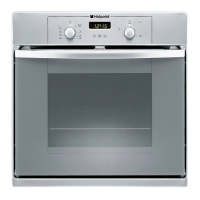
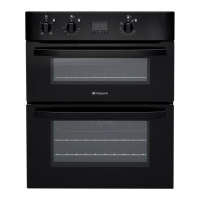
This document serves as a Daily Reference Guide for a Hotpoint oven, providing essential information for its operation, maintenance, and troubleshooting.
Product Description
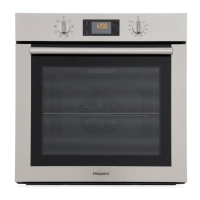
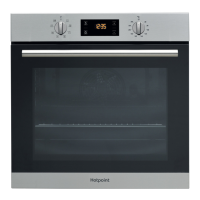
The oven features a control panel, a fan, and an internal lamp. Shelf guides are located on the interior walls of the cooking compartment, with levels indicated. The oven door provides access to the cooking cavity. Inside, there's an upper heating element/grill and a circular heating element (not visible). A bottom heating element is also present (not visible). An identification plate is affixed to the appliance.
The control panel consists of a Selection Knob, a Light button, Setting the Time buttons, a Display, Adjustment Buttons, and a Thermostat Knob.
Control Panel Functions:
- Selection Knob: Used to switch the oven on by selecting a function. Turning it to the "0" position switches the oven off.
- Light Button: When the oven is switched on, pressing this button toggles the oven compartment lamp on or off.
- Setting the Time Buttons: Used for accessing cooking time settings, delayed start, and timer functions. It also displays the time when the oven is off.
- Display: Shows various settings and information.
- Adjustment Buttons: Used for changing cooking time settings.
- Thermostat Knob: Used to select the desired temperature for manual functions. Automatic functions utilize "0/A" for temperature selection.
Accessories
The oven comes with a wire shelf and a baking tray. The number of accessories may vary by model, and additional accessories can be purchased separately.
Inserting Accessories:
- Wire Shelf: Insert by tilting it slightly upwards, resting the raised rear side (pointing upwards) down first. Then, slide it horizontally along the shelf guide as far as possible.
- Other Accessories (drip tray, baking tray): Insert horizontally by sliding them along the shelf guides.
Functions
The oven offers a variety of cooking functions:
- Convection: For cooking any kind of dish on one shelf only.
- Convection Bake: For cooking on a maximum of two shelves simultaneously. It's recommended to swap the position of baking plates halfway through cooking for best results.
- Grill: Ideal for grilling steaks, kebabs, sausages, cooking vegetables au gratin, or toasting bread. When grilling meat, it's recommended to use a baking tray on a level below the wire shelf with 200 ml of drinking water to collect cooking juices.
- Turbo Grill: For roasting large joints of meat (e.g., legs, roast beef, chicken). Similar to Grill, a baking tray with 200 ml of drinking water is recommended to collect cooking juices.
- Defrosting: For quicker defrosting of food.
- Eco Convection Bake: For cooking roasts and stuffed roasting joints on a single shelf. This function prevents food from drying out excessively through gentle, intermittent air circulation. The oven light remains off during this function but can be switched on by pressing the light button.
- Bread Auto: Automatically selects the ideal temperature and baking time for bread. This function should be activated when the oven is cold.
- Pastry Auto: Automatically selects the ideal temperature and baking time for cakes. This function should also be activated when the oven is cold.
Using the Appliance for the First Time
Setting the Time:
Upon first switching on, press the time button until the icon and hour digits flash. Use the adjustment buttons to set the hour, then press to confirm. The minute digits will flash; set the minutes and press to confirm. If the icon flashes due to power outages, the time will need to be reset.
Reheat the Oven:
New ovens may release odors from manufacturing. Before cooking, heat the empty oven to 250°C for about one hour, preferably using the "Convection bake" function, to remove these odors. Remove all protective packaging and accessories first. Air the room after this initial heating.
Daily Use
Select a Function:
Turn the selection knob to the desired function symbol. The display will light up, and an audible signal will sound.
Activate a Function:
- Manual: To start a selected function, turn the thermostat knob to set the desired temperature. The function will not start if the thermostat knob is at 0°C. During cooking, both the function and temperature can be adjusted. Cooking time, cooking end time, and a timer can also be set.
- Automatic: For "Bread" or "Dessert" functions, keep the thermostat knob at the "0/A" position. To finish cooking, turn the selection knob to "0". Cooking end time and timer can be set for automatic functions.
Preheating:
Once a function starts, an audible signal and a flashing icon on the display indicate preheating. When preheating is complete, an audible signal sounds, and the icon becomes fixed. At this point, place food inside and continue cooking. Placing food in the oven before preheating is complete may negatively affect the final cooking result.
Programming Cooking:
A function must be selected before programming cooking.
- Duration: Keep pressing the time button until the icon and "00:00" flash. Use the adjustment buttons to set the cooking time, then press to confirm. Activate the function by turning the thermostat knob to the desired temperature. An audible signal will sound, and the display will indicate cooking is complete. To cancel, keep pressing until the icon flashes, then use the adjustment buttons to reset to "00:00". This cooking time includes a preheating phase.
Programming the End Cooking Time/Delayed Start:
After setting a cooking time, the function start can be delayed by programming its end time. Press the time button until the icon and current time flash. Use the adjustment buttons to set the desired end time, then press to confirm. Activate the function by turning the thermostat knob to the desired temperature. The function will remain paused and start automatically to finish cooking at the set time. To cancel, turn the selection knob to "0".
End of Cooking:
An audible signal will sound, and the display will indicate that the function has finished. Turn the selection knob to select a different function or to "0" to switch the oven off. If the timer is active, "END" will alternate with the remaining time.
Setting the Timer:
This option does not interrupt or program cooking but allows the display to be used as a timer, whether a function is active or the oven is off. Keep pressing the time button until the icon and "00:00" flash. Use the adjustment buttons to set the desired time, then press to confirm. An audible signal will sound when the timer finishes. To cancel, keep pressing until the icon flashes, then use the adjustment buttons to reset to "00:00".
Maintenance and Cleaning
General Guidelines:
- Do not use steam cleaning equipment.
- Always wear protective gloves during all operations.
- Perform cleaning operations when the oven is cold.
- Disconnect the appliance from the power supply before maintenance.
- Do not use wire wool, abrasive scourers, or abrasive/corrosive cleaning agents, as these can damage the appliance surfaces.
Exterior Surfaces:
- Clean with a damp microfiber cloth. For heavy dirt, add a few drops of pH-neutral detergent. Finish with a dry cloth.
- If corrosive or abrasive detergents accidentally come into contact with surfaces, clean immediately with a damp microfiber cloth.
Interior Surfaces:
- After each use, allow the oven to cool, then clean it while still warm to remove food residues.
- To dry condensation from high water content foods, let the oven cool completely, then wipe with a cloth or sponge.
- Activate the "Diamond Clean" function for optimal internal surface cleaning.
- The door can be easily removed and refitted for glass cleaning.
- Clean the glass in the door with a suitable liquid detergent.
- The top heating element of the grill can be lowered to clean the upper panel of the oven.
Accessories:
- Soak accessories in a washing-up liquid solution after use. Handle hot accessories with oven gloves.
- Remove food residues using a washing-up brush or a sponge.
Removing and Refitting the Door:
- To Remove: Open the door fully and lower the catches to the unlock position. Close the door as much as possible. Hold the door firmly with both hands (not by the handle) and continue to close it while pulling it upwards until it releases from its seating. Place the door on a soft surface.
- To Refit: Move the door towards the oven, aligning the hinge hooks with their seating and securing the upper part. Lower the door and open it fully. Lower the catches to their original position, ensuring they are fully down. Close the door and check alignment with the control panel; if not, repeat the steps.
Click to Clean - Cleaning the Glass:
- After removing the door and resting it on a soft surface with the handle downwards, simultaneously press the two retaining clips and remove the upper edge of the door by pulling it towards you.
- Lift and firmly hold the inner glass with both hands, remove it, and place it on a soft surface for cleaning.
- To Reposition: Ensure the "R" is visible in the right-hand corner and the clear surface (not printed) faces up. First, insert the long side of the glass (indicated by "R") into the support seats, then lower it into position.
- Refit the upper edge; a click will indicate correct positioning. Ensure the seal is secure before refitting the door.
Troubleshooting
- Oven does not work: Check for mains electrical power and connection. Turn off and restart the oven. If the fault persists, contact After-sales Service.
- Display shows "F" followed by a number: This indicates a software problem. Contact After-sales Service and provide the displayed code.
Useful Tips
How to Read the Cooking Table:
The cooking table provides recommended functions, accessories, and shelf levels for various foods. Cooking times are approximate, starting from when food is placed in the oven (excluding preheating, if required). Adjust settings based on food amount and accessory type. Start with the lowest recommended settings and increase if needed. Use supplied dark-colored metal cake tins and baking trays for best results. Pyrex or stoneware pans can be used, but cooking times may be slightly longer.
Cooking Different Foods at the Same Time:
Using the "Convection Bake" function allows simultaneous cooking of different foods on different shelves (e.g., fish and vegetables). Remove foods with shorter cooking times first, leaving those requiring longer cooking.
Bread Auto Function:
For best results, follow the recipe for mixing 1000g of dough (600g flour, 360g water, 11g salt, 25g fresh yeast). Allow about 90 minutes for optimal rising at room temperature. Place the dough in the cold oven, pour 100cc of cold drinking water onto the oven bottom, and activate the "Bread Auto" function. After cooking, let the bread stand on a wire shelf until completely cooled.

 Need help?
 General

 To Next Page