GB
17
D
A
B
D
D
16
16
16
16
C
C
C
E
E
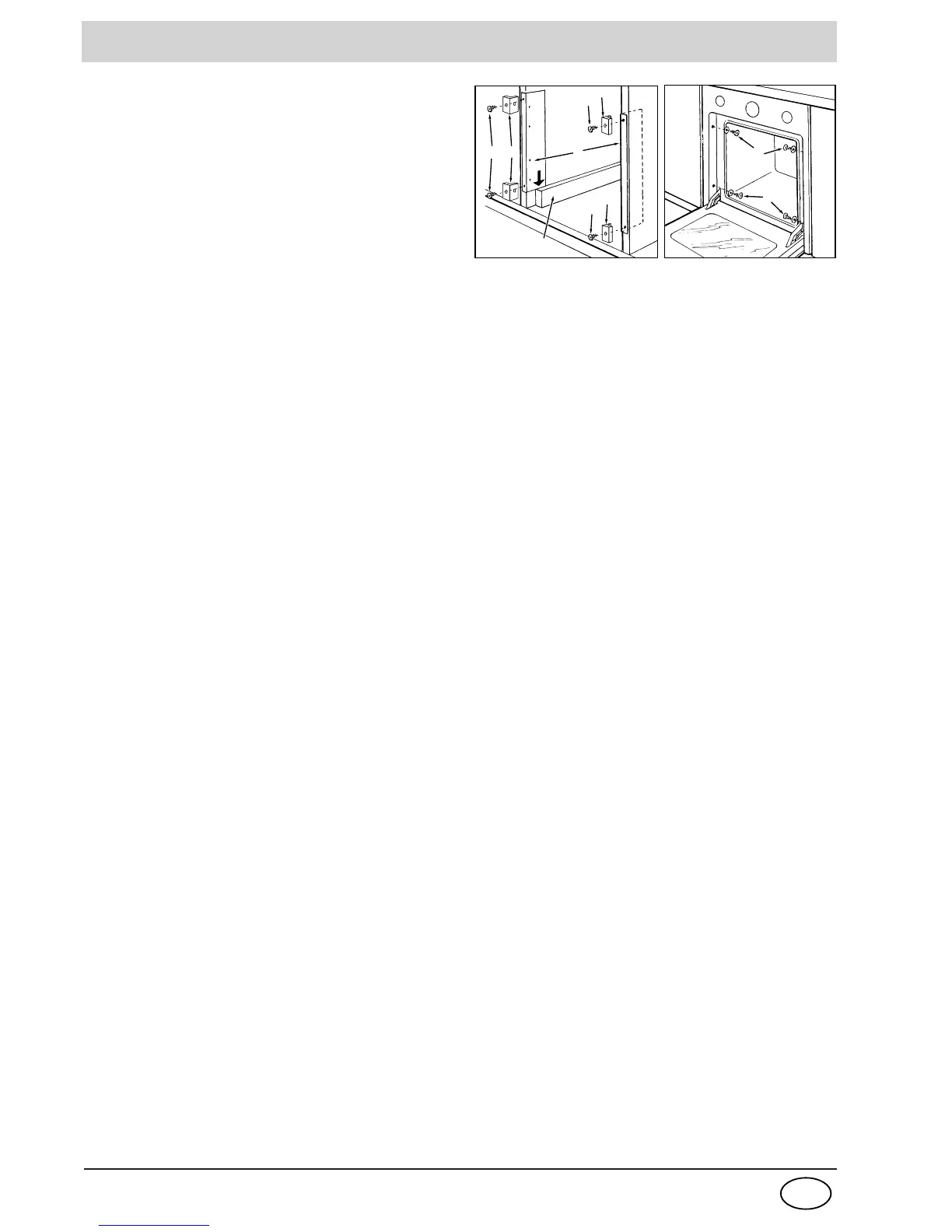
Fastening the oven to the cabinet
1. Place brackets "A" up against the oven support "B".
2. Place the tabs "C" up against brackets "A". In particular,
if the cabinet side panel:
• is 16 mm thick: mount the tab so that the number 16 it
features is facing you;
• is 18 mm thick: mount the tab so that the part without
any wording is facing you;
• is 20 mm thick: do not mount the tab.
3. Fasten the brackets and tabs on the oven cabinet side
panel using screws "D".
4. Fasten the oven to the cabinet using the screws and
plastic washers "E".
INSTALLATION



 To Next Page