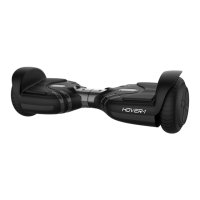
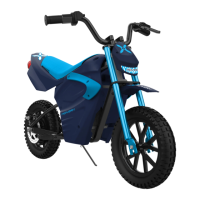
The Hover-1 Falcon-1 is an electric scooter accessory designed to transform a self-balancing scooter into a seated go-kart-like vehicle. This manual provides comprehensive information for its safe operation, assembly, installation, and maintenance.
Function Description:
The Hover-1 Falcon-1 allows users to sit and control their self-balancing scooter, offering a different riding experience compared to standing. It features a bucket seat, handlebars for steering and braking, and footrests for comfort. An additional feature is the Fog Blaster, which can be attached to the Falcon-1 to create fog and sound effects, enhancing the riding experience. The Falcon-1 is designed to be attached to most 6.5-inch self-balancing scooters, converting them into a more stable and seated ride.
Important Technical Specifications:
- Compatibility: Most 6.5" scooters.
- Max Load: Dependent on the maximum load of the user's scooter.
- Tire Size: 4" swivel caster.
- Seat Material: PP (Polypropylene).
- Fog Blaster Charging: Uses an included Charge Cable to a USB outlet. Charging time is up to 3 hours.
- Safety Standards: Helmets should comply with CPSC or CE safety standards.
Usage Features:
- Assembly and Installation: The manual provides detailed, step-by-step instructions for assembling the Falcon-1 and then installing it onto a self-balancing scooter. This includes attaching the handle bars, frame extension, bucket seat, and the Fog Blaster.
- Adjustable Frame Extension: The frame extension can be adjusted to a desired length, accommodating different rider sizes.
- Control Mechanism:
- Forward Movement: Firmly grip both handle bars and slowly push them downward simultaneously.
- Braking: Slowly pull both handle bars upwards simultaneously.
- Reverse: Slowly pull both handle bars upwards simultaneously.
- Turning Left: Push the right handle bar down while holding the left handle bar in a neutral position.
- Turning Right: Push the left handle bar down while holding the right handle bar in a neutral position.
- Fog Blaster Operation:
- Charging: Connect the included Charge Cable to the Charging Port and a USB outlet. A red light indicates charging, which turns off when fully charged (up to 3 hours).
- Filling Water Tank: Push and hold down the Water Tank buttons while pouring water into the fill port. Do not overfill.
- Activation: The Fog Blaster has a Power Button and an LED & Sound Effects Button.
- Pre-Ride Checklist: Before each ride, users are advised to:
- Ensure the scooter's battery is fully charged.
- Verify that all screws and nuts on the Falcon-1 are tightly secured.
- Check that the scooter's tires are not worn.
- Confirm all connections on the scooter are maintained.
- Ensure the hoverboard is calibrated and running properly.
- Safety Precautions:
- Always wear a properly fitted helmet that complies with CPSC or CE safety standards.
- Obey all local laws, stop signs, and pedestrian crosswalks.
- Ride single file if with multiple Falcon-1s.
- Use a signaling device (bell, horn) to warn others.
- Ride defensively and expect the unexpected.
- Give pedestrians the right-of-way and alert them when passing.
- Slow down at intersections and look both ways.
- Use proper hand signals for turning and stopping.
- Watch for cars and avoid potholes, drainage grates, and other hazards.
- Be careful on soft road edges, gravel, sand, and uneven surfaces; ride slowly and avoid quick turns.
- Never hitch onto other vehicles.
- Do not "stunt" ride or race in traffic.
- Avoid weaving in and out of traffic or swerving.
- Do not ride with damaged parts.
- Adult supervision is required for use.
- Never use in roadways, near motor vehicles, on or near steep inclines or steps, swimming pools, or other bodies of water.
- Always wear shoes.
- Never allow more than one rider.
- Wet Weather Caution: Riding in wet weather is not recommended as it can damage electronic components and increase stopping distances.
Maintenance Features:
- Regular Inspection: The manual emphasizes the importance of inspecting the entire device thoroughly before every ride to ensure it works properly and to correct any problems.
- Part Replacement: If any part of the Hover-1 Falcon-1 is damaged, it should be replaced before riding.
- Warranty Information: For warranty details, users are directed to www.hover-1.com.
- Troubleshooting/Missing Parts: Users can visit www.hover-1.com/troubleshoot to request missing or defective parts.
The Hover-1 Falcon-1 is presented as an "ELECTRIC SCOOTER ACCESSORY," highlighting its role in enhancing the functionality of an existing self-balancing scooter rather than being a standalone vehicle. The design, as depicted in the diagrams, shows a robust frame with a comfortable seat and intuitive controls, making it accessible for a wide range of users, provided they adhere to the safety guidelines.

 Need help?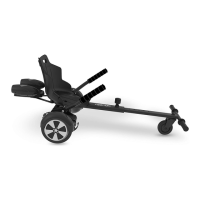

 To Next Page

 General