13Hoverzon
TM
Cruiser Folding E-Scooter User’s Manual
appears, immediately stop using the Cruiser and contact customer service.
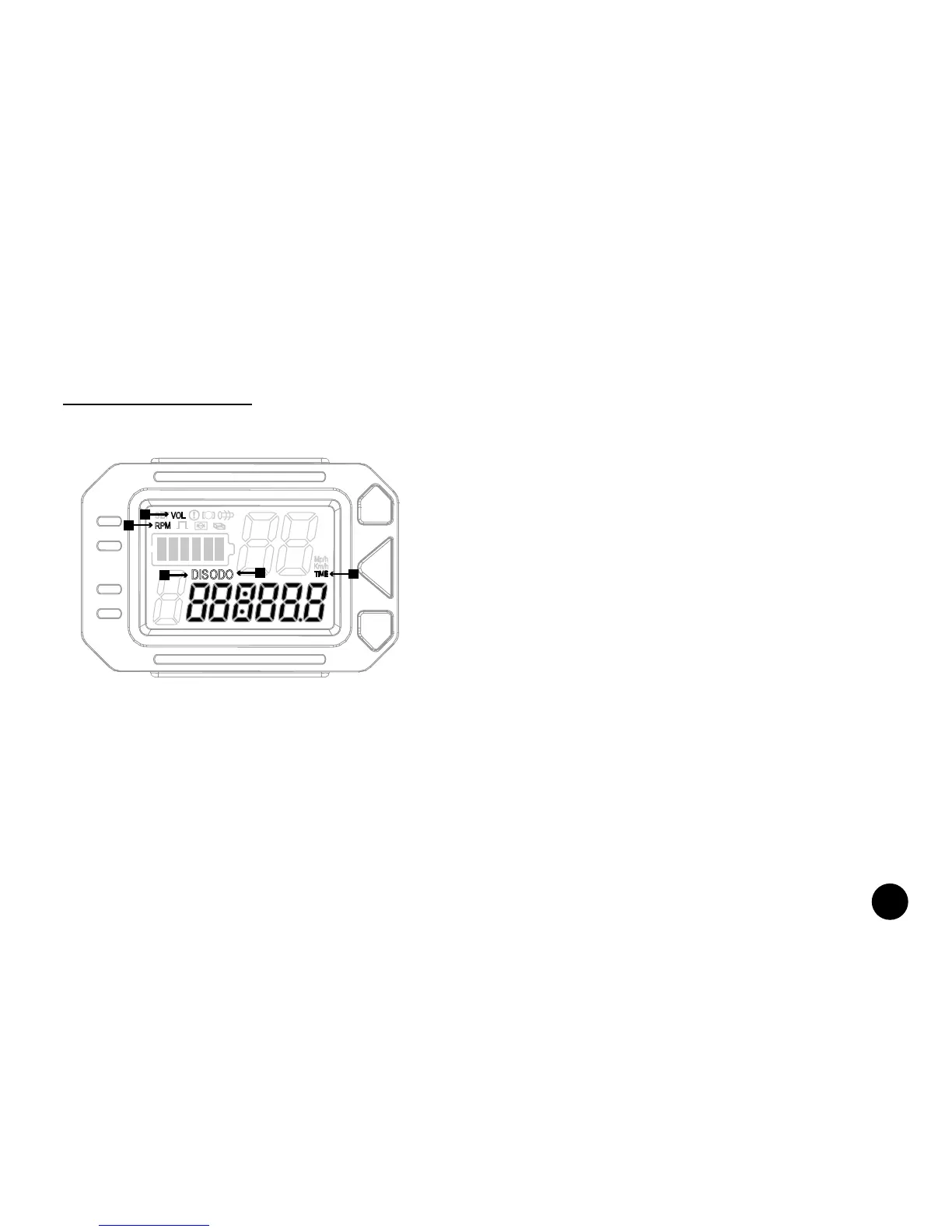
Display Mode Indicators
Different modes and their related settings may be shown on the display as desired. To switch between
modes and display different information, briefl y press the POWER button.
4. Odometer: When this mode is selected, the odometer icon and the corresponding value will appear
on the highlighted area on the display.
5. Time: When this mode is selected, the time icon and the corresponding value will appear on the
highlighted area on the display. This icon is related to tracking the time you travel per trip. To reset, turn
the Cruiser off.
SET
RPM
M
DISODO
VOL
Mp/h
Km/h
TIME
1
5
4
2
3
1. Voltage: The icon will show upon start-up. The voltage
is related to internal settings within the scooter and is not
accessible.
2. Rotation Speed: When this mode is selected, the RPM
icon and the corresponding value will appear on the
highlighted area on the display.
3. Distance: When this mode is selected, the distance
icon and the corresponding value will appear on the
highlighted area on the display. This icon is related to
tracking the distance you travel per trip. To reset, turn the
Cruiser off and/or press and hold the UP ARROW button.



 To Next Page