10 Hoverzon
TM
Cruiser Folding E-Scooter User’s Manual
2.5 DISPLAY
2.5.1 OVERVIEW
DO NOT expose the display to direct sunlight or high heat for extended periods
of time.
DO NOT store the Cruiser inside a vehicle or other location subject to high heat. Any
of these conditions may damage the display’s interface.
2.5.2 INDICATORS
After 10 minutes of non-use, the display will turn itself off which will also prompt the
Cruiser to turn off.
2
3
1
4
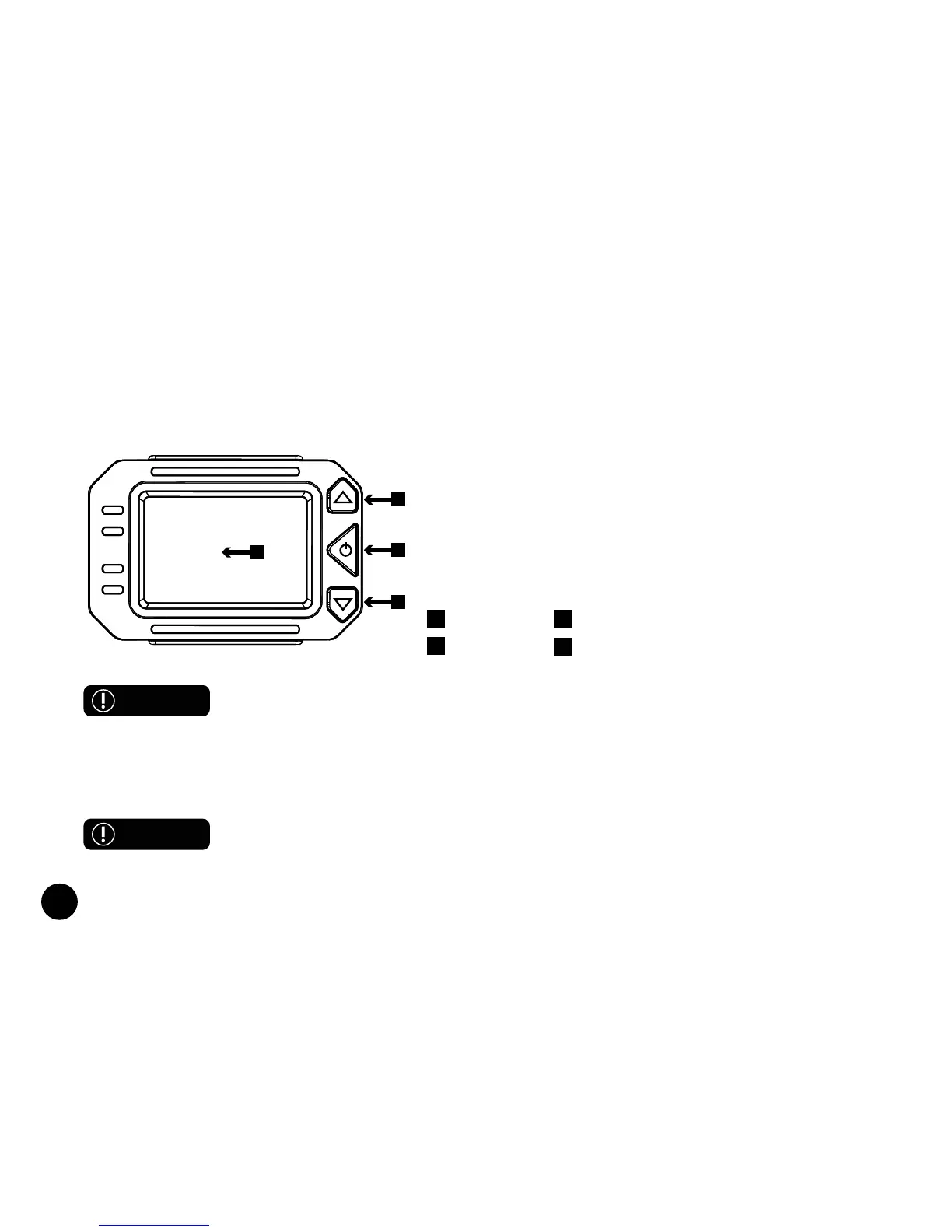
The Cruiser display features many different options
and elements. Be sure you understand these before
attempting to ride. Different areas are related to features
noted in the next section.
Press and hold the POWER button to turn on the display.
The display is made up of these parts:
1 Screen 2 Up Arrow Button
3 Power Button 4 Down Arrow Button
WARNING
CAUTION



 To Next Page