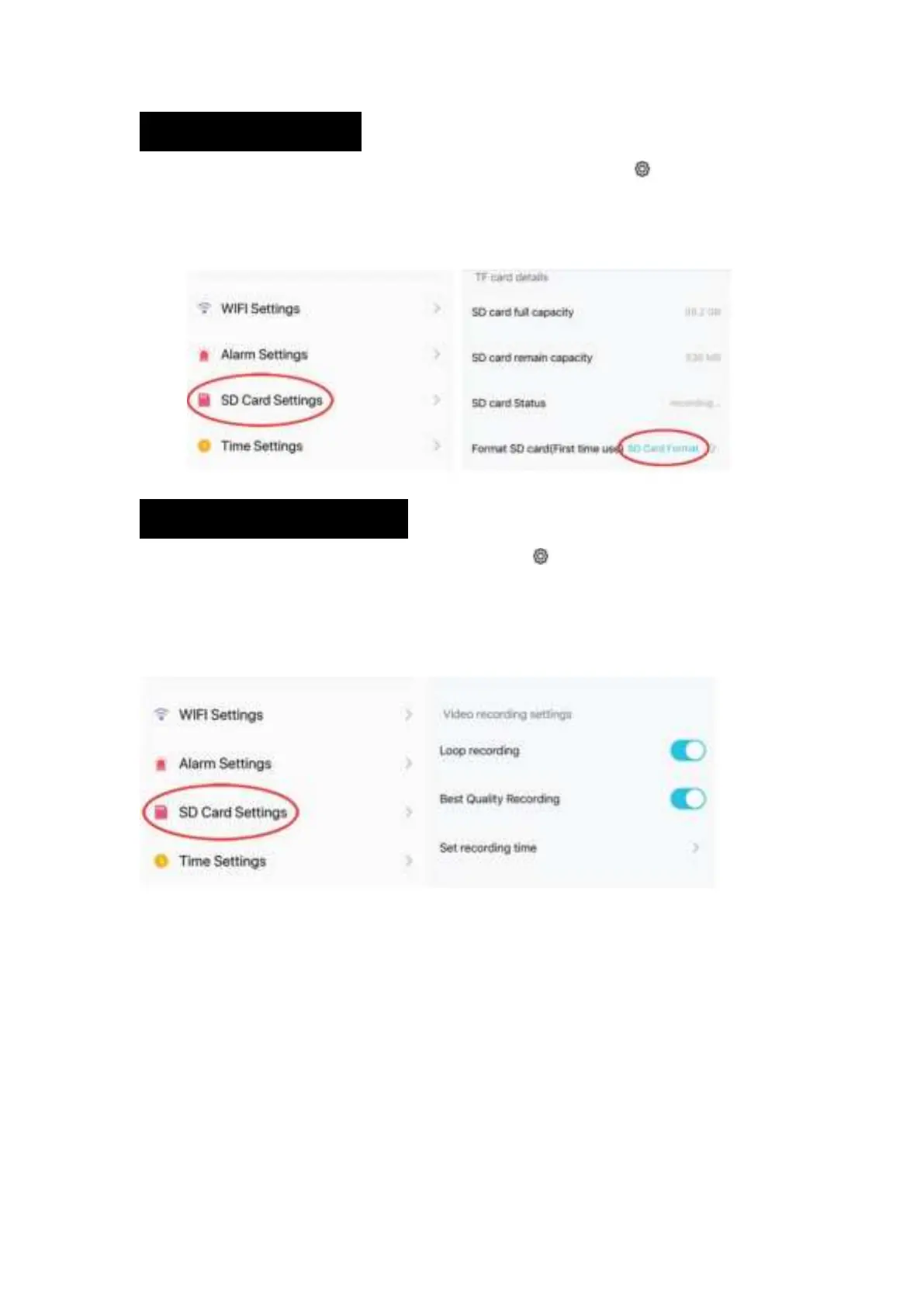
3.SD/TF Card Settings
1. When a new Micro SD or TF Card is inserted, select the settings gear icon and select SD
Card Settings.
2. The new card must be formatted before it con be used. Select SD Card Format and select OK
on the confirmation pop-up window.
Video Recording Schedule
1. To set video recording schedule, select the settings gear icon and select SD Card Settings.
2. A Micro SD (TF) Card must be inserted for recording to work. 64gb of capacity can yield .about
a week of continuous loop-recording.
3. Turn on Loop Recording to record in a continuous loop, tick Best Quality Recording to record
in high-definition, or Set Recording Time to select the dates of the week and time to record.


 To Next Page