The boot configuration for Windows Server 2008 Superdome partitions can be:
The Smart Array 6402/6404 disk array controllers (A9890A/A9891A) connected to StorageWorks 4400 (a.k.a. MSA30) series
enclosures.
NOTE:
NOTE: NOTE:
NOTE:
MSA30 is End of Life and may not be available.
The SA P600 SAS controller (337972 B2) connected to the MSA50
(
NOTE:
NOTE: NOTE:
NOTE:
Maximum cable length available is 4 meters.)
Fibre Channel PCI X (AB466A or AB467A) HBAs(no boot from factory).
Windows Server 2008 operating system comes with a software mirroring solution. However, the majority of Windows customers use
hardware based RAID solutions (such as the industry leading Smart Array disk array controllers from HP) instead and do not use this
mirroring tool. Also note that the Smart Array controllers do not support failover capability (customers cannot have 2 Smart Array
cards connected to the same boot partition on a StorageWorks 4300/4400 enclosure). RAID levels 0, 1, 5, 1+0, and ADG are
supported as well as disk sparing.
Note that booting from external storage arrays is supported (HP XP and EVA storage). In these cases, it is recommended by HP that
the FC HBAs are configured in a redundant pair using HP Secure Path software for high availability.
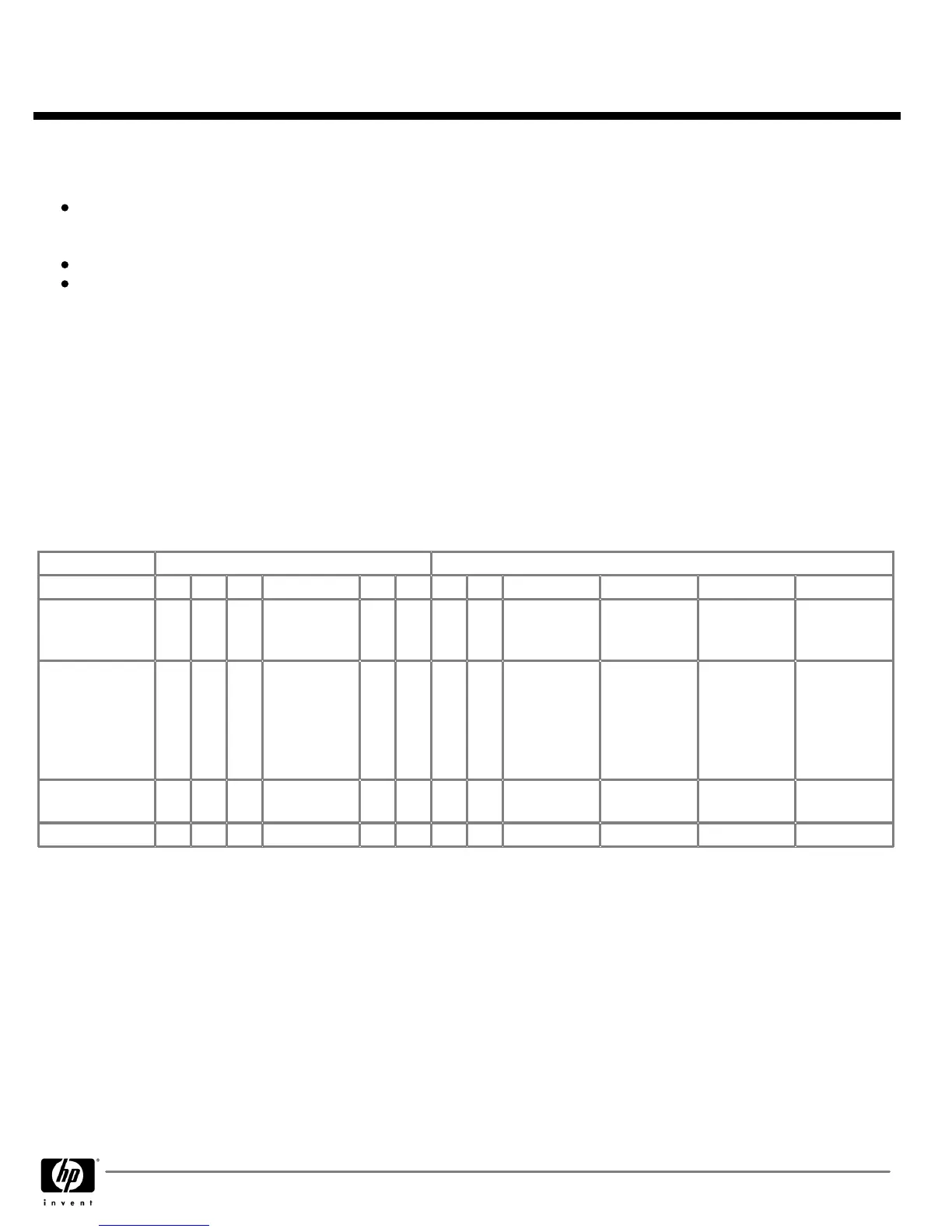
Please refer to the table below as guidance for configuring your
Windows Server 2003 or Windows Server 2008 partition
Windows Server 2003 or Windows Server 2008 partitionWindows Server 2003 or Windows Server 2008 partition
Windows Server 2003 or Windows Server 2008 partition
on
Superdome (note that "Watson" rules are in place that reflect these recommendations). Please note that if the VGA/USB card
(A6869A/A6869B) is used, it would only be needed once per instance to the Windows OS instance.
PCI-X Technical Slotting Information for Windows Server 2008
PCI-X Technical Slotting Information for Windows Server 2008PCI-X Technical Slotting Information for Windows Server 2008
PCI-X Technical Slotting Information for Windows Server 2008
Left
LeftLeft
Left
Right
RightRight
Right
Slot
SlotSlot
Slot
11 10
9 8 7 6 5 4 3 2 1 0
Clock Speed
Clock SpeedClock Speed
Clock Speed
(MHz)
66 66 66 66 66
or
133
66
or
133
66
or
133
66
or
133
66 66 66 66
Special Notes
Special NotesSpecial Notes
Special Notes
for Windows
for Windowsfor Windows
for Windows
Server 2008
Server 2008Server 2008
Server 2008
SCSI Card
A7173A)
removable
media slot
Default boot
device slot for
Smart Array
controller
(A9890A)
recommended
Windows LAN
Gig E card
(AD337A)
VGA/USB
(A6869B). If
ordered, must
be placed in
Slot One
Core I/O slot
(A6865A)
Not supported
on sx2000
Previously on
Previously onPreviously on
Previously on
A4856A
A4856AA4856A
A4856A
2X 2X 2X 2X 4X 4X 4X 4X 2X 2X 2X 2X
Now on PCI-X
Now on PCI-XNow on PCI-X
Now on PCI-X
4X 4X 4X 4X 8X 8X 8X 8X 4X 4X 4X 4X
NOTE:
NOTE:NOTE:
NOTE:
FC HBA (AB466A or AB467A) are to consume 8X slots first and then populate 4X slots (recommended for performance
optimization)
To ensure Windows Server 2008 high availability for storage connectivity, it is recommended to use HP SecurePath (with HP storage)
and EMC PowerPath (with EMC storage) for load balancing/redundancy between fiber channel HBAs (AB466A or AB467A).
External Storage
External StorageExternal Storage
External Storage
HP has the broadest, most robust server and storage line up in the industry, providing exactly the right fit for every need. Refer to the
Storage-Server matrix found in the introductory section of Chapter 4 of this configuration guide to see a matrix that highlights which
storage device, server and operating system is interoperable.
For HP Storage connectivity, the webpage
http://spock.corp.hp.com/index.asp
x has all of the detail for HP hardware. Please consult
this matrix for HP supported on line and near line storage.
For EMC connectivity with Windows Server 2008 on HP Integrity servers, the EMC support matrix has detailed information concerning
supported HP hardware:
http://www.emc.com/interoperability/index.jsp
. Please consult this matrix to determine if your customer's
QuickSpecs
HP Integrity Superdome Servers 16- processor, 32-
HP Integrity Superdome Servers 16- processor, 32-HP Integrity Superdome Servers 16- processor, 32-
HP Integrity Superdome Servers 16- processor, 32-
processor, and 64- processor Systems
processor, and 64- processor Systemsprocessor, and 64- processor Systems
processor, and 64- processor Systems
Technical Specifications
DA - 11717 Worldwide — Version 57 — October 23, 2009
Page 60


 To Next Page
 Loading...