EasyManua.ls Logo

HP DL560 - ProLiant - 1 GB RAM - User Manual

HP DL560 - ProLiant - 1 GB RAM
136 pages
Print Icon
To Next Page IconTo Next Page
Loading...
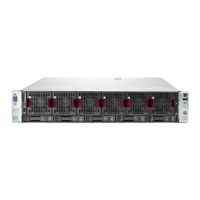
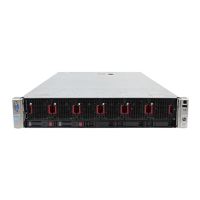
HP ProLiant DL560 Server
User Guide

Table of Contents

Other manuals for HP DL560 - ProLiant - 1 GB RAM

Questions and Answers

  • K
    Kelly TapiaJul 29, 2025
    How to resolve HP DL560 - ProLiant - 1 GB RAM Server 207-Memory Configuration Warning?
    • M
      Michelle Jordan MDJul 29, 2025
      The 207-Memory Configuration Warning indicates that installed DIMMs have a primary width of x8. To resolve this, install DIMMs that have a primary width of x4.
  • V
    vortegaAug 2, 2025
    How to resolve HP DL560 - ProLiant - 1 GB RAM 209-Online Spare Memory Configuration?
    • R
      Robert ThompsonAug 2, 2025
      The 209-Online Spare Memory Configuration error means that the installed DIMMs for the online spare bank are of a different primary width than the DIMMs in other banks. Install or reinstall DIMMs to support online spare configuration.
  • D
    dhawkinsAug 6, 2025
    What to do if the HP DL560 - ProLiant - 1 GB RAM Server System Power LED is amber?
    • D
      Dr. Amber HowardAug 6, 2025
      If the System Power LED is amber, it means the server is not connected to AC power or no AC power is available. Ensure the power cord is connected to the power supply, the power supply is undamaged and fully seated, and the system power and power supply signal cables are connected to the system board. Also, make sure all pins on connectors and components are straight.
  • J
    jesse15Aug 10, 2025
    Why does HP DL560 - ProLiant - 1 GB RAM SmartStart fail during installation?
    • J
      Jonathon MarshAug 10, 2025
      SmartStart may fail during installation due to an error. Follow the error information provided. If necessary, clear NVRAM in RBSU and reinstall the operating system.
  • J
    Jason GarciaAug 15, 2025
    What to do if HP Server SmartStart cannot load operating system?
    • D
      Dawn KennedyAug 15, 2025
      If SmartStart cannot load the operating system, it means a required operating system step was missed. Follow these steps: 1. Note at which phase the operating system failed. 2. Remove any loaded operating system. 3. Refer to the operating system documentation. 4. Install the operating system again.
  • M
    Meagan MooreAug 19, 2025
    What to do if the monitor is not displaying information from my HP DL560 - ProLiant - 1 GB RAM Server?
    • D
      David BradshawAug 20, 2025
      If the monitor is not displaying information, it might not have power. Ensure the monitor power cord is plugged in and the monitor power switch has been pressed.
  • K
    Kevin WellsAug 25, 2025
    Why system cannot load SmartStart on HP DL560 - ProLiant - 1 GB RAM Server?
    • J
      Jeffrey MunozAug 25, 2025
      The system cannot load SmartStart because a SmartStart requirement is not met. Check the SmartStart Release Notes provided in the SmartStart Online Reference Information on the SmartStart CD.

Summary

HP ProLiant DL560 Server Component Identification

Server Operations Guide

Powering Up the Server

Instructions on how to turn on the server using the Power On/Standby button.

Powering Down the Server

Steps for safely shutting down the server, including warnings about power removal.

Hardware Options Installation Guide

Processor Option

Information and steps for installing or replacing server processors.

Memory Options

Details memory types, configurations, and installation for the server.

Server Configuration and Utilities

ROM-Based Setup Utility

Explains the BIOS setup utility for system configuration and options.

Server Specific Troubleshooting

Minimum Hardware Configuration

Specifies the essential components required for the server to function.

Server Error Messages

Lists and explains POST error codes and their possible causes/solutions.

When the Server Does Not Boot

Systematic steps to diagnose and resolve issues when the server fails to boot.

HP DL560 - ProLiant - 1 GB RAM Specifications

General IconGeneral
BrandHP
ModelDL560 - ProLiant - 1 GB RAM
CategoryServer
LanguageEnglish

Related product manuals