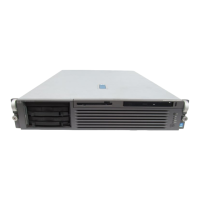
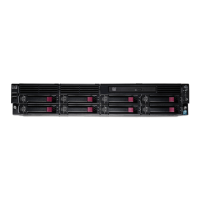
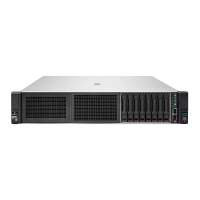
Core I/O
Core I/OCore I/O
Core I/O
(required by
sx1000 systems only,
sx2000 systems do not
have a core I/O)
The core I/O in Superdome provides the base set of I/O functions required by every Superdome
partition. Each partition must have at least one core I/O card in order to boot. sx2000 systems must
have I/O cards with at least LAN connectivity as its "core" I/O capability in each partition. Multiple core
I/O cards may be present within a partition (one core I/O card is supported per I/O backplane);
however, only one may be active at a time. Core I/O will utilize the standard long card PCI X form factor
but will add a second card cage connection to the I/O backplane for additional non PCI X signals (USB
and utilities). This secondary connector will not impede the ability to support standard PCI X cards in the
core slot when a core I/O card is not installed.
Any I/O chassis can support a Core I/O card that is required for each independent partition. A system
configured with 16 cells, each with its own I/O chassis and core I/O card could support up to 16
independent partitions. Note that cells can be configured without I/O chassis attached, but I/O chassis
cannot be configured in the system unless attached to a cell.
HP-UX Core I/O
HP-UX Core I/OHP-UX Core I/O
HP-UX Core I/O
(A6865A)
(A6865A)(A6865A)
(A6865A)
(sx1000
systems only, sx2000
systems do not have a
core I/O)
The core I/O card's primary functions are:
Partitions (console support) including USB and RS-232 connections
10/100Base-T LAN (general purpose)
Other common functions, such as Ultra/Ultra2 SCSI, Fibre Channel, and Gigabit Ethernet, are not
included on the core I/O card. These functions are, of course, supported as normal PCI-X add-in cards.
The unified 100Base-T Core LAN driver code searches to verify whether there is a cable connection on an
RJ-45 port or on an AUI port. If no cable connection is found on the RJ-45 port, there is a busy wait
pause of 150 ms when checking for an AUI connection. By installing the loopback connector (description
below) in the RJ-45 port, the driver would think an RJ-45 cable was connected and would not continue to
search for an AUI connection, hence eliminate the 150 ms busy wait state
Product/
Product/Product/
Product/
Option Number
Option NumberOption Number
Option Number
Description
DescriptionDescription
Description
A7108A
RJ-45 Loopback Connector
0D1
Factory integration RJ-45 Loopback Connector
Core I/O (A6865A and
Core I/O (A6865A andCore I/O (A6865A and
Core I/O (A6865A and
optional VGA/USB
optional VGA/USBoptional VGA/USB
optional VGA/USB
A6869A/A6869B)
A6869A/A6869B)A6869A/A6869B)
A6869A/A6869B)
-
(sx1000 systems only,
sx2000 systems do not
have core I/O)
For Windows Server 2003 and Windows Server 2008, Windows does not support the 10/100 LAN on
the A6865A core I/O card, a separate Gigabit Ethernet card such as the A7061A, A7073A, A9899A,
or A9900A is required. The use of Graphics/USB card (A6869A/A6869B) is optional and not required.
NOTE:
NOTE:NOTE:
NOTE:
A6869A is not supported on systems with the sx2000 chipset.
QuickSpecs
HP Integrity Superdome Servers 16- processor, 32-
HP Integrity Superdome Servers 16- processor, 32-HP Integrity Superdome Servers 16- processor, 32-
HP Integrity Superdome Servers 16- processor, 32-
processor, and 64- processor Systems
processor, and 64- processor Systemsprocessor, and 64- processor Systems
processor, and 64- processor Systems
Configuration
DA - 11717 Worldwide — Version 57 — October 23, 2009
Page 9


 To Next Page
 Loading...