
 Need help?
Do you have a question about the HP 24 All-in-One and is the answer not in the manual?
Lists basic steps for removing components and materials requiring selective treatment from the product.
Guidance for optional graphics to illustrate disassembly steps and identify components for selective treatment.
This document outlines the disassembly instructions for the HP 24 All-in-One PC, a personal computer designed for end-of-life recycling and treatment facilities. The primary function of this guide is to facilitate the removal of specific components and materials that require selective treatment, adhering to the guidelines set forth by the EU directive 2002/96/EC concerning Waste Electrical and Electronic Equipment (WEEE). By providing a structured approach to disassembly, the document aims to ensure environmentally responsible handling of the device at the end of its lifecycle.
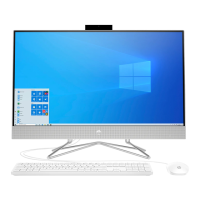
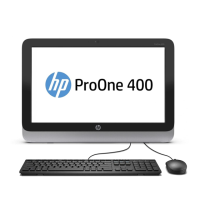
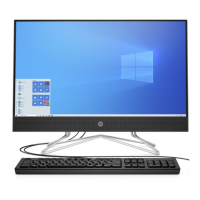
The HP 24 All-in-One PC is an integrated computing solution, combining the display and core computer components into a single, sleek unit. This design minimizes cable clutter and offers a compact footprint, making it suitable for various environments, from home offices to public spaces where aesthetics and space-saving are priorities. As a personal computer, its fundamental function is to provide users with a platform for a wide range of tasks, including internet browsing, document creation, multimedia consumption, and various applications. Its "All-in-One" nature implies a simplified setup process, as most essential components are pre-integrated.
From a usage perspective, the HP 24 All-in-One PC is designed for ease of use and accessibility. The integrated display eliminates the need for a separate monitor, simplifying the overall desktop setup. The inclusion of various internal components such as a motherboard, SSD card, VGA PCB, and RAM ensures that the device can handle typical computing demands. The presence of a hard disk drive (HDD) and an optical disk drive (ODD) suggests capabilities for local data storage and the use of physical media, respectively, although modern trends often lean towards cloud storage and digital distribution. The device also incorporates essential peripherals like a speaker, camera module, and a fan for cooling, all contributing to a complete user experience. The external electrical cables and cords, specifically the power cord, are designed for standard power supply connections, ensuring broad compatibility with electrical outlets.
Maintenance features, as described in this disassembly guide, are primarily focused on the end-of-life stage of the product. The document details a step-by-step process for disassembling the HP 24 All-in-One PC, which is crucial for proper recycling and material recovery. This process involves the systematic removal of various parts, starting with external elements like the hinge cap, base stand, and front bezel, and progressing to internal components such as the LCD display, HDD holder, HDD, ODD, speaker, power PCB, fan, camera module, heat sink, VGA PCB, wireless card, SSD card, RAM, motherboard, hinge, and MB holder, culminating in the removal of the rear cover. This detailed breakdown ensures that all components, especially those requiring selective treatment, can be identified and separated.
The selective treatment requirements highlight specific materials and components that need special attention due to their potential environmental impact. These include printed circuit boards (PCBs) or printed circuit assemblies (PCAs) with a surface greater than 10 sq cm, which often contain various metals and potentially hazardous substances. Batteries, including standard alkaline, lithium coin, or button-style batteries (such as the RTC battery), are also singled out due to their chemical content. Mercury-containing components, such as those found in display backlights, scanner lamps, switches, or certain batteries, are explicitly mentioned for their toxicity. Liquid Crystal Displays (LCDs) with a surface greater than 100 sq cm, including those with background illumination using gas discharge lamps, are identified as requiring selective treatment due to their complex composition and potential for containing hazardous materials. Electrolytic capacitors/condensers measuring greater than 2.5 cm in diameter or height are also listed, as they can contain substances that need careful handling. External electrical cables and cords, particularly the power cord, are to be separated, likely for material recovery of copper and plastics. The guide also notes plastics containing brominated flame retardants weighing over 25 grams, components with toner and ink (including liquids, semi-liquids, and toner cartridges), and components containing asbestos, refractory ceramic fibers, or radioactive substances, although the latter three are less common in standard personal computers.
The tools required for this disassembly process are minimal, primarily a screwdriver, specifically a TORX T8. This suggests that the device is designed with a degree of serviceability in mind, at least for end-of-life processing, allowing for relatively straightforward access to internal components with common tools. The detailed graphical illustrations accompanying the disassembly steps further aid in identifying and removing the various parts, ensuring that the process is clear and efficient for recyclers. This emphasis on clear, actionable instructions underscores the document's function as a practical guide for environmental compliance and resource recovery.
 General
| Display Resolution | 1920 x 1080 |
|---|---|
| Display Size | 23.8 inches |
| Display Type | Full HD IPS |
| Processor | Intel Core i3/i5/i7 (varies by model) |
| Graphics | Intel® UHD Graphics |
| Operating System | Windows 11 Home |
| Ports | USB 2.0 |
| Webcam | HP TrueVision HD Camera |
| Audio | Dual speakers |




 To Next Page