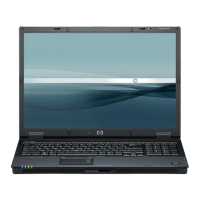
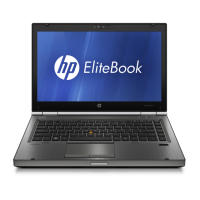
Front components
Component Description
(1) Wireless light On: An integrated wireless device, such as a wireless local area
network (WLAN) device, the HP Broadband Wireless Module, and/
or a Bluetooth device, is on.
Off: All wireless devices are off.
(2) Power light
●
On: The computer is on.
●
Blinking: The computer is in the Sleep state.
●
Blinking rapidly: An AC adapter with a higher power rating
should be connected.
●
Off: The computer is off or in Hibernation.
(3) Battery light
●
Amber: A battery is charging.
●
Green: A battery is close to full charge capacity.
●
Blinking amber: A battery that is the only available power
source has reached a low battery level. When the battery
reaches a critical battery level, the battery light begins blinking
rapidly.
●
Off: If the computer is plugged into an external power source,
the light turns off when all batteries in the computer are fully
charged. If the computer is not plugged into an external power
source, the light stays off until the battery reaches a low
battery level.
(4) Drive light Blinking green: The hard drive or optical drive is being accessed.
Amber: HP 3D DriveGuard has temporarily parked the hard drive.
(5) Speakers (2) Produce sound.
(6) Infrared port Provides wireless communication between the computer and an
optional IrDA-compliant device.
(7) Media Card Reader Supports the Secure Digital (SD) Memory Card and
MultiMediaCard (MMC) optional digital card formats
(8) Display release latch
Opens the computer.
(9) Bluetooth compartment Contains a Bluetooth device.
10 Chapter 2 Components ENWW


 To Next Page
 Loading...