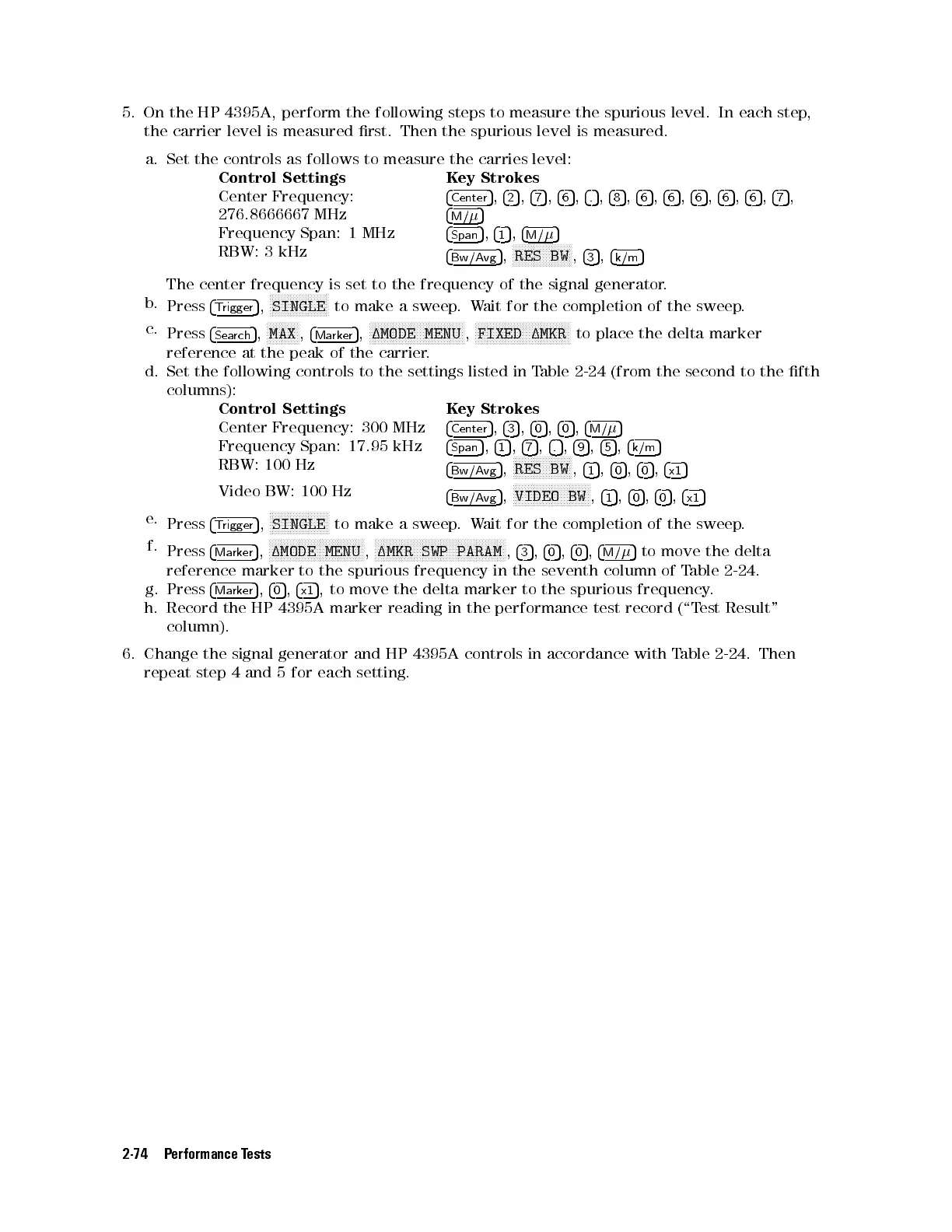
5. On the HP 4395A, perform the following steps to measure the spurious level. In each step,
the carrier level is measured rst. Then the spurious level is measured.
a. Set the controls as follows to measure the carries level:
Control Settings Key Strokes
Center Frequency:
276.8666667 MHz
4
Center
5
,
4
2
5
,
4
7
5
,
4
6
5
,
4
.
5
,
4
8
5
,
4
6
5
,
4
6
5
,
4
6
5
,
4
6
5
,
4
6
5
,
4
7
5
,
4
M/
5
Frequency Span: 1 MHz
4
Span
5
,
4
1
5
,
4
M/
5
RBW: 3 kHz
4
Bw/Avg
5
,
NNNNNNNNNNNNNNNNNNNN
RES BW
,
4
3
5
,
4
k/m
5
The center frequency is set to the frequency of the signal generator.
b.
Press
4
Trigger
5
,
NNNNNNNNNNNNNNNNNNNN
SINGLE
to make a sweep.Wait for the completion of the sweep.
c.
Press
4
Search
5
,
NNNNNNNNNNN
MAX
,
4
Marker
5
,
NNNNNNNNNNNNNNNNNNNNNNNNNNNNNNNN
1MODE MENU
,
NNNNNNNNNNNNNNNNNNNNNNNNNNNNNNNN
FIXED 1MKR
to place the delta marker
reference at the peak of the carrier.
d. Set the following controls to the settings listed in Table 2-24 (from the second to the fth
columns):
Control Settings Key Strokes
Center Frequency: 300 MHz
4
Center
5
,
4
3
5
,
4
0
5
,
4
0
5
,
4
M/
5
Frequency Span: 17.95 kHz
4
Span
5
,
4
1
5
,
4
7
5
,
4
.
5
,
4
9
5
,
4
5
5
,
4
k/m
5
RBW: 100 Hz
4
Bw/Avg
5
,
NNNNNNNNNNNNNNNNNNNN
RES BW
,
4
1
5
,
4
0
5
,
4
0
5
,
4
x1
5
Video BW: 100 Hz
4
Bw/Avg
5
,
NNNNNNNNNNNNNNNNNNNNNNNNNN
VIDEO BW
,
4
1
5
,
4
0
5
,
4
0
5
,
4
x1
5
e.
Press
4
Trigger
5
,
NNNNNNNNNNNNNNNNNNNN
SINGLE
to make a sweep.Wait for the completion of the sweep.
f.
Press
4
Marker
5
,
NNNNNNNNNNNNNNNNNNNNNNNNNNNNNNNN
1MODE MENU
,
NNNNNNNNNNNNNNNNNNNNNNNNNNNNNNNNNNNNNNNNNNNN
1MKR SWP PARAM
,
4
3
5
,
4
0
5
,
4
0
5
,
4
M/
5
to move the delta
reference marker to the spurious frequency in the seventh column of T
able 2-24.
g. Press
4
Marker
5
,
4
0
5
,
4
x1
5
, to move the delta marker to the spurious frequency
.
h. Record the HP 4395A marker reading in the performance test record (\T
est Result"
column).
6. Change the signal generator and HP 4395A controls in accordance with T
able 2-24. Then
repeat step 4 and 5 for each setting.
2-74 Performance Tests



 To Next Page