Model 5305B
Maintenance
Table 9E-5-1. In-Cabinet Performance Check
1.
ELF-
HE
K
Perform Self-Check procedure, Figure 9E-3-3.
2.
HANNEL A
Obtain the following test equipment:
HP 8660B/86602A Synthesized Signal Generator
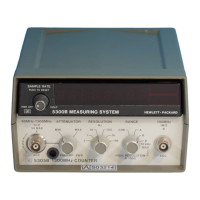
a. On 5305B, set RANGE to A, RESOLUTION to 1K, and ATTENUATOR to MIN.
b. Set signal generator to 90 MHz at 20 mV.
c. Connect 8660B/86602A Signal Generator output to 90 MHz to 1300 MHz jack of 5305B.
d. Check frequencies in band of 90 to 1300 MHz. Counter should display selected frequency.
count li
ht (C) must be flashin
.
e. Set ATTENUATOR control to MAX. Counter should stop counting.
.
Obtain the following test equipment:
HP 651B Test Oscillator
HP 8660B/86602A Synthesized Signal Generator
HP 11048A 50-ohm Feed-Thru Termination
a. On 5305B, set RANGE to B and RESOLUTION to 100 Hz.
b. Set 8660B/86602A Signal Generator to 100 MHz at 20 mV.
c. Connect signal generator output to 100 MHz jack of 5305B using 50-ohm feed-thru.
d. Check frequencies in band of 100 MHz down to 1 MHz. Counter should display selected frequency.
count li
ht (C) must be flashin
.
e. Disconnect signal generator and connect a 651B test oscillator. Retain 50-ohm feed-thru.
f. On 5305B, set RESOLUTION to 1 kHz.
. Set 651B to 1 MHz at 20 mV.
h. Check frequencies in band of 1 MHz down to 50 Hz. Counter should display selected frequency.
count li
ht
C
must be flashin
.
i. At 50 Hz, counter should display 00000.050 kHz.
j. On 5305B, set RANGE to B 10 kHz MAX.
k. The S light should light momentarily, and the display should read (display all 8's).
counter should then displa
00050.000 Hz. Count li
ht (C) must be flashin
.
9E-5-3


 To Next Page