EasyManua.ls Logo

HP 5355A - Page 3

HP 5355A
50 pages
Print Icon
To Next Page IconTo Next Page
To Previous Page IconTo Previous Page
Loading...
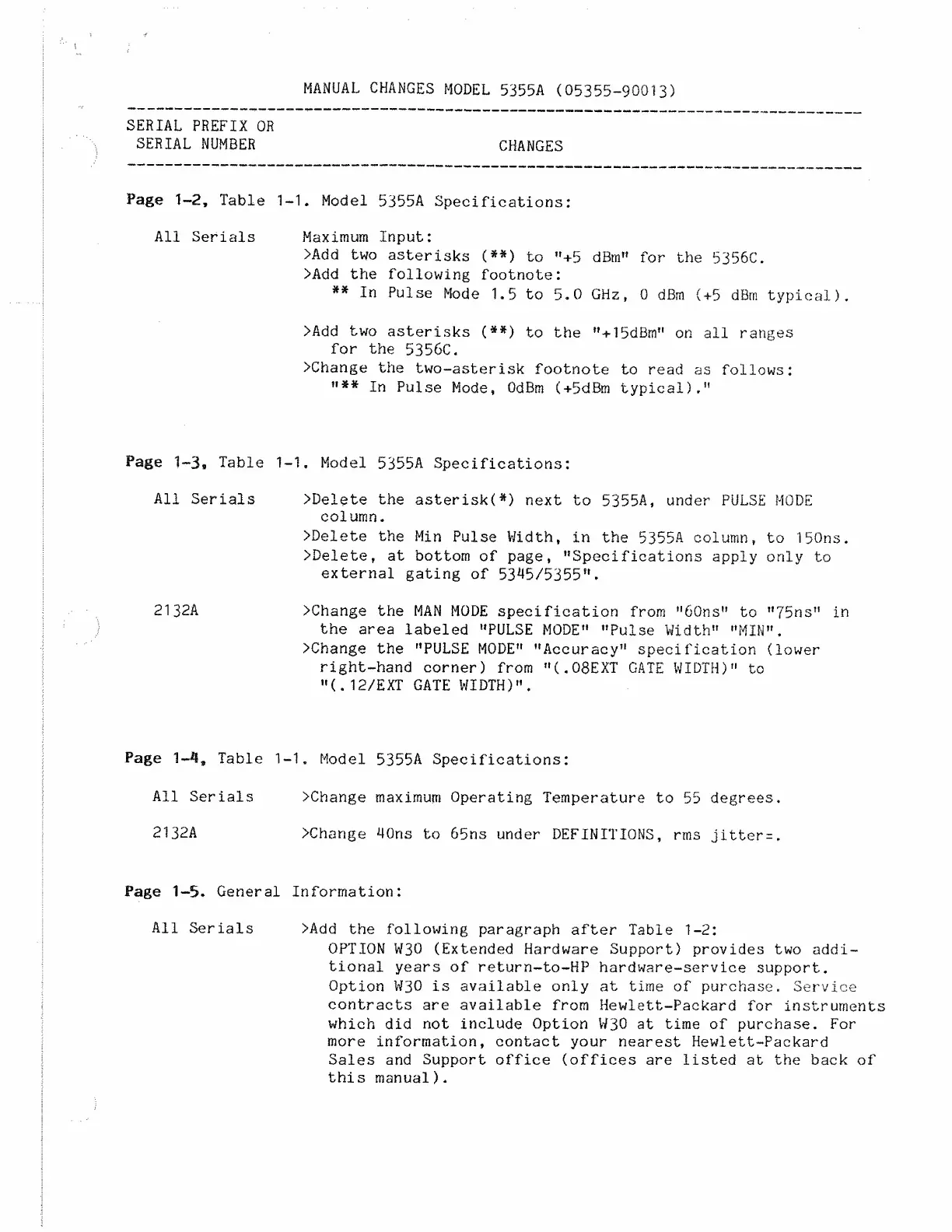
MANUAL
CHANGES
MODEL
5355A
(05355-90013)
SERIAL
PREFIX
OR
SERIAL
NUMBER
Page
1-2,
Table
1
All
Serials
Page
1~3
S
Table
1
All
Serials
2132A
Page
1-*l
9
Table
1
All
Serials
2132A
Page
1-5.
General
All
Serials
CHANGES
1.
Model
5355A
Specifications:
Maximum
Input:
>Add
two
asterisks
(**)
to
"+5
dBm”
for
the
5356C.
>Add
the
following
footnote:
**
In
Pulse
Mode
1.5
to
5.0
GHz,
0
dBm
(+5
dBm
typical).
>Add
two
asterisks
(**)
to
the
"+15dBm”
on
all
ranges
for
the
5356C.
>Change
the
two-asterisk
footnote
to
read
as
follows:
»»#*
j
n
pulse
Mode,
OdBm
(+5dBm
typical)."
1.
Model
5355A
Specifications:
>Delete
the
asterisk(*)
next
to
5355A,
under
PULSE
MODE
column.
>Delete
the
Min
Pulse
Width,
in
the
5355A
column,
to
150ns.
>Delete,
at
bottom
of
page,
"Specifications
apply
only
to
external
gating
of
53*15/5355".
>Change
the
MAN
MODE
specification
from
"60ns"
to
"75ns"
in
the
area
labeled
"PULSE
MODE"
"Pulse
Width"
"MIN".
>Change
the
"PULSE
MODE"
"Accuracy"
specification
(lower
right-hand
corner)
from
"
(.
08EXT
GATE
WIDTH)"
to
"(.
12/EXT
GATE
WIDTH)".
1.
Model
5355A
Specifications:
>Change
maximum
Operating
Temperature
to
55
degrees.
>Change
40ns
to
65ns
under
DEFINITIONS,
rms
jitter=.
Information:
>Add
the
following
paragraph
after
Table
1-2:
OPTION
W30
(Extended
Hardware
Support)
provides
two
addi¬
tional
years
of
return-to-HP
hardware-service
support.
Option
W30
is
available
only
at
time
of
purchase.
Service
contracts
are
available
from
Hewlett-Packard
for
instruments
which
did
not
include
Option
W30
at
time
of
purchase.
For
more
information,
contact
your
nearest
Hewlett-Packard
Sales
and
Support
office
(offices
are
listed
at
the
back
of
this
manual).

Related product manuals