EasyManua.ls Logo

HP 5355A - Page 7

HP 5355A
50 pages
Print Icon
To Next Page IconTo Next Page
To Previous Page IconTo Previous Page
Loading...
MANUAL
CHANGES
MODEL
5355A
(05355-90013)
SERIAL
PREFIX
OR
SERIES
NUMBER
CHANGES
Page
3-19,
Paragraph
3-56.
CONVERTER
CODES:
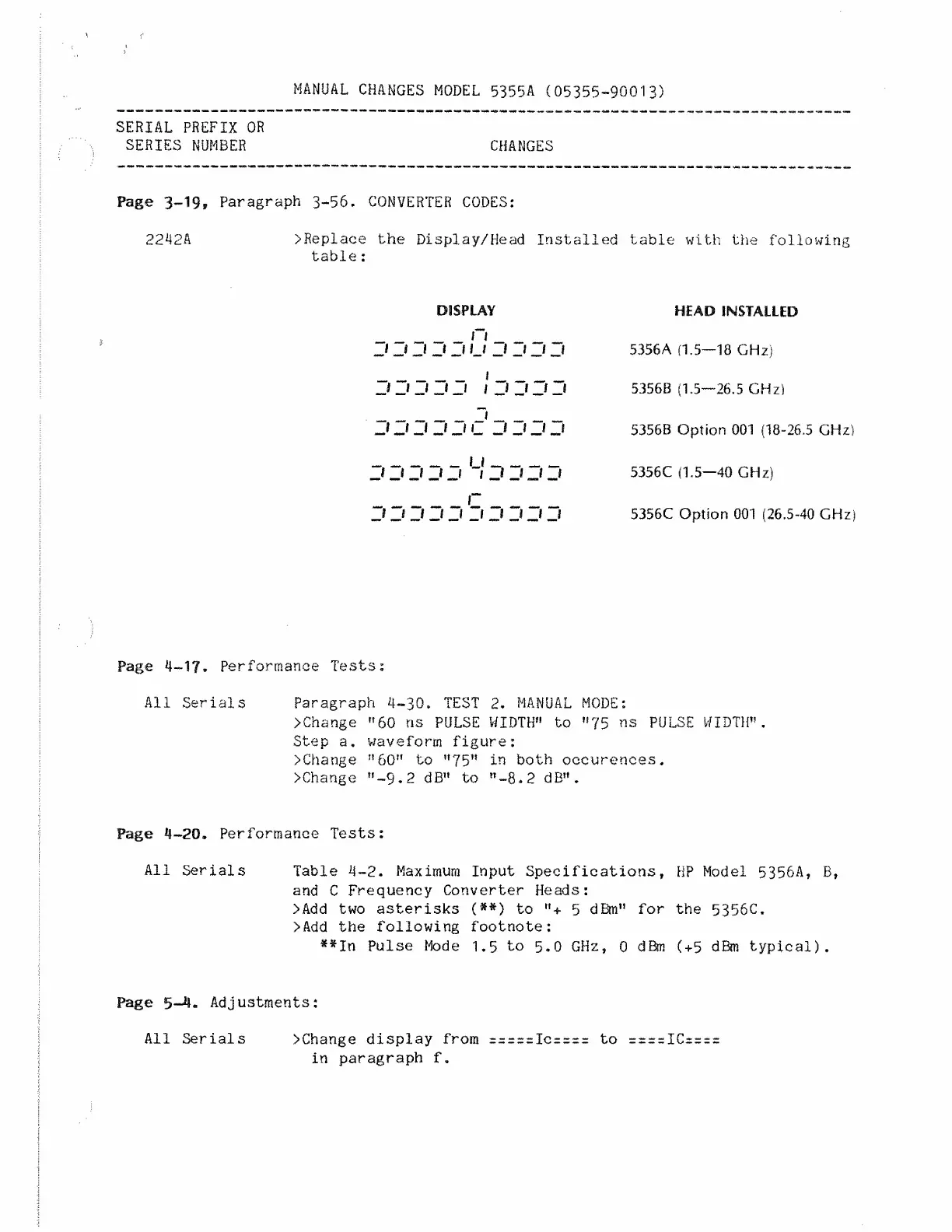
2242A
>RepIace
the
Display/Head
Installed
table
with
the
following
table
:
DISPLAY
_n
_
'!
__l
J
__l
_J
IJ
_!
J
__l
_J
_J
J
Jt
J
Jt
J
|
_l
J
J
_}
__1_
"III
III
Silt
j
_j
j
W
j
j
j
j
..
r
I
i
l
J
/
Z/
J
i
i
i
HEAD
INSTALLED
5356A
(1.5—18
GHz)
5356B
(1.5—26.5
GHz)
5356B
Option
001
(18-26.5
GHz)
5356C
(1.5—40
GHz)
5356C
Option
001
(26.5-40
GHz)
Page
4-1?.
Performance
Tests:
All
Serials
Paragraph
4-30.
TEST
2.
MANUAL
MODE:
>Change
”60
ns
PULSE
WIDTH”
to
”75
ns
PULSE
WIDTH”.
Step
a.
waveform
figure:
>Change
”60”
to
”75"
in
both
occurences.
>Change
”-9.2
dB”
to
”-8.2
dB”.
Page
4-20.
Performance
Tests:
All
Serials
Table
4-2.
Maximum
Input
Specifications,
HP
Model
5356A,
B,
and
C
Frequency
Converter
Heads:
>Add
two
asterisks
(*#)
to
”+
5
dBm”
for
the
5356C.
>Add
the
following
footnote:
**In
Pulse
Mode
1.5
to
5.0
GHz,
0
dBm
(+5
dBm
typical).
Page
5-4.
Adjustments:
All
Serials
>Change
display
from
=z===Ic====
to
==r=ICr===
in
paragraph
f.

Related product manuals