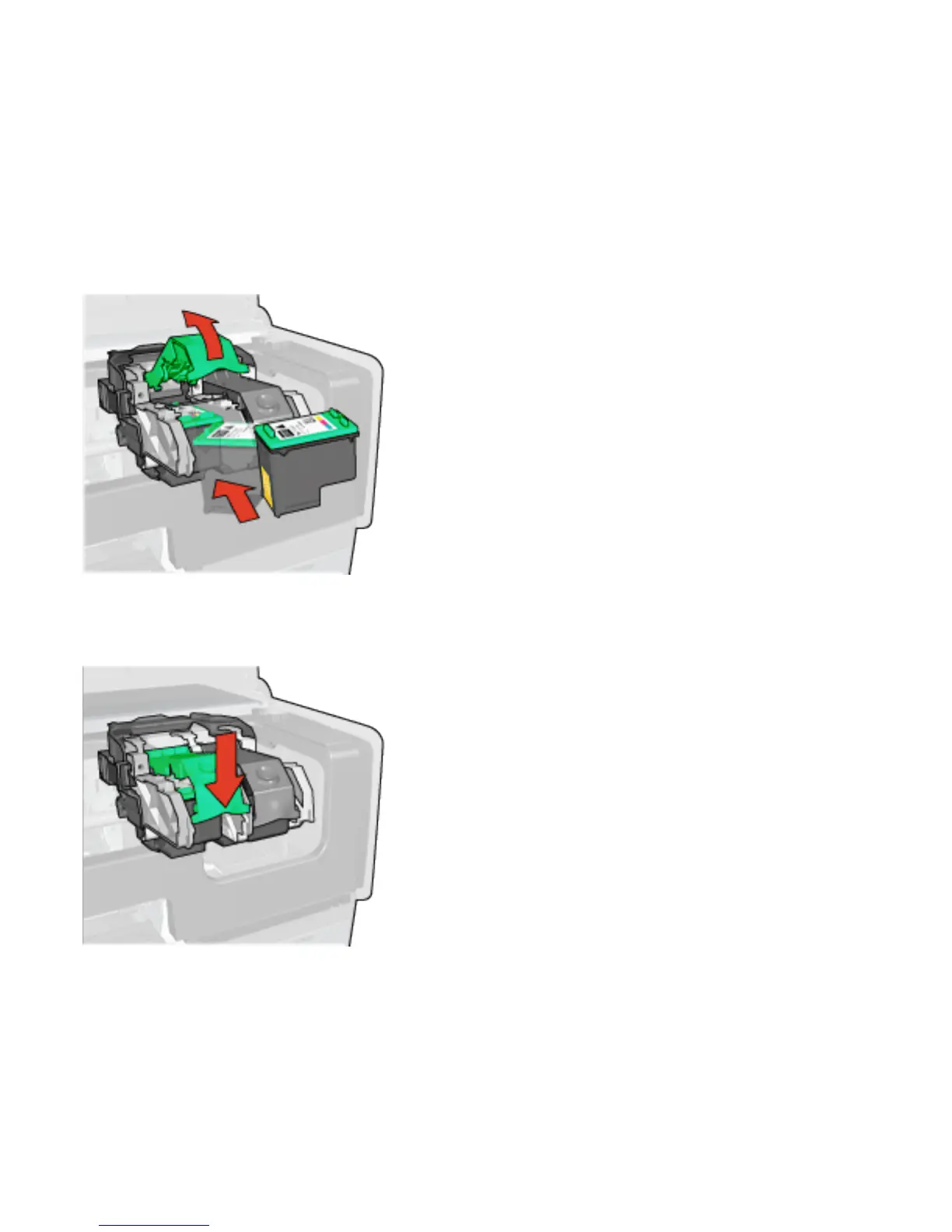
7. Hold the print cartridge so that the copper strips are on the
bottom and facing toward the printer, and then slide the
print cartridge into the cradle as shown.
Note:
After you insert the print cartridge, verify that the
copper contacts of the print cartridge touch the
back of the print cartridge cradle.
8. Push down on the print cartridge latch until it snaps closed.
9. Close the printer cover.
The printer automatically prints a calibration page.


 To Next Page
 Loading...
