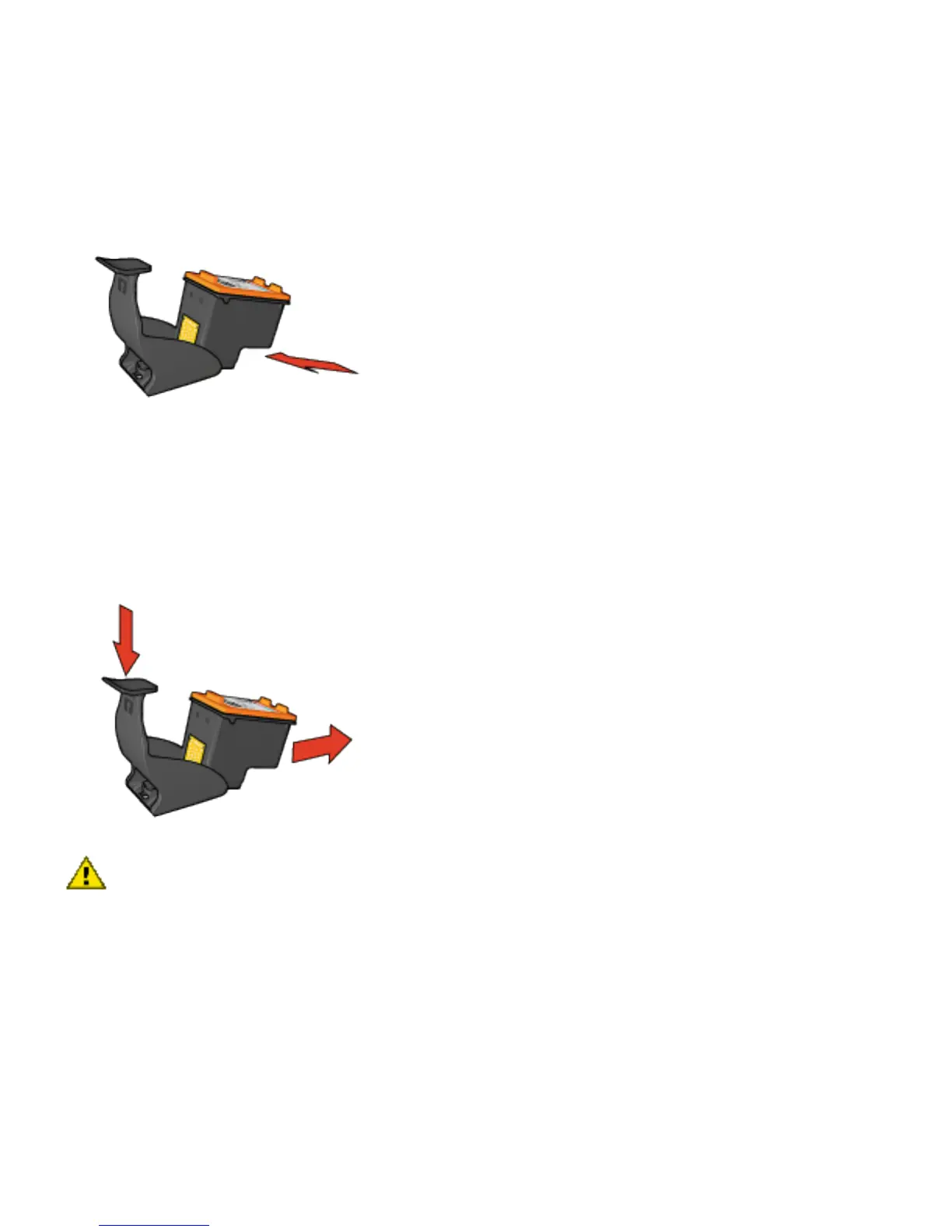
Removing the print cartridge from the print cartridge
protector
Press down and back on the top of the protector to release
the cartridge. Slide the cartridge out of the protector.
Caution: Do not drop the print cartridge. Dropping the
print cartridge can damage it.
Inserting the print cartridge into the print cartridge
protector
Slide the print cartridge at a slight angle into the protector,
and snap it securely in place.



 To Next Page