An Overview of the Frontpanel
Controls
1.
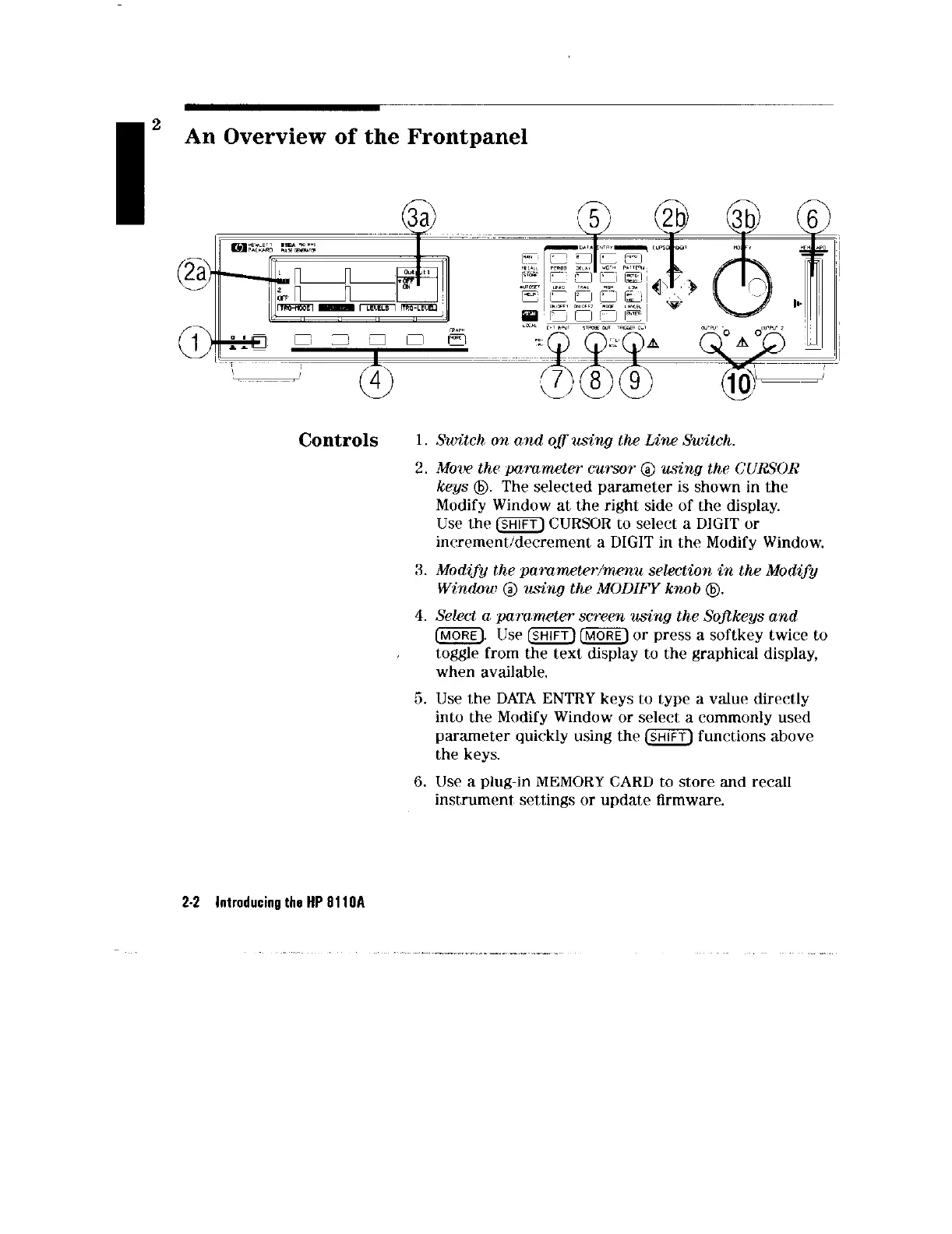
Switch, on and oflusing the Line Switch.
2. Mow th,e parameter CUTSOT @ using the CURSOR
keys @.
The selected parameter is shown in
the
Modify Window at the right side of the display.
Use the m CURSOR to select, a DIGIT or
increment,/decrement a DIGIT in the Modify
Window.
3. Modify the pammetw/mmu selection in the Modify
Window @ using the MODIFY knob @
4. Select a pammeter scnwn using the Sofikeys and
(MORE). lJse mm or press a softkey twice to
t,ogglr from the text display to the graphical display,
when available.
5. Use the DATA ENTRY
keys
to type a value directly
into the Modify Window or select a commonly used
parameter quickly using the m functions above
the
keys.
6. Use a plug-in MEMORY CARD to store and recall
instrument, settings or update firmware.
2-2 Introducing the HP gl10A



 To Next Page