1200-Sheet/2500-Sheet Feeder
June 1999 Options 8-5
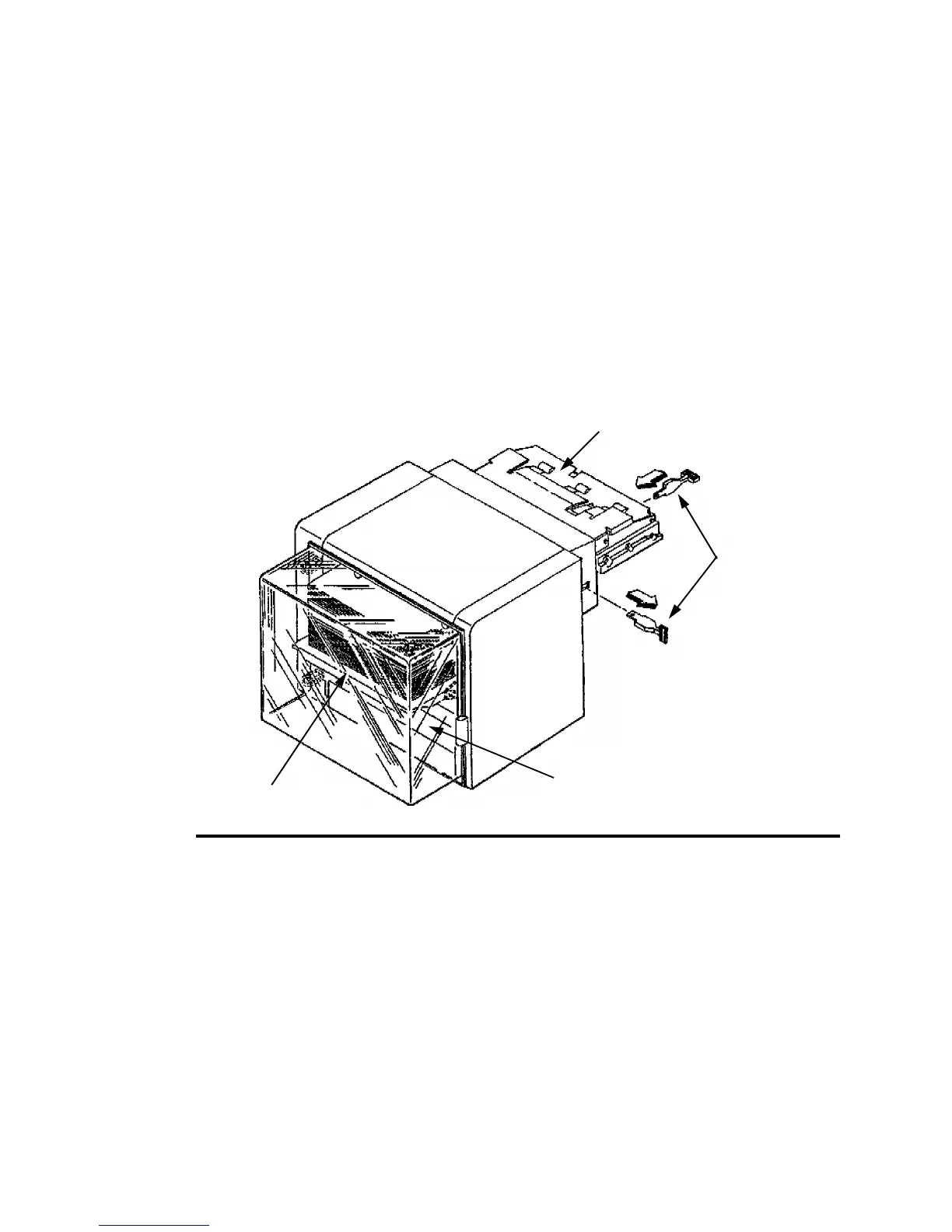
Bench Test Procedure
The bench test procedure references the component acronyms in Table 8-1 on page 8-4
and the component locations in Figure 8-1 on page 8-4. To bench test the printer:
1 Turn the printer’s main power switch off, then disconnect the unit’s power cord.
2 Press down the printer’s lower cassette release lever, then remove the unit from the
printer and place it on a work bench or other suitable surface.
3 Remove the paper size lever, then lift up the slope tray and place the lever between the
slope tray and the frame. This will bypass the interlock switch (PCSW) located under
the slope tray, allowing 12 Vdc to be applied to the input control board.
Note: The slope tray is normally lifted into operating position by the printer’s lower
paper lift arm.
Figure 8-2. Bench Test Procedure
4 Restore AC power to the unit (either the unit’s power cord or the printer’s power cord
may be used).
5 Open the paper access door. The elevator motor (M1) should turn on, moving the
paper stock down. There is an actuator attached to the elevator’s chain drive that will
activate photosensor ILLS signalling the input control board that the paper supply tray
is completely down.
Note: Remove any paper that may be on the unit’s slope tray
Slope Tray
Paper Size Lever
Paper Access Door
Paper Supply Tray



 To Next Page