1400-Sheet Stacker
8-10 Options June 1999
Bench Test Procedure
The bench test procedure references the component acronyms in Table 8-3 on page 8-9
and the component locations in Figure 8-4 on page 8-9.
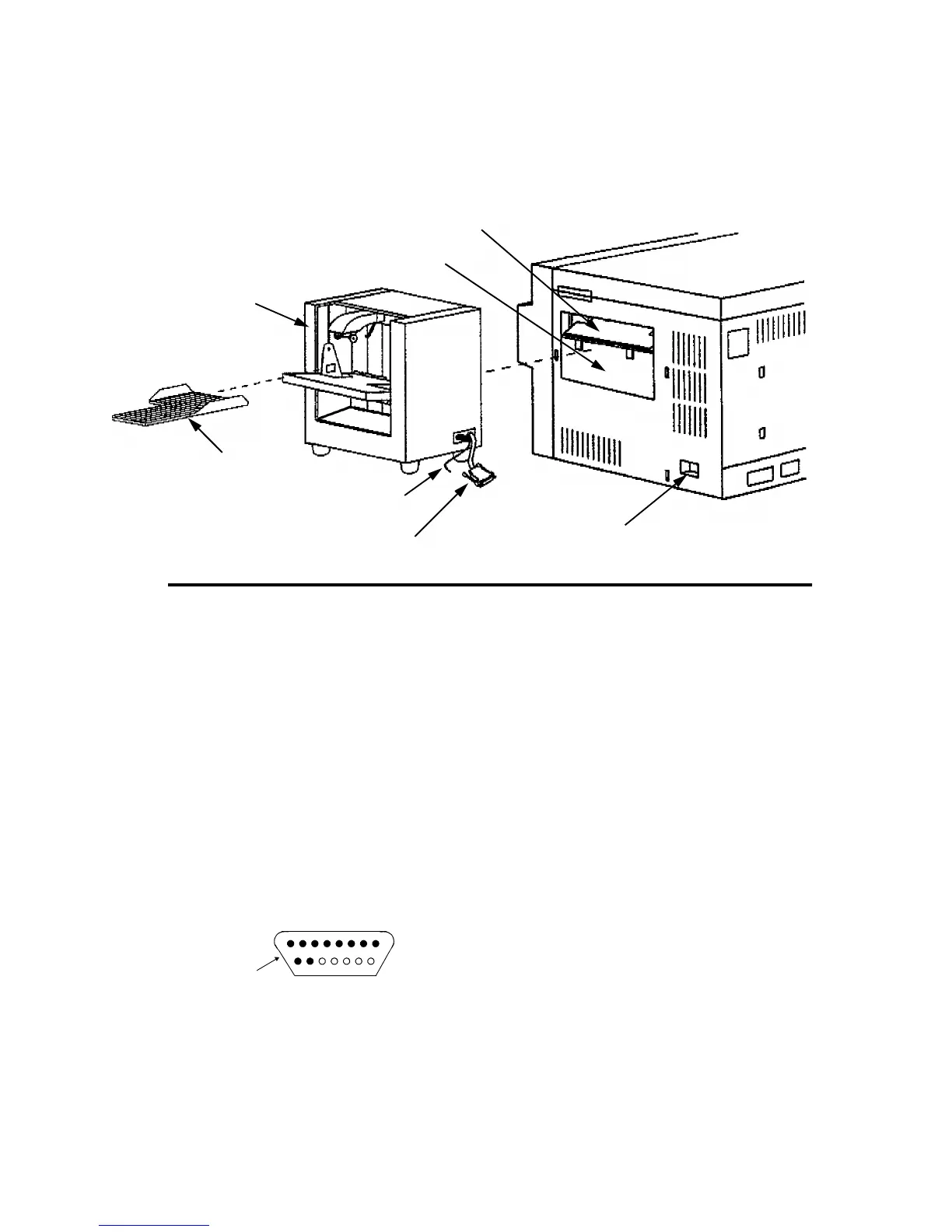
Figure 8-5. 1400-Sheet Stacker Bench Test Preparation
To bench test the 1400-sheet stacker:
1 Turn the printer’s main power switch off.
2 Remove the output tray from the stacker unit.
3 Disconnect the stacker unit’s power cord from the printer and from the stacker, then
disconnect the unit’s control connector cable from the printer’s jack.
4 Remove the stacker unit from the printer, then place it on a work bench or other suit-
able surface.
5 Remove the printer’s power cord from the wall outlet and the printer’s lower back
cover.
6 Observe the pin configuration of the stacker unit’s control connector cable plug .
Output Tray
Stacker Unit
Power Cord
Control Connector Cable
Adapter Plate
Output Tray Guide
Jack
1 23 4 5 6 7
910 X X X X X
Plug
Control Connector Cable



 To Next Page