For a scheduled protection session to run unattended you will need to
have a CD that already has a name for use in HP Simple Trax. If it is the
first time you use the CD in HP Simple Trax the software will prompt you
to type a name to identify the CD when the session begins.
To schedule a protection session:
1. Double-click the HP Simple Trax Control Panel shortcut on your
desktop or click the Start button and point to Programs, then to HP CD-
Writer Plus, then to HP Simple Trax, and select Control Panel from the
HP Simple Trax menu.
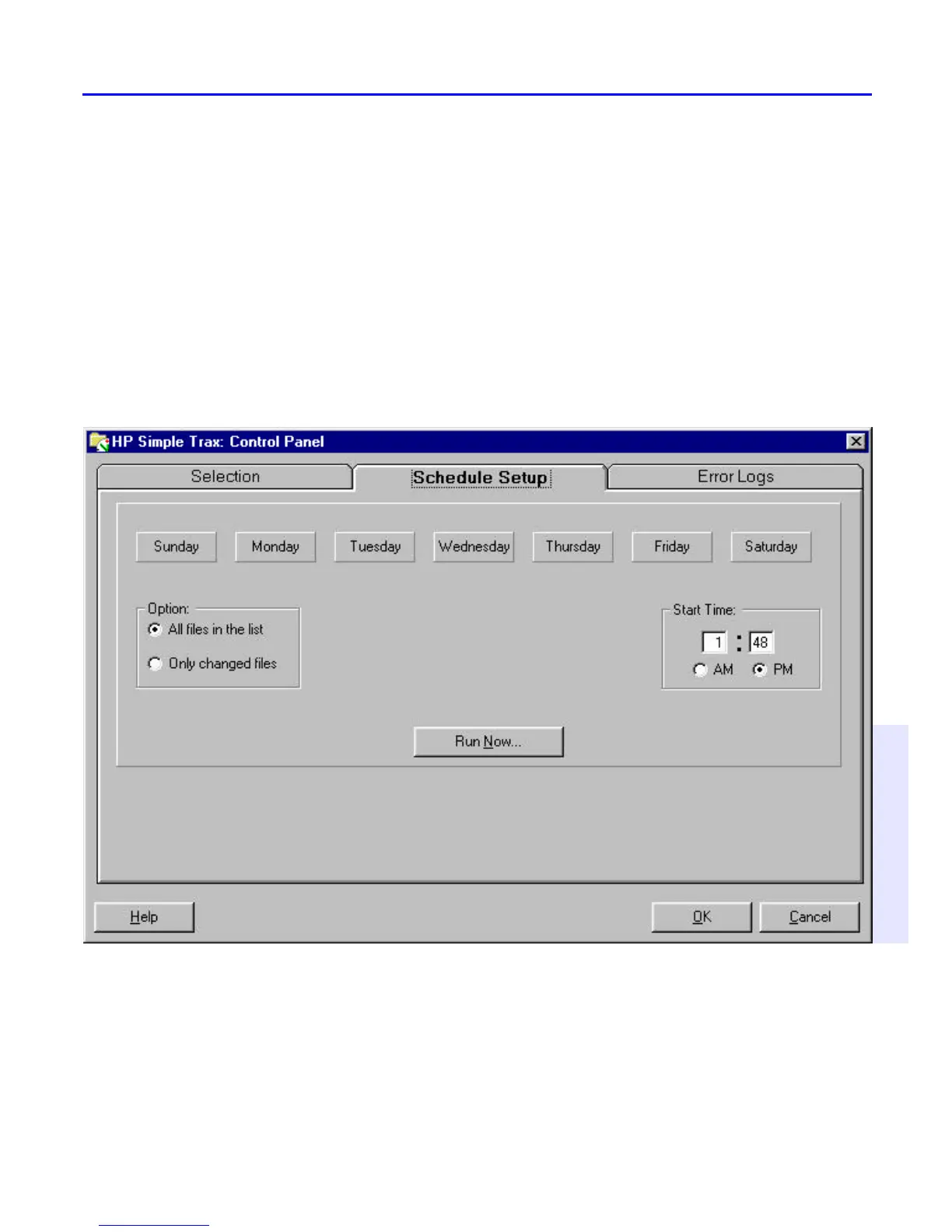
2. Click the Schedule Setup tab. The following screen appears:
3. Use the row of buttons along the top of this tab to select the day(s) to
perform a scheduled protection session. Click the desired day button(s).
4. Set the time you want the scheduled protection session to start on the
selected day(s).
5. Select the desired protection option:



 To Next Page