Looking at PhotoDeluxe
PhotoDeluxe is organized so that the most important tools are ready
when you need them. Step-by-step guided activities make projects easy.
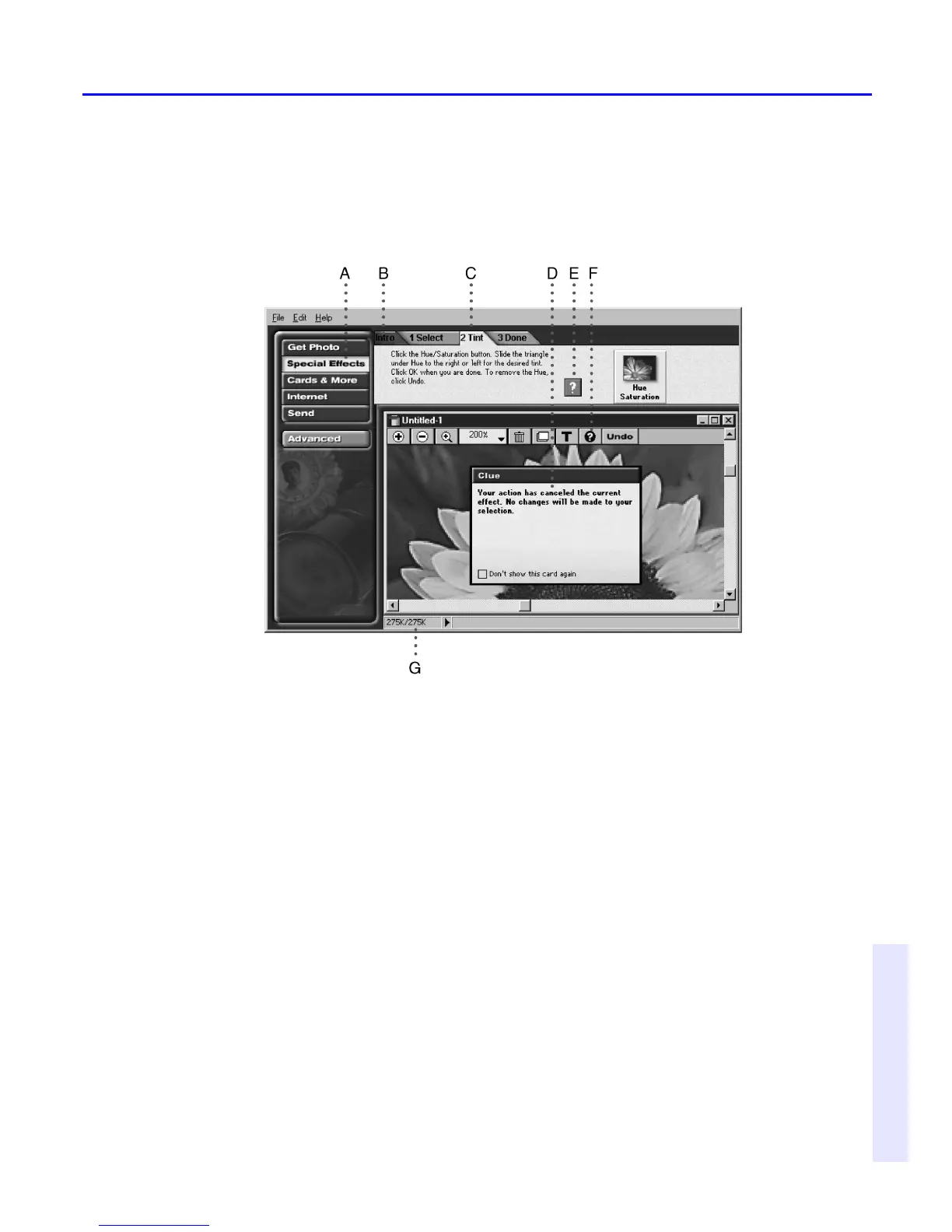
A. Buttons organize guided activities into categories.B. Introduction (Intro)
tabs
acquaint you with each section or guided activity.C. Numbered tabs
guide
you through steps in order.D. Clue cards guide you with information
about a
step.E. Square Help buttons provide specific information within
steps.
F. Round Help buttons display the table of contents for online Help
where
you can get information about any tool or command. G. The status
bar tells
you how much memory your photo uses.



 To Next Page