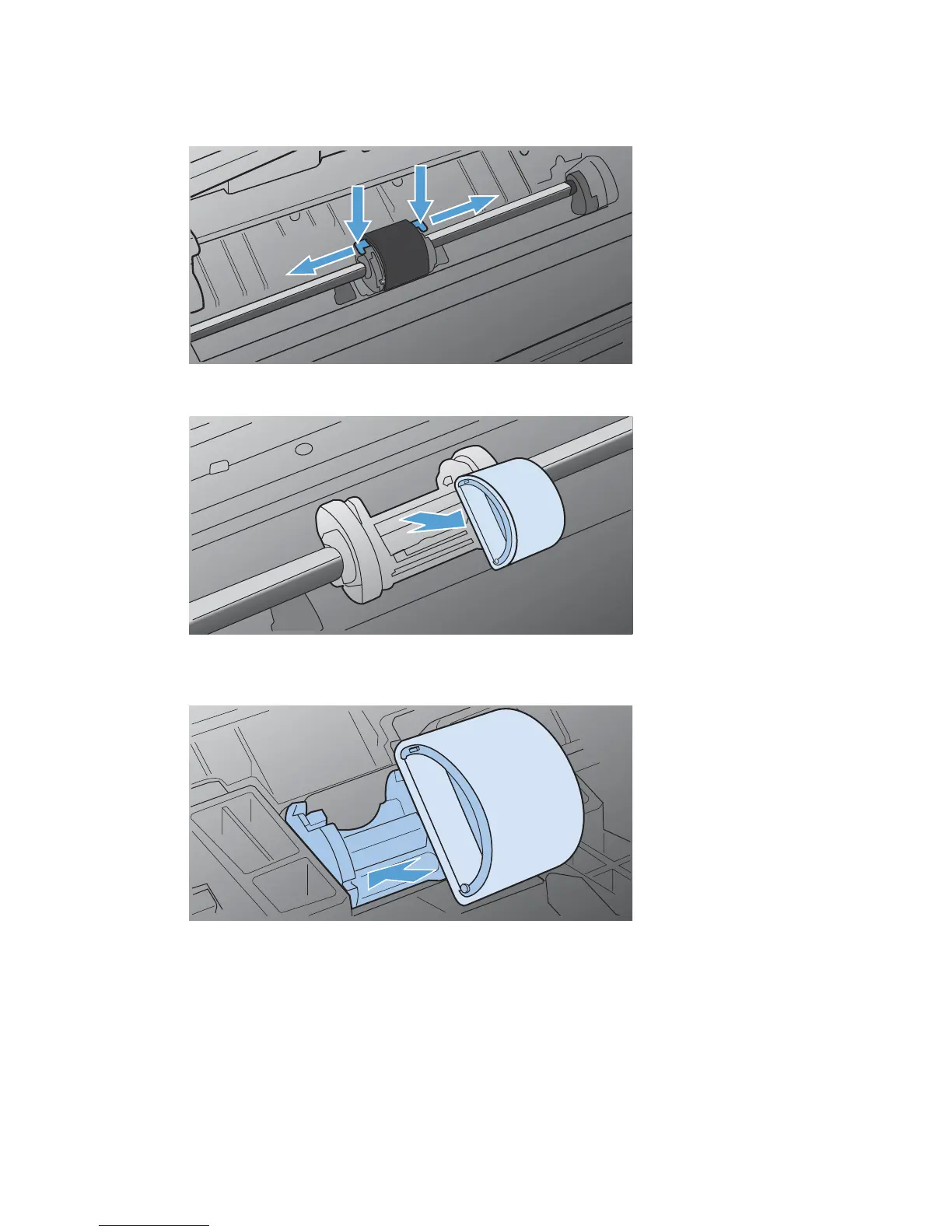
3. Release the small, white tabs on each side of the pickup roller, and rotate the pickup roller toward
the front.
4. Gently pull the pickup roller up and out.
5. Position the new pickup roller in the slot. The circular and rectangular slots on each side prevents
you from installing the roller incorrectly.
56 Chapter 7 Manage and maintain the product ENWW



 To Next Page