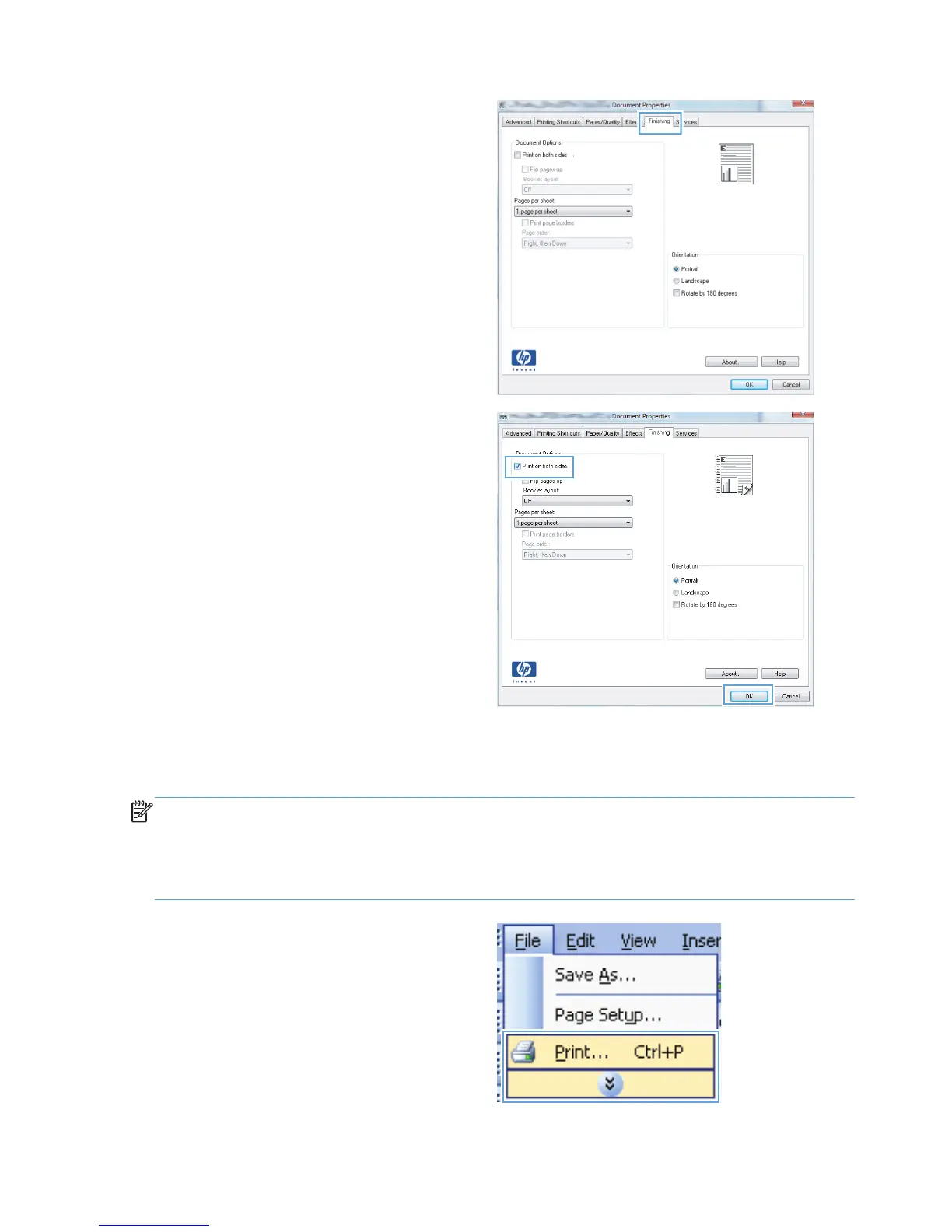
3. Click the Finishing tab.
4. Select the Print on both sides check box.
Click the OK button to print the job.
Manually print on both sides with Windows
NOTE: This section primarily applies to the HP LaserJet Pro 400 M401a Printer and HP LaserJet Pro
400 M401n Printer models. However, the HP LaserJet Pro 400 M401d Printer, HP LaserJet Pro 400
M401dn Printer, and HP LaserJet Pro 400 M401dw Printer models also can print two-sided jobs
manually if the paper is not supported by automatic two-sided printing, or if the duplexing unit has
been disabled.
1. On the File menu in the software program,
click Print.
32 Chapter 3 Print ENWW



 To Next Page