Quick Setup & Getting Started Guide 1–5
Quick Setup
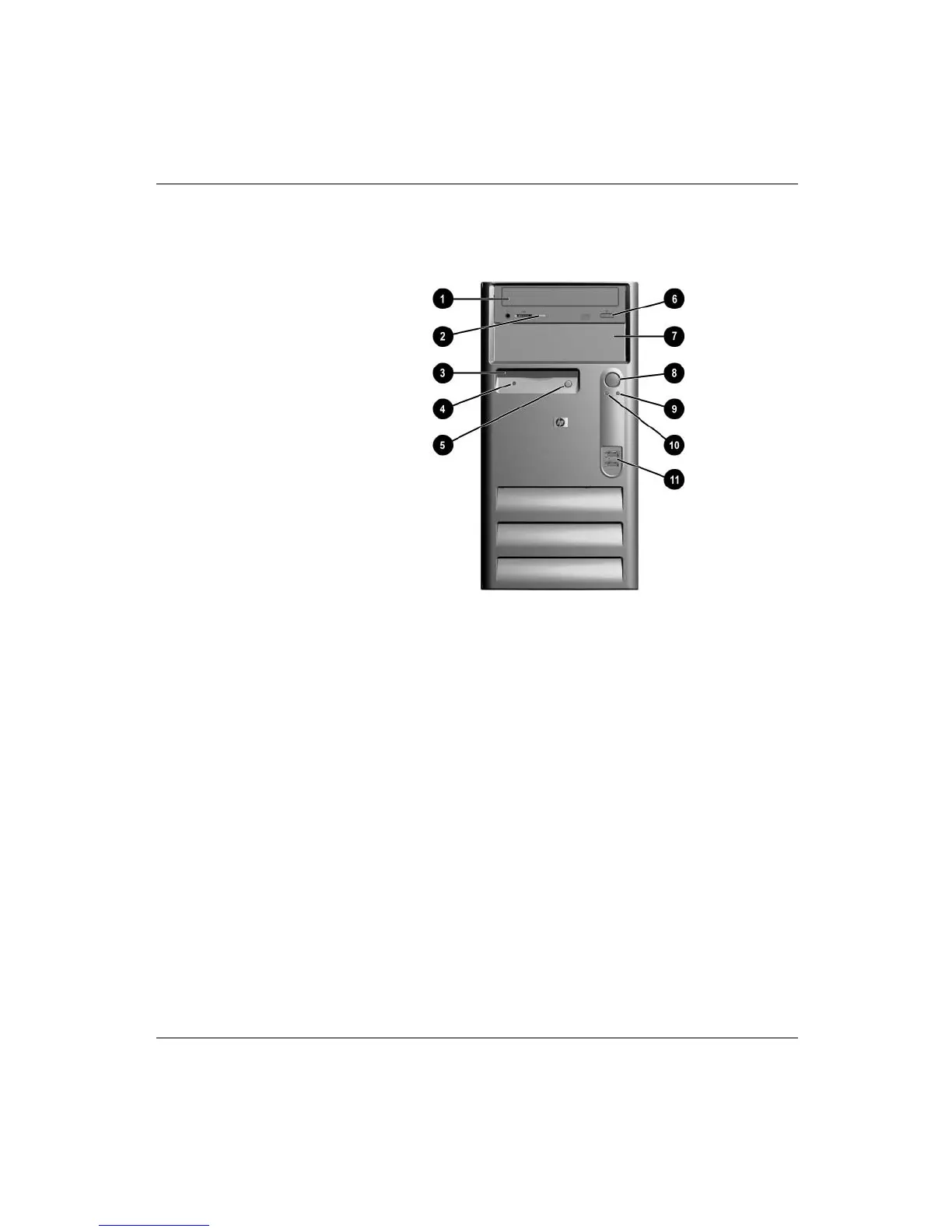
Step 4: Front Panel Components
Front Panel Components
1 Optical Disc drive 7 5 1/4 inch expansion bay
2 Optical Disc drive activity light 8 Dual-state power button
3 Diskette drive (optional) 9 System activity light
4 Diskette drive activity light
(optional)
- Power-on light
5 Diskette drive eject button
(optional)
q USB connectors
6 Optical Disc drive eject button


 To Next Page
 Loading...