8 Maintenance, Shipping and Travel
Maintenance, Shipping and Travel
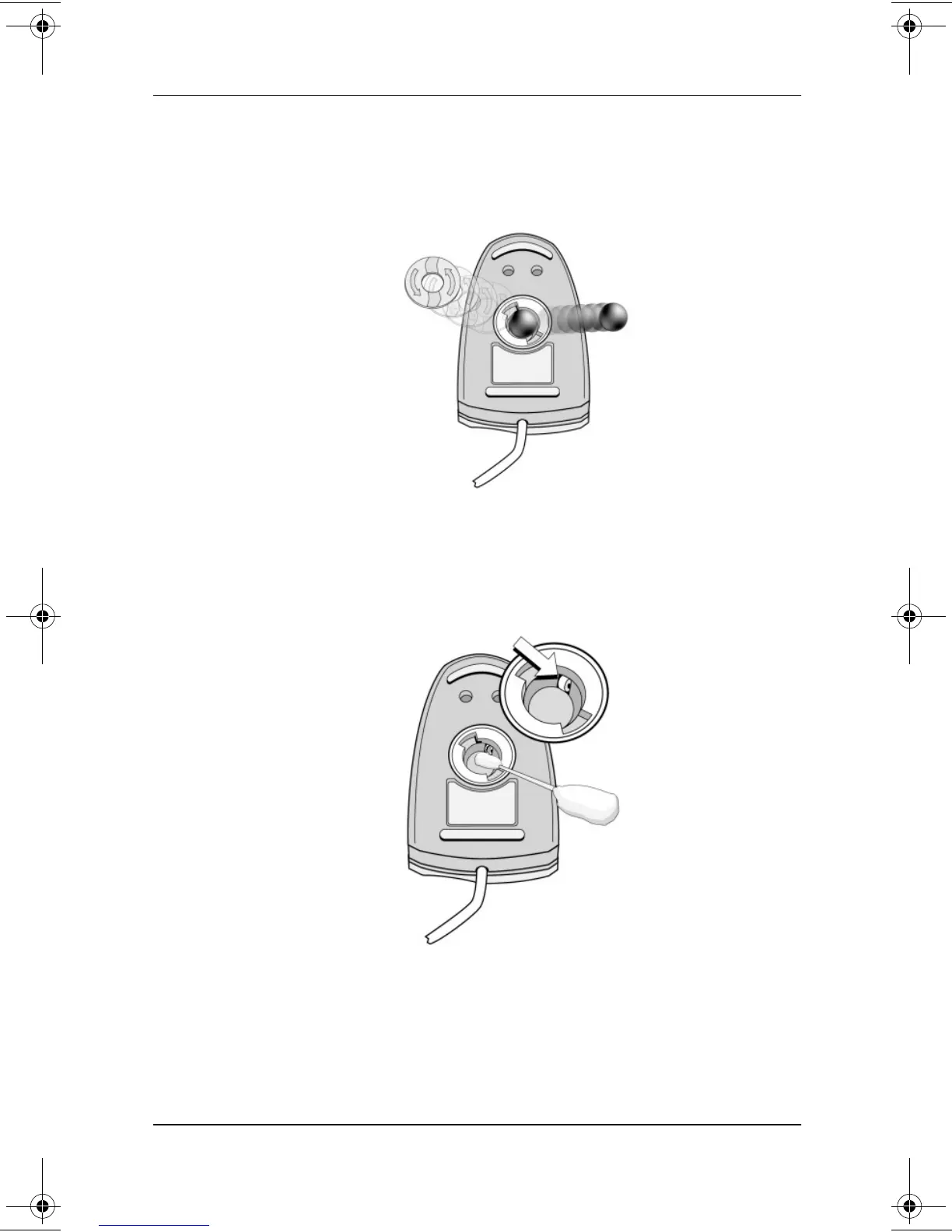
2. Remove the ball from your mouse and clean it with an
antistatic wipe or a lint-free cotton cloth.
Removing the ball from the mouse
3. Spray the inside of the mouse with compressed air or clean it
with a non-cotton swab to remove loose debris and dust.
Cleaning the mouse
4. Replace the ball and the bottom plate.
267637-001.book!!Page!8!!Friday,!January!11,!2002!!3:54!PM



 To Next Page
 Loading...










