Hardware options installation 36
IMPORTANT: When either optional I/O expansion board is installed in a two-processor
configuration, the second processor must be installed in socket 3 or 4. To install a processor,
see the server user guide.
To install the component:
1. Update the system ROM.
Locate and download the latest ROM version from the HP website (http://www.hp.com/support
).
Follow the instructions on the website to update the system ROM.
2. Power down the server (on page 25).
3. Remove the processor memory drawer (on page 27).
CAUTION: To prevent damage to the processor memory drawer cover, be sure the handle of
the processor memory drawer is fully open before removing the cover.
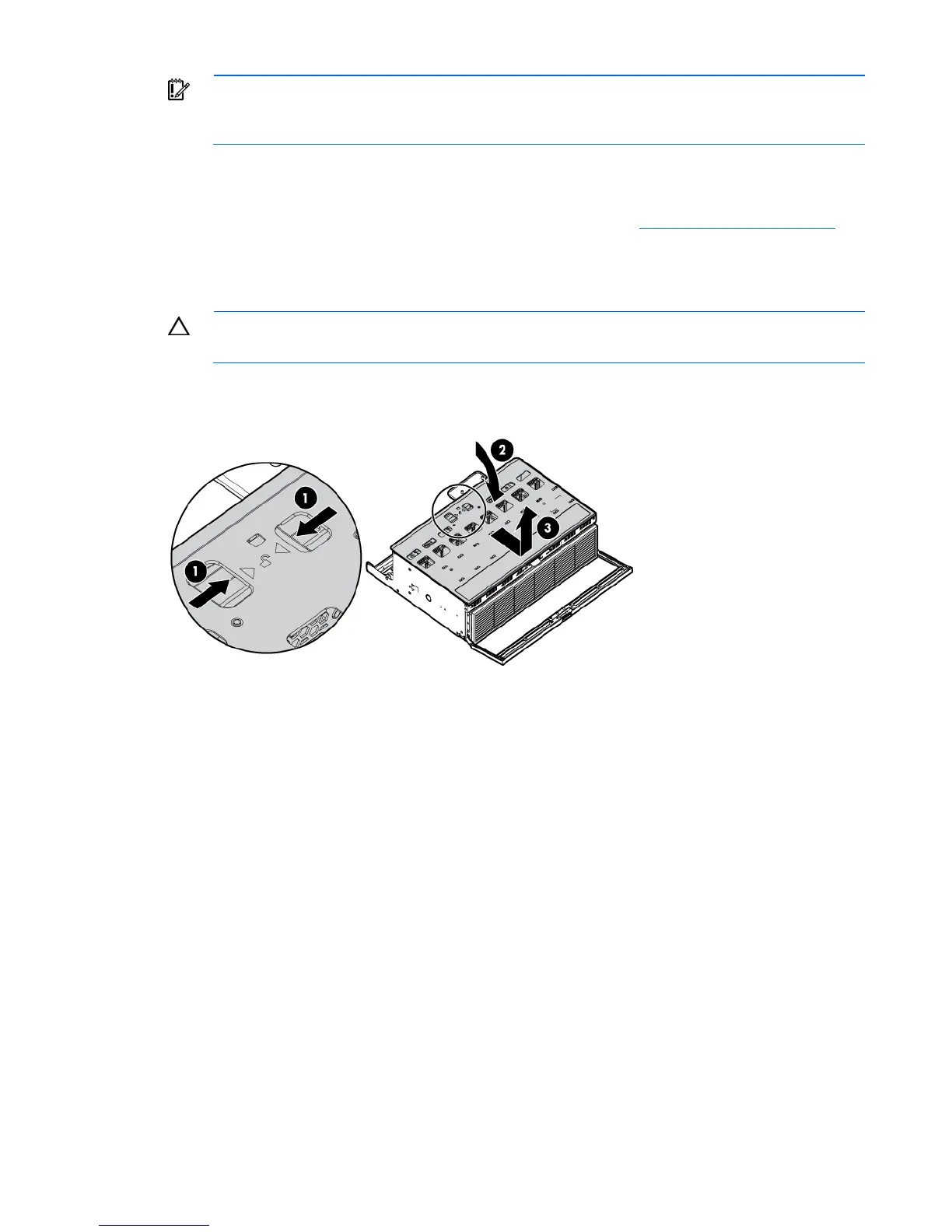
4. Remove the processor memory drawer cover.






 To Next Page