Hardware options installation 51
7.
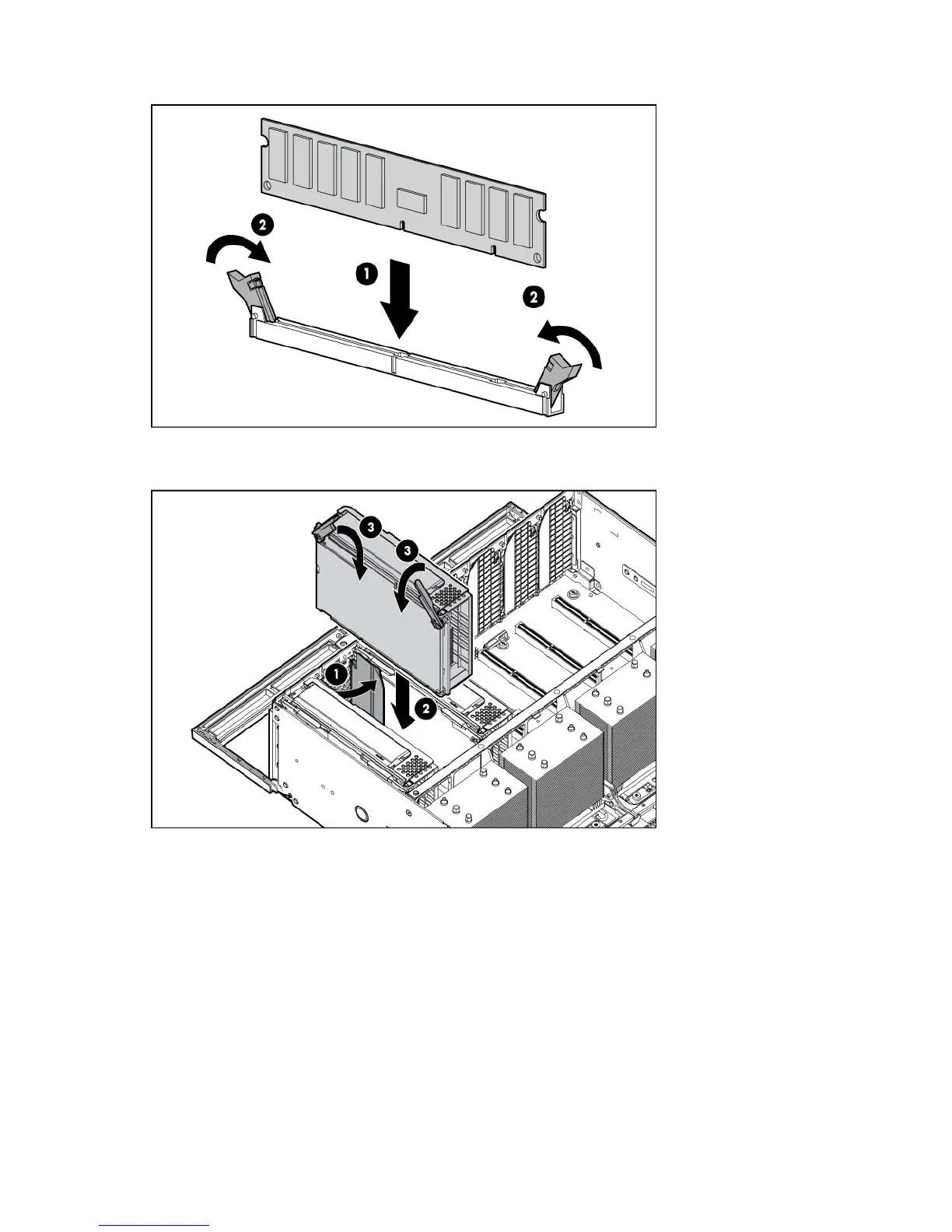
Install the DIMM. See "Memory options (on page 41)."
8. Close the memory cartridge cover.
9. Install the memory cartridge.
10. Install the processor memory drawer cover.
11. Install the processor memory drawer.
12. Power up the server.
Hot-plug hard drive option
When adding hard drives to the server, observe the following general guidelines:
• The system automatically sets all device numbers.
• If only one hard drive is used, install it in the bay with the lowest device number.
• Hard drives must be SFF types.






 To Next Page