23
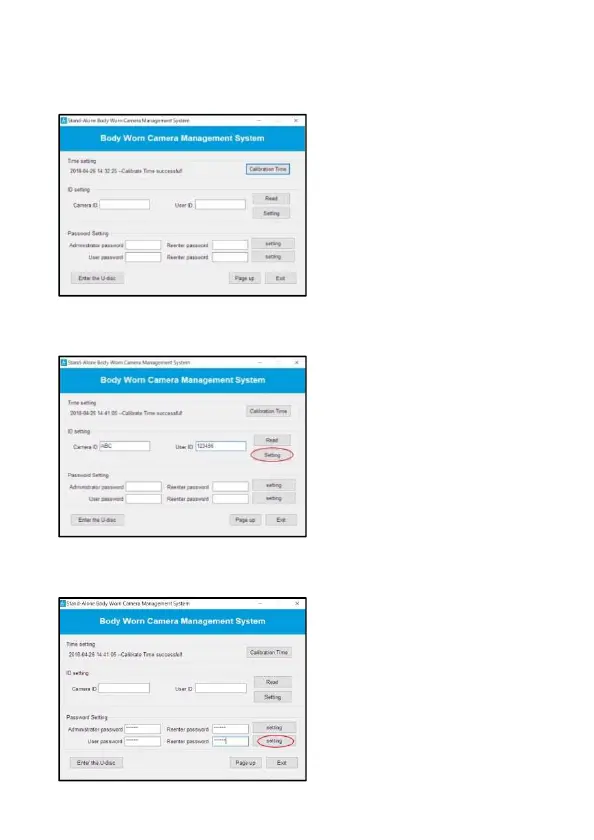
3. The software will automatically calibrate the date/time and
synchronize computer’s date/time to camera.
*Note: Please make sure the computer’s date and time is accrual.
4. You can change device ID and user ID. Put in new ID, and then click
“Setting” to complete setting.
5. In the Password Setting column, enter new password twice and then
click “Setting” to re-new your password.



 To Next Page