45
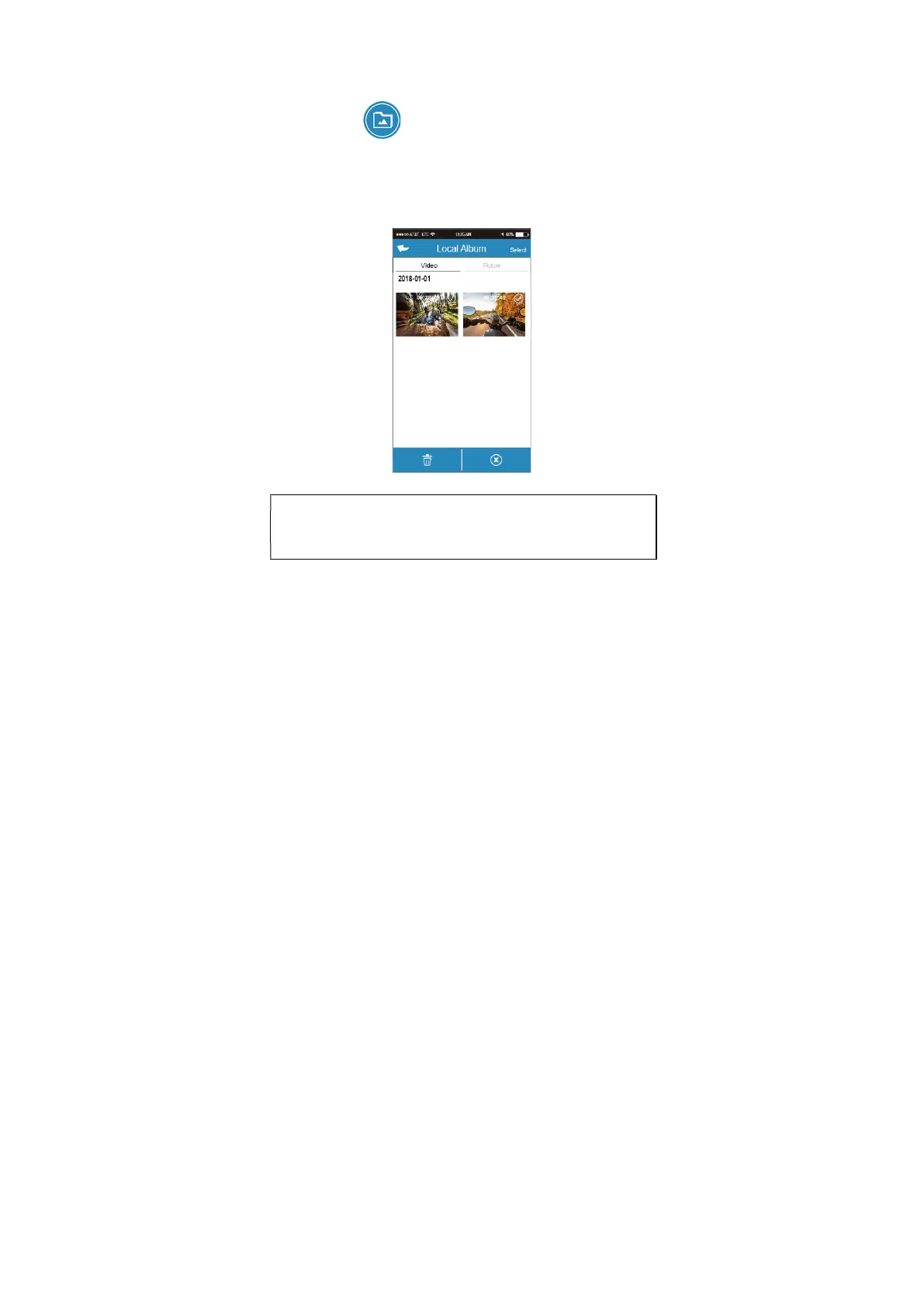
5.3 Local album
You can use this feature to playback or delete the file that you
download to your mobile device.
1. Touch icon [Local Album]。
2. Pick up the file that you want to playback.
3. The downloaded videos or pictures will be saved in the album of
your mobile device, at the mean time it will create a new folder
“Go Dashcam”. You can preview or delete the files from the
album.
Note:
1. Deleted files cannot be recovered. Ensure the files have been backed-up before deletion.
2. If you find the downloaded files could not be played or without audio, which means the
mobile device itself does not support the video decoding. It’s not the problem of the file. We
recommend you to install a free App software such as VLC to playback the file.


 To Next Page