16
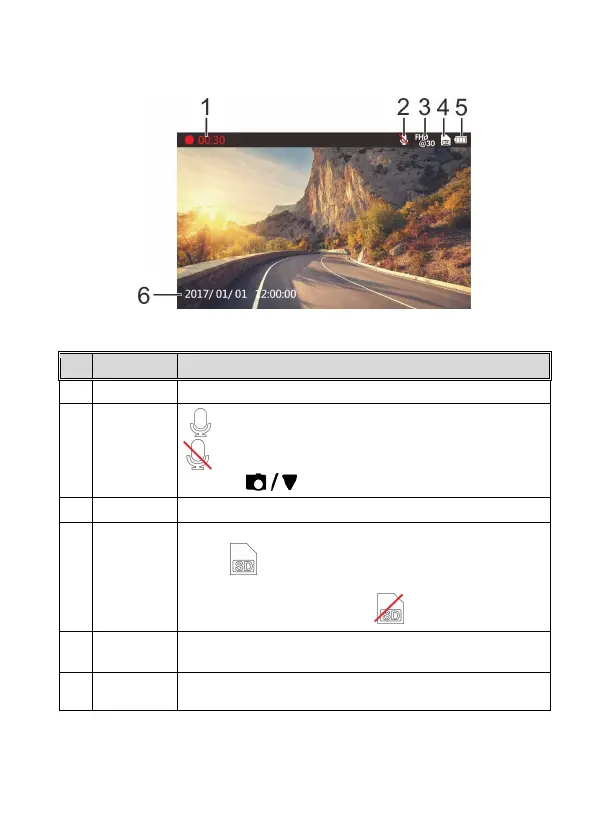
3.1.3 The Recording Screen
1 Duration Indicates the current recording duration
2 Microphone
Indicates sound will be recorded with the video.
Indicates sound will NOT be recorded with the video.
Long Press to disable/ enable
3 Resolution Resolution can be changed in the Settings menu.
4 TF Card
When a compatible micro SD memory card is inserted, the LCD
displays .
If no memory card is inserted or if the memory card is damaged
/ incompatible, the LCD displays
5 Battery
Indicates the estimated remaining battery power. See Battery
Status Indicator 2.3
6 Date / Time Current date and time.



 To Next Page