15
2.5 Powering the Camcorder On / Off
2.5.1 Auto Power On/Off
If the camcorder is connected to the vehicle power supply, once start the
car engine, the camcorder will automatically power on and start
recording.
Once the vehicle engine shuts down, the camcorder automatically saves
the recording and turns off the power within 10 seconds.
2.5.2 Manual Power On/Off
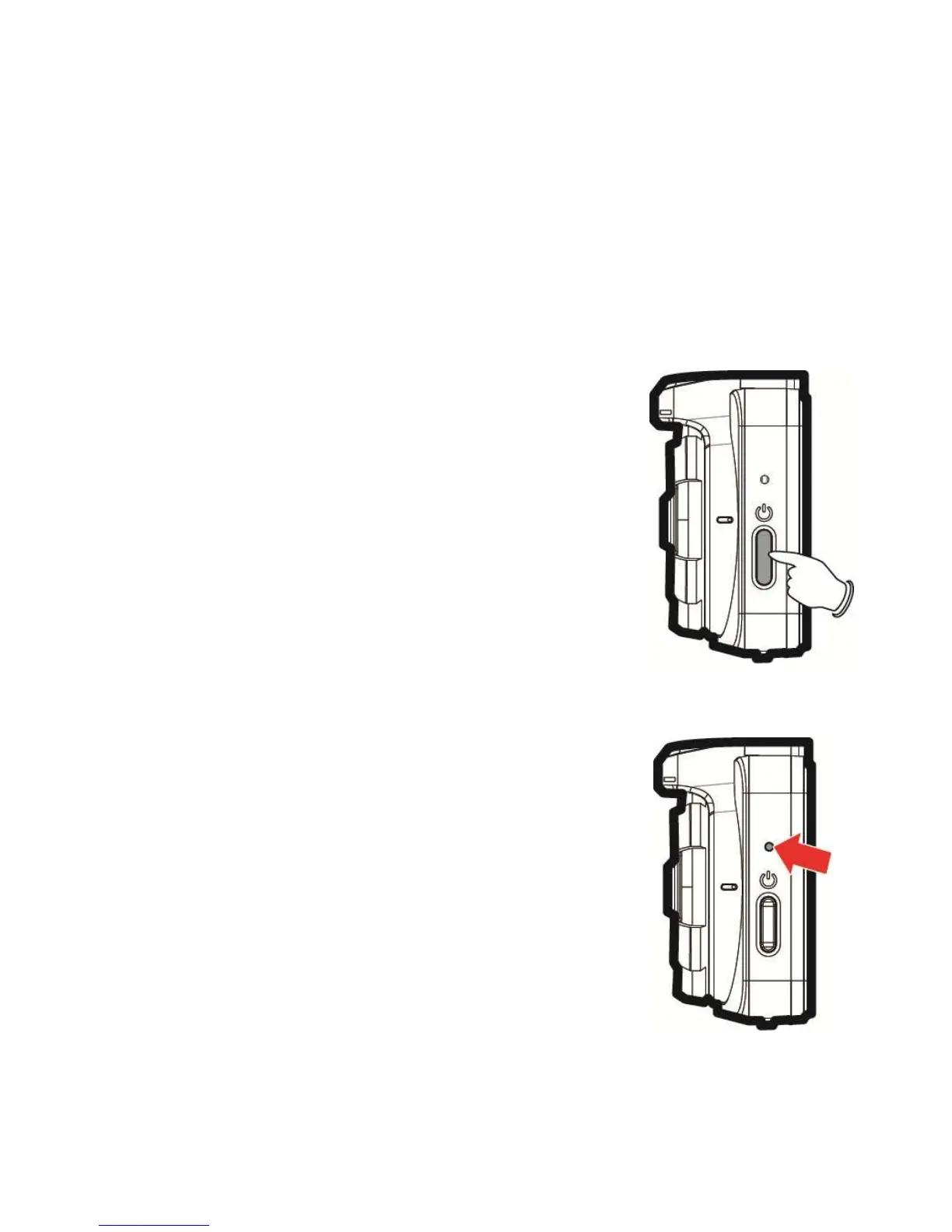
To manually turn on the power, press the POWER
button.
To turn off, press and hold the POWER button for
at least 2 seconds.
2.5.3 Reset
Use a pin or paper clip to insert and hold the Reset
hole for 5 seconds to reset the device.


 To Next Page