35
3.8 Deleting Files
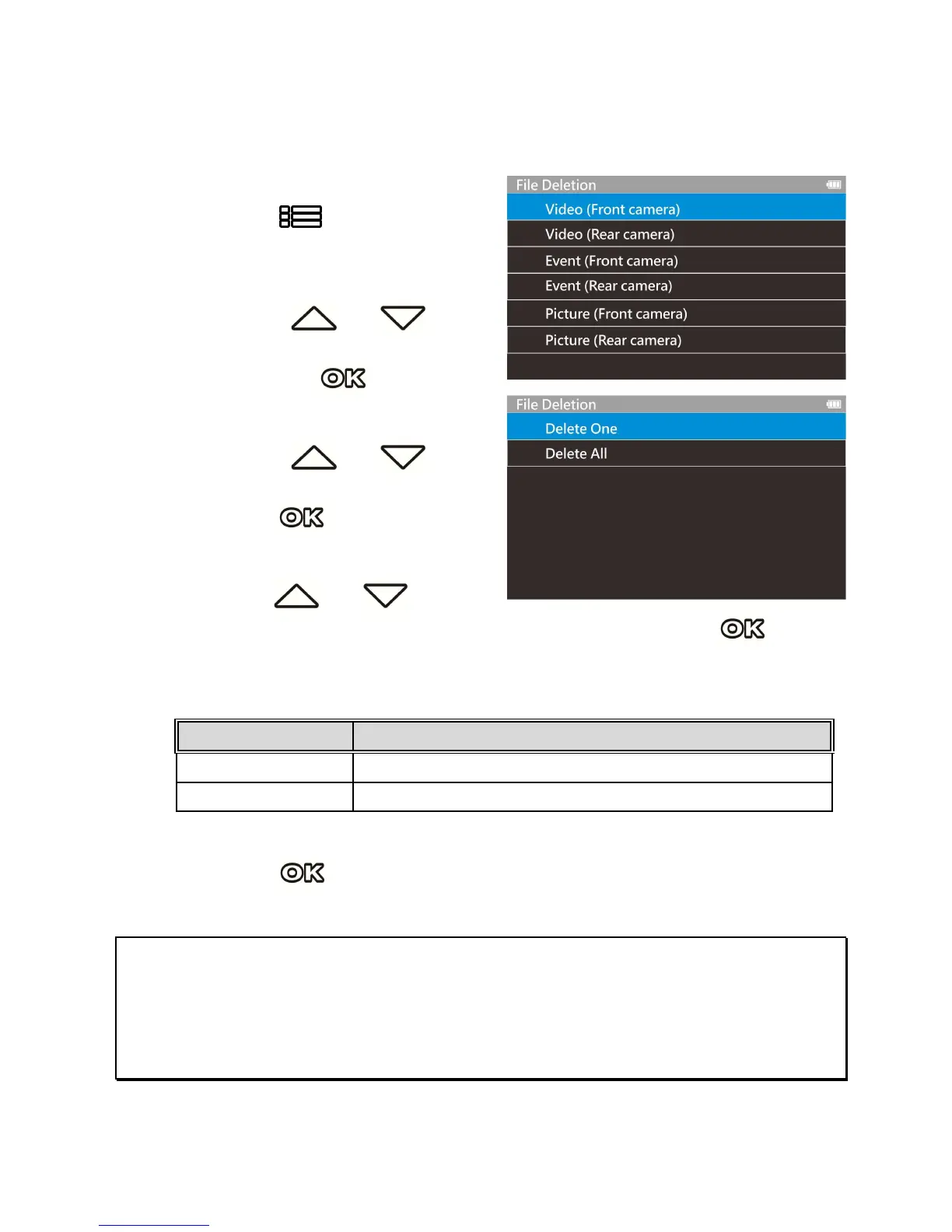
To delete file(s), perform the following steps:
1.
Press the button to stop
recording and enter the main
Menu.
2.
Press the or
button to select File Deletion
and press the button to
confirm.
3.
Press the or
button to select folder and
press the button to
confirm.
4.
Use the or to
select the video or photo you want to delete, and press
button to confirm your selection.
Item Description
Delete One Delete the current selected file.
Delete All Deletes all files in this folder.
5.
Press the button to confirm deletion.
Note:
1. Deleted files CANNOT be recovered. Ensure the files you wish to preserve are backup before
deletion.
2. If the file is taken by front camera and rear camera at the same time, no matter you delete video or
picture from Front camera folder or Rear camera folder, both front camera file and rear camera file
will be deleted.


 To Next Page