23
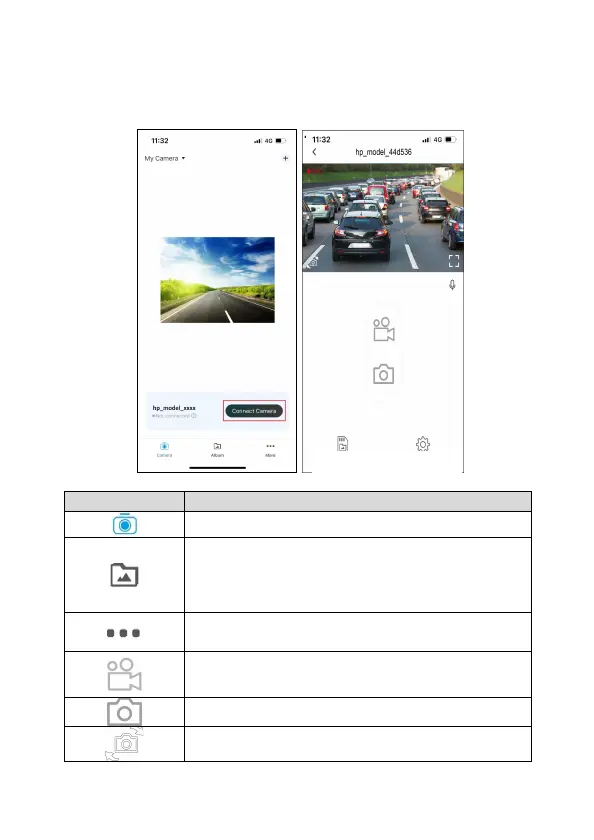
4.3.1 Main Screen
Tap “Connect Camera” to enter the app main screen. Tap the icon to
start to use app.
icon Description
Main Screen
Album: You can use this feature to playback or
delete the file that you download in your smart
phone. The files in the Album can be reviewed
without connecting with camcorder.
More: setting app language, feedback questions,
check app version
Start/Stop recording
Snapshot
Switch Camera
Camera File Camera Setting



 To Next Page