EasyManua.ls Logo

HP HSA-D003M - User Manual

HP HSA-D003M
8 pages
Print Icon
To Next Page IconTo Next Page
Loading...
HP
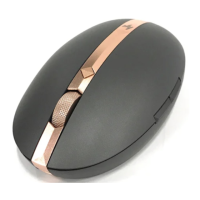
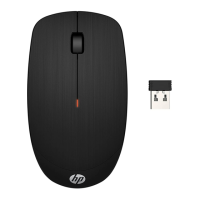
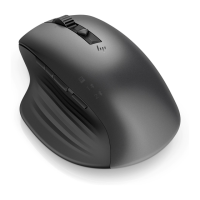
Model HSA-D003M, HAS-D003D Product Name Mouse/Dongle
StartguideforMouse(ModelHSAD003M),Dongle(ModelHSAD003D)
1) PlugyourdongletoUSBportofPC(whenuserwouldliketoapplicableof2.4GShortrange
device)
UsercanbeapplicableofMouseBluetoothwhenyourPC(ornotebook)usedBluetooth
connectivity,themousealsosupportBluetoothBLE(
Press 3 second for BLE pairing)
2) UsingOn/Offswitchtopoweron/offforMouse
3) Successfullyoperated
Connectivity
Dual mode:
2.4Ghz:
2.4G with USB-A dongle.
BLE:
TI BLE solution (connect to 3 hosts)
The 2.4G / BT switch mechanism is by pressing the Paring / Mode select button.
Indicator light
There are four indicators for 2.4G / BT1 / BT2 / BT3 status. White (TBD)
There is a dual color (white / Amber) LED for showing power (on/off), connection /
pairing, and charging behavior.
Button
Left Key / Middle Key / Right Key / 2 Function keys on the left side.
Function key: Last page / Next page
Top button: : Switch resolution
Scroll
Accelerated scrolling: mechanical
Paring button
There are two functions on this button.
Short Press (1 second) this button to switch 2.4 / BT1 / BT2 / BT3 mode.
Press 3 second for BLE pairing during BLE mode.
Power on/off Using On/Off switch to power on/off
Manufacturer
HP Inc.
Address
1501 Page Mill Road Palo Alto, CA 94304, USA
Country of
Origin
China, USA
Question and Answer IconNeed help?

Do you have a question about the HP HSA-D003M and is the answer not in the manual?

HP HSA-D003M Specifications

General IconGeneral
ModelHSA-D003M
CategoryMouse
ConnectivityWireless
Tracking MethodOptical
DPI1600
Buttons3
Scroll WheelYes
ColorBlack
Battery TypeAA
Battery Life12 months
Wireless Technology2.4GHz
Operating System CompatibilityWindows, macOS

Summary

Mouse;Dongle Setup and Features

Initial Setup Steps

Plug in dongle, connect via Bluetooth or BLE, and power on.

Connectivity Options

Dual mode (2.4GHz with dongle, BLE) and connection status indicators.

Button and Scroll Functions

Details on mouse buttons, function keys, and scrolling mechanism.

Mode Switching and Pairing

Explains how to switch between modes and perform BLE pairing.

FCC Compliance Information

FCC Part 15 Compliance

Device adheres to Part 15 of FCC Rules under specific conditions.

User Modification Warning

Unauthorized modifications void user's authority to operate the equipment.

Class B Interference Standards

Equipment meets Class B limits for residential interference protection.

Industry Canada (IC) Compliance

IC Rules and Standards

Compliance with Canadian ICES-003 and license-exempt RSS standards.

IC Operation Conditions

Device must not cause interference and must accept interference.

Canadian RF Exposure Requirements

Antenna must not be co-located with other transmitters for RF exposure compliance.

Safety and Operating Precautions

BSMI and NCC Cautions

Regulatory notes for low-power RF devices concerning interference.

Battery Replacement Safety

Warning against incorrect battery types due to explosion risk; follow disposal instructions.

CE Compliance and Environmental Limits

CE compliance, operating temperature range, and altitude restrictions.

Product Environmental Information

Restricted Substances Disclosure

Details on restricted substances (Pb, Hg, Cd, Cr+6, PBB, PBDE) in product parts.

Accessory Product Categories

Lists accessory product types including mouse, keyboard, power supply, etc.

Technical Radio Specifications

Operating Frequency Bands

Specifies operating frequency bands for SRD and BLE radio equipment.

Radio Frequency Power Output

Details apparent radiated power for Mouse (BLE), Mouse (2.4G), and Dongle.

Associated Accessories and Software

Lists accessories like USB cable and confirms no specified software.

Related product manuals