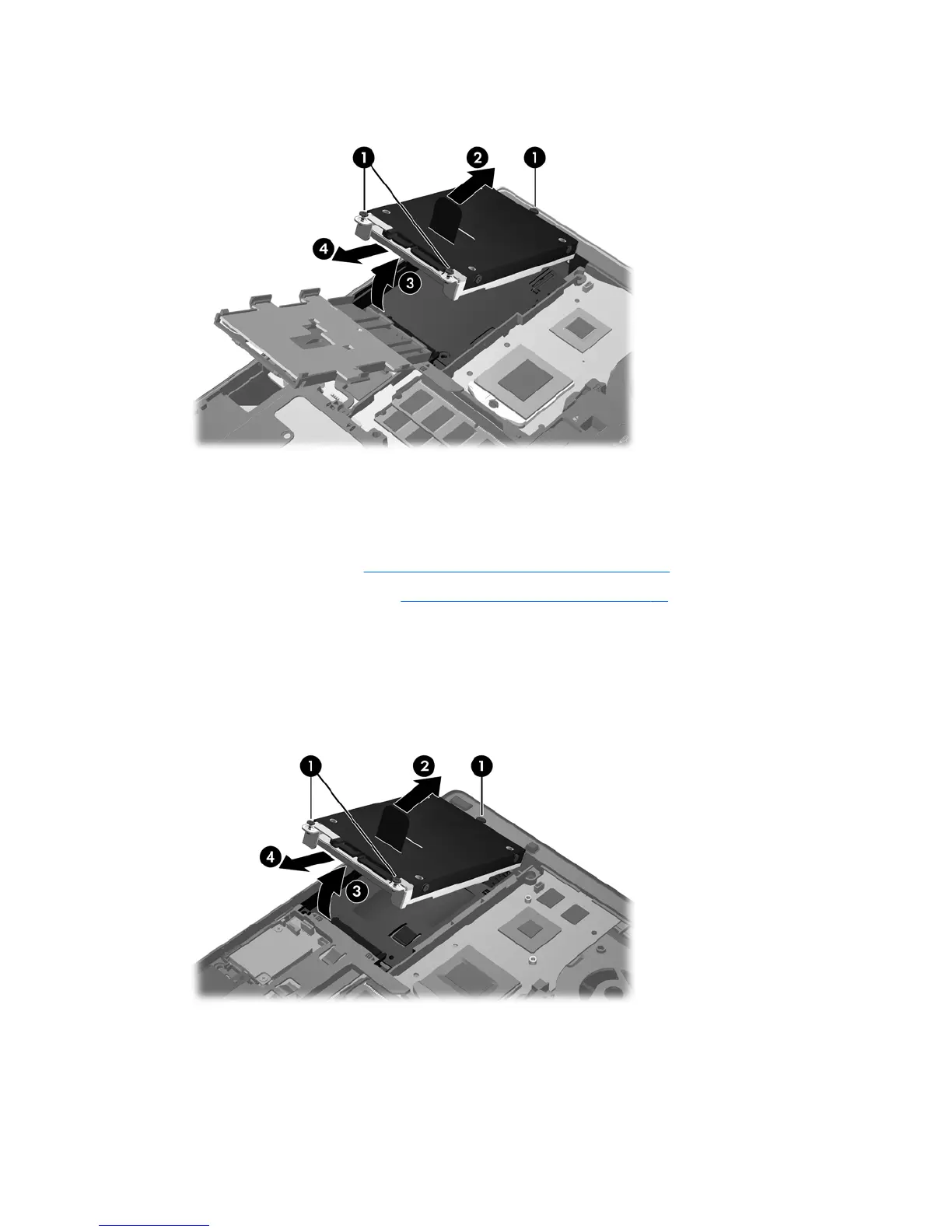
9. Use the plastic tab to lift the connector side of the hard drive up at an angle (3) and remove the
drive (4) from the computer.
To remove the hard drive for the ProBook:
1. Save your work and shut down the computer.
2. Disconnect AC power and external devices connected to the computer.
3. Remove the battery (see
Inserting or removing the battery on page 46).
4. Remove the service door (see
Removing the service door on page 61).
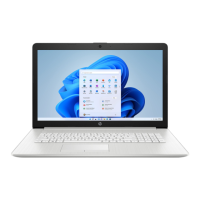
5. Loosen the 3 hard drive screws (1).
6. Pull the plastic tab on the hard drive (2) toward the side of the computer to disengage the hard
drive from the connector.
7. Use the plastic tab to lift the connector side of the hard drive up at an angle (3) and remove the
drive (4) from the computer.
64 Chapter 8 Drives







 To Next Page