EN
Clearing paper jams
99
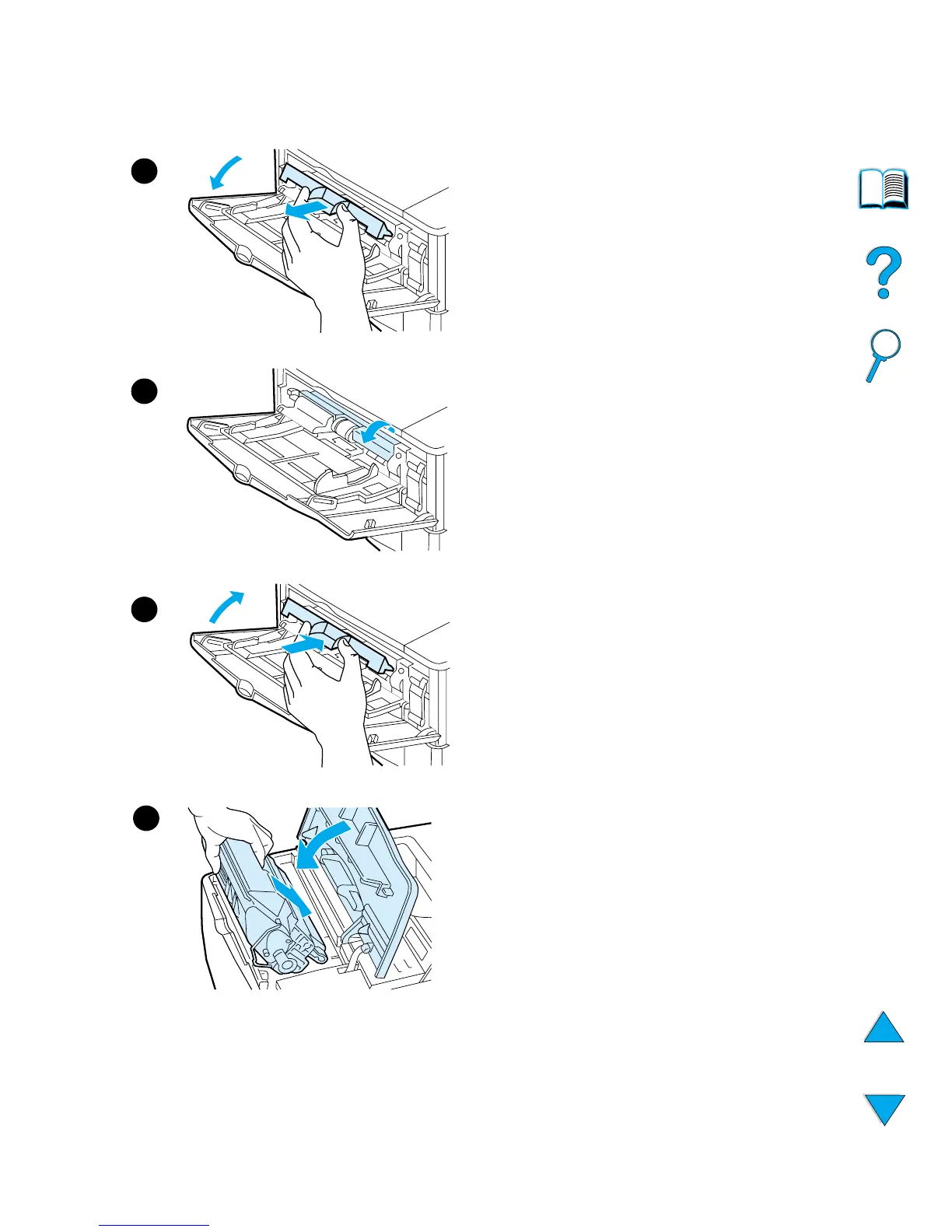
4
Open tray 1 and remove the
entrance cover to check for
additional jammed paper. If paper is
present, remove it.
5
Rotate the paper guide to check for
additional jammed paper. If paper is
present, remove it.
6
Replace the entrance cover and
close tray 1.
7
Reinstall the toner cartridge and
close the top cover.
8
If a paper jam message persists,
there is still paper in the printer. Look
for paper in another location (see
“Paper jam locations” on page 97).
If you are using a non-HP toner
cartridge, the message
NON HP
TONER DETECTED
might appear on
the control panel. Press G
O
to
continue.
7
4
5
6













 To Next Page