Set up the product for fax
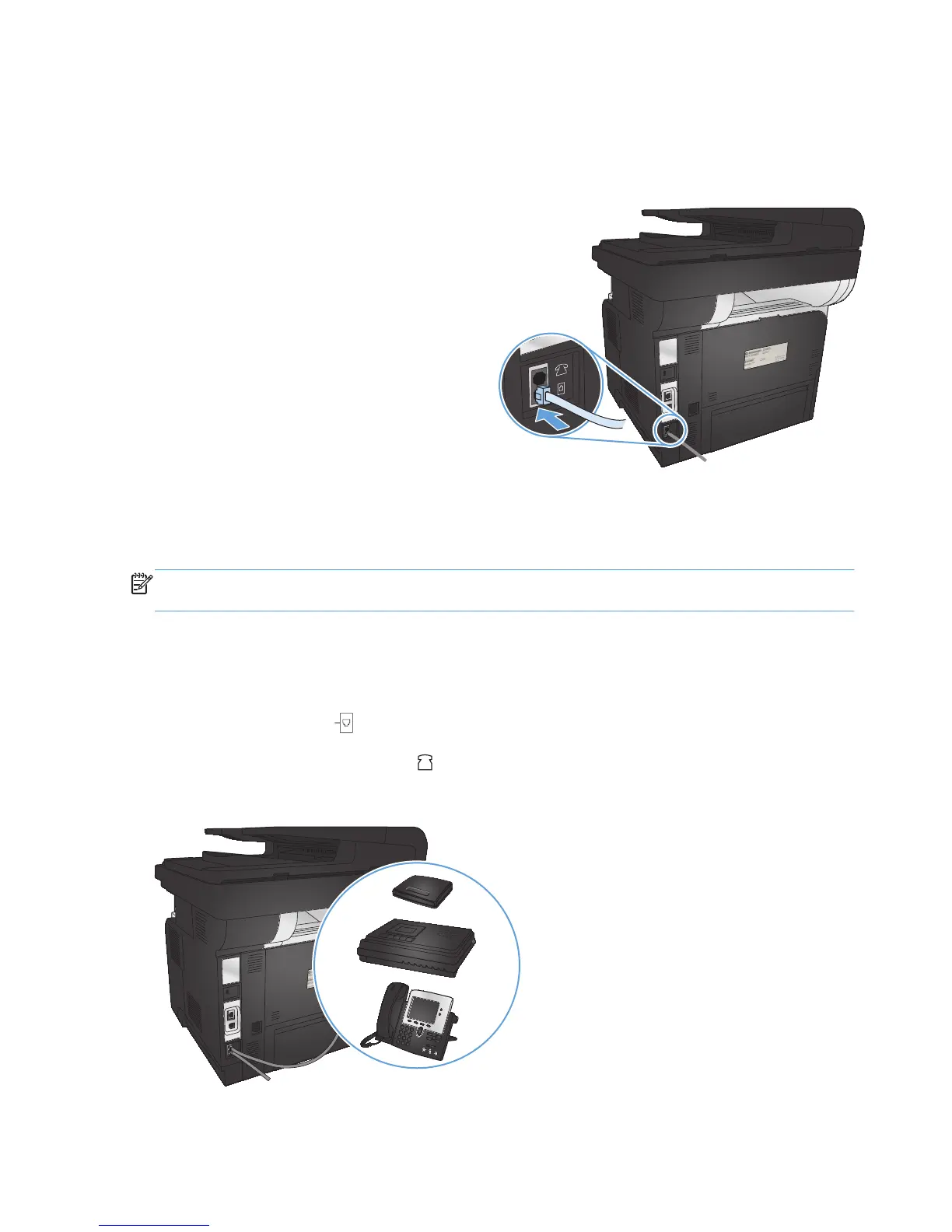
Connect the fax port to a telephone line
1. Connect the telephone cable to the fax port on
the product and to the telephone jack on the
wall.
The product is an analog device. HP recommends using the product on a dedicated analog telephone
line.
NOTE: Some countries/regions might require an adapter to the telephone cable that came with the
product.
Connect additional devices
The product includes two fax ports:
●
The fax “line in” port
, which connects the product to the wall telephone jack.
●
The fax “telephone line out” port
, which connects additional devices to the product.
110 Chapter 7 Fax ENWW








 To Next Page