Clear jams
●
Jam locations
●
Clear jams in the document feeder
●
Clear jams in the output area
●
Clear jams in Tray 1
●
Clear jams in Tray 2 or optional Tray 3
●
Clear jams in the fuser
●
Clear jams in the duplexer
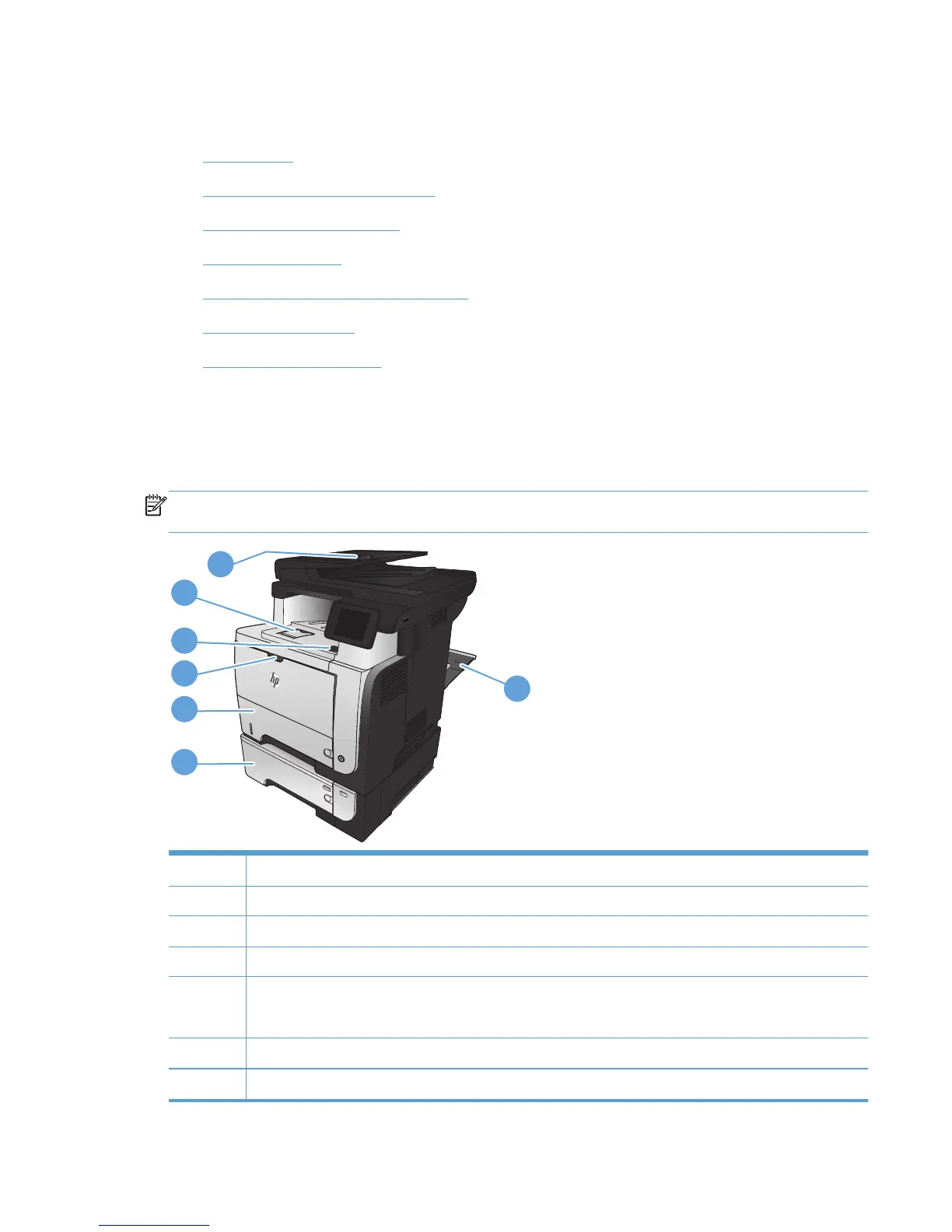
Jam locations
Use this illustration to identify locations of jams. In addition, instructions display on the control panel to
direct you to the location of jammed paper and how to clear it.
NOTE: Internal areas of the product that might need to be opened to clear jams have green handles
or green labels.
3
2
1
2
3
4
5
7
6
1 Document-feeder area
2 Output-bin area
3 Top-cover and toner-cartridge area
4Tray 1 area
5 Tray 2 pickup area
Duplexing area (remove Tray 2 for access)
6Optional Tray 3
7Rear door
ENWW
Clear jams
165








 To Next Page