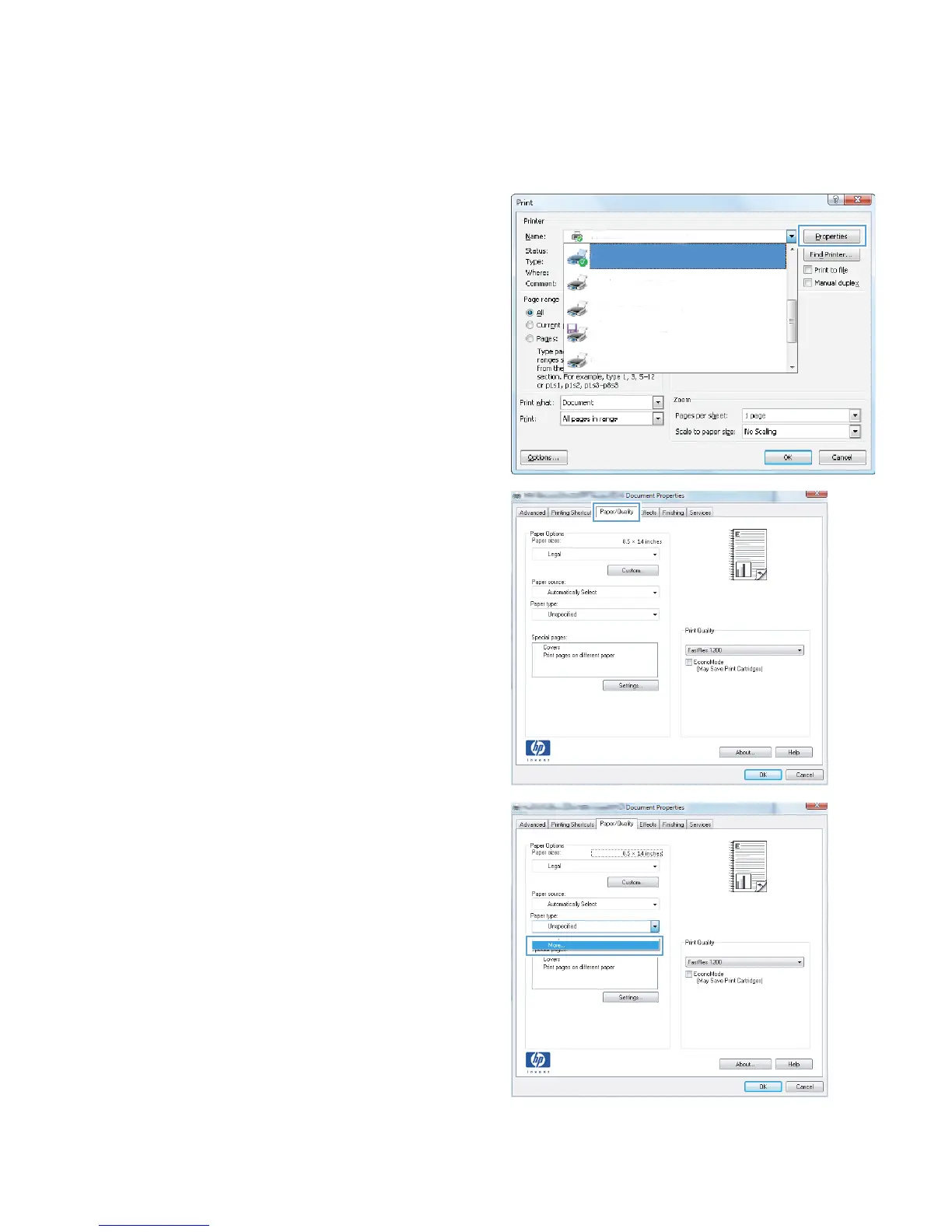
Select the paper type (Windows)
1. From the software program, select the Print
option.
2. Select the product, and then click the
Properties or Preferences button.
3. Click the Paper/Quality tab.
4. From the Paper type drop-down list, click the
More... option.
ENWW
Print tasks (Windows)
61








 To Next Page