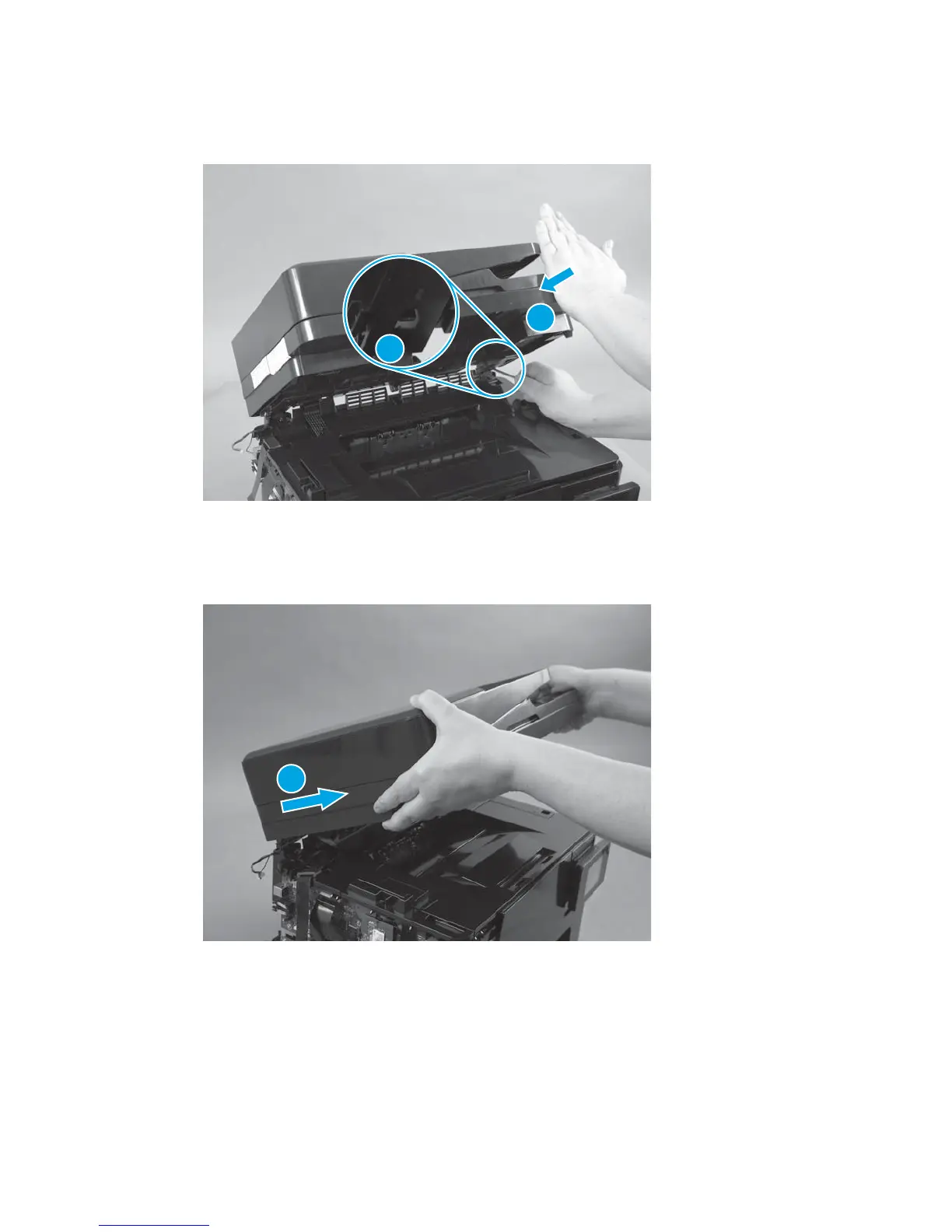
3. Use a flat-blade screwdriver to press up on the tab inside the hinge (callout 1). While pressing the tab,
hit the front edge of the scanner (callout 2) with your hand to release the tab.
Figure 1-11 Remove the document feeder and scanner for the M177 model (2 of 3)
1
2
4. Repeat the previous step with the remaining hinge.
5. Lift the assembly up and away from the hinges (callout 1).
Figure 1-12 Remove the document feeder and scanner for the M177 model (3 of 3)
1
ENWW Removal and replacement procedures 15



 To Next Page