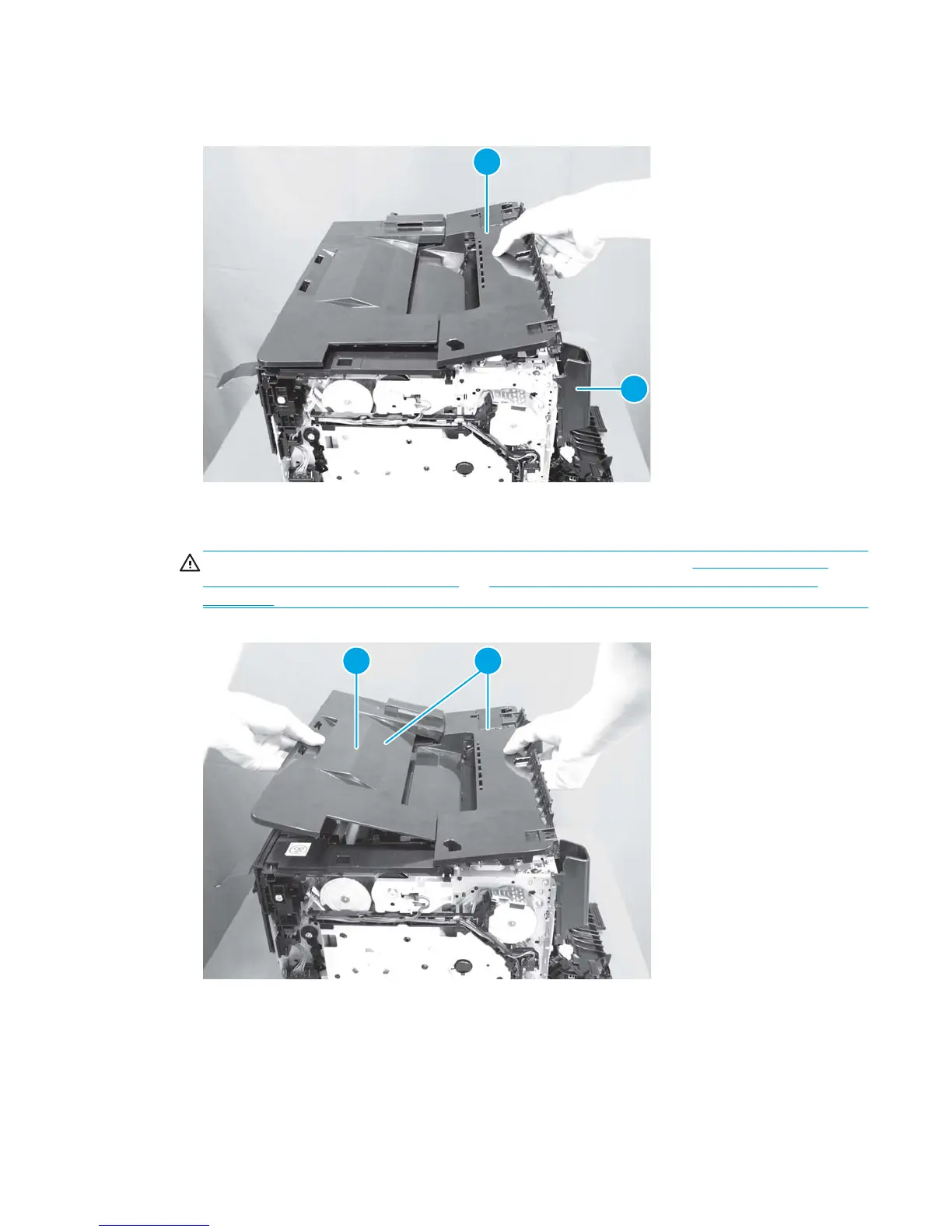
5. Lift the delivery cover up (callout 1) and separate it from the fuser cover (callout 2).
Figure 1-25 Remove the top cover (4 of 5)
1
2
6. Lift the top cover (callout 1), and then slide the top cover (callout 2) toward the front of the product to
remove it.
CAUTION: Be careful not to damage the cartridge lock release springs. See Figure 1-28 Left-side
cartridge lock release spring on page 25 and Figure 1-29 Right-side cartridge lock release spring
on page 25.
Figure 1-26 Remove the top cover (5 of 5)
1
2
ENWW Removal and replacement procedures 23



 To Next Page