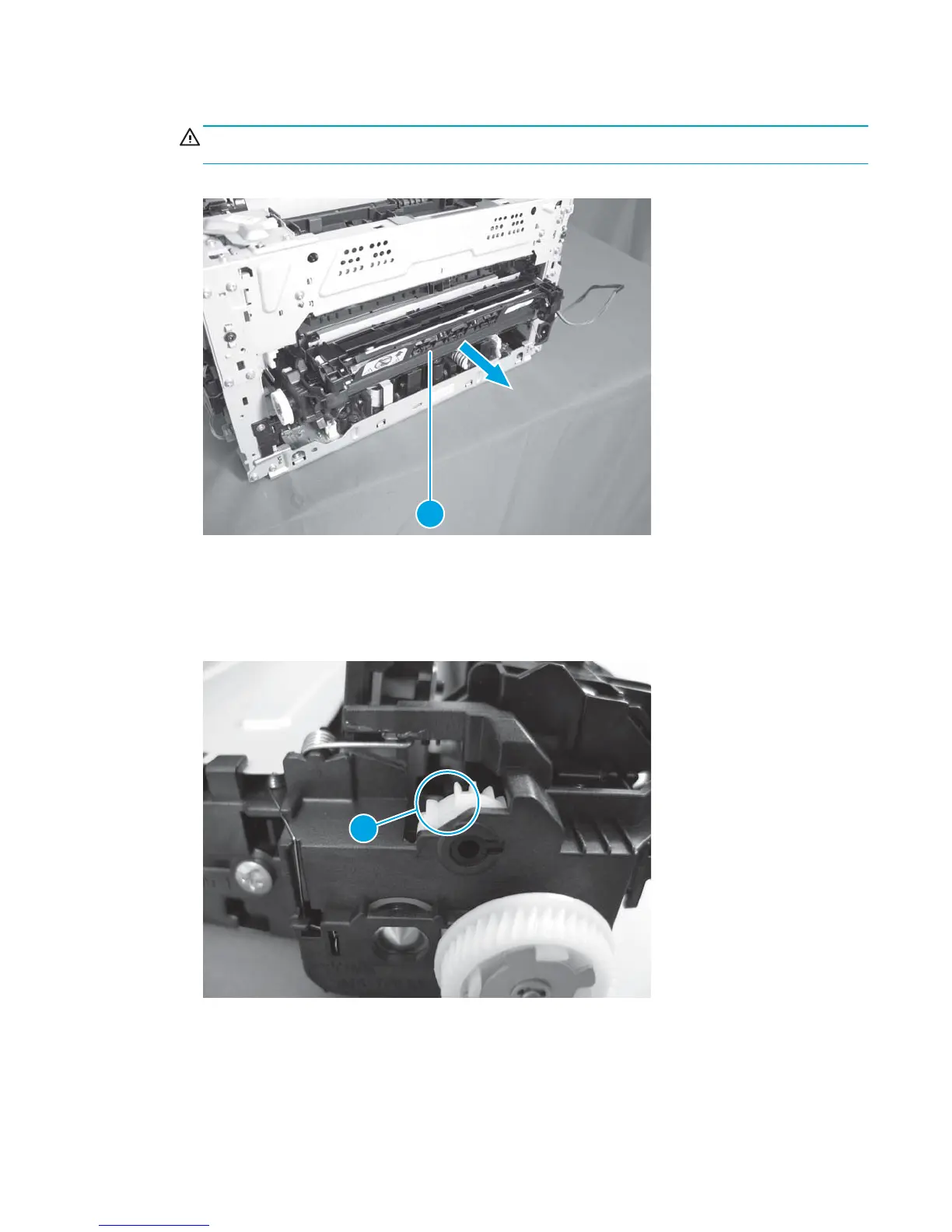
13. Pull the ITB assembly (callout 1) straight out of the product.
CAUTION: Avoid touching the black plastic transfer belt. Skin oils on the belt can cause print-quality
problems.
Figure 1-101 Remove the ITB assembly (17 of 17)
2
Reinstall the ITB assembly
●
Before reinstalling the ITB, rotate the small white gear on the left side of the assembly so the gap in the
gear (callout 1) lines up with the gap on the frame.
Figure 1-102 Reinstall the ITB assembly
1
●
Reinstall the right-side spring before reinstalling the spring on the left.
ENWW Removal and replacement procedures 71



 To Next Page