Base plate assembly
Before proceeding, remove the following components:
●
Dust cover, input tray, and extension tray. See
Dust cover, input tray, and extension tray on page 9.
●
Separation pad assembly. See
Separation pad assembly on page 11.
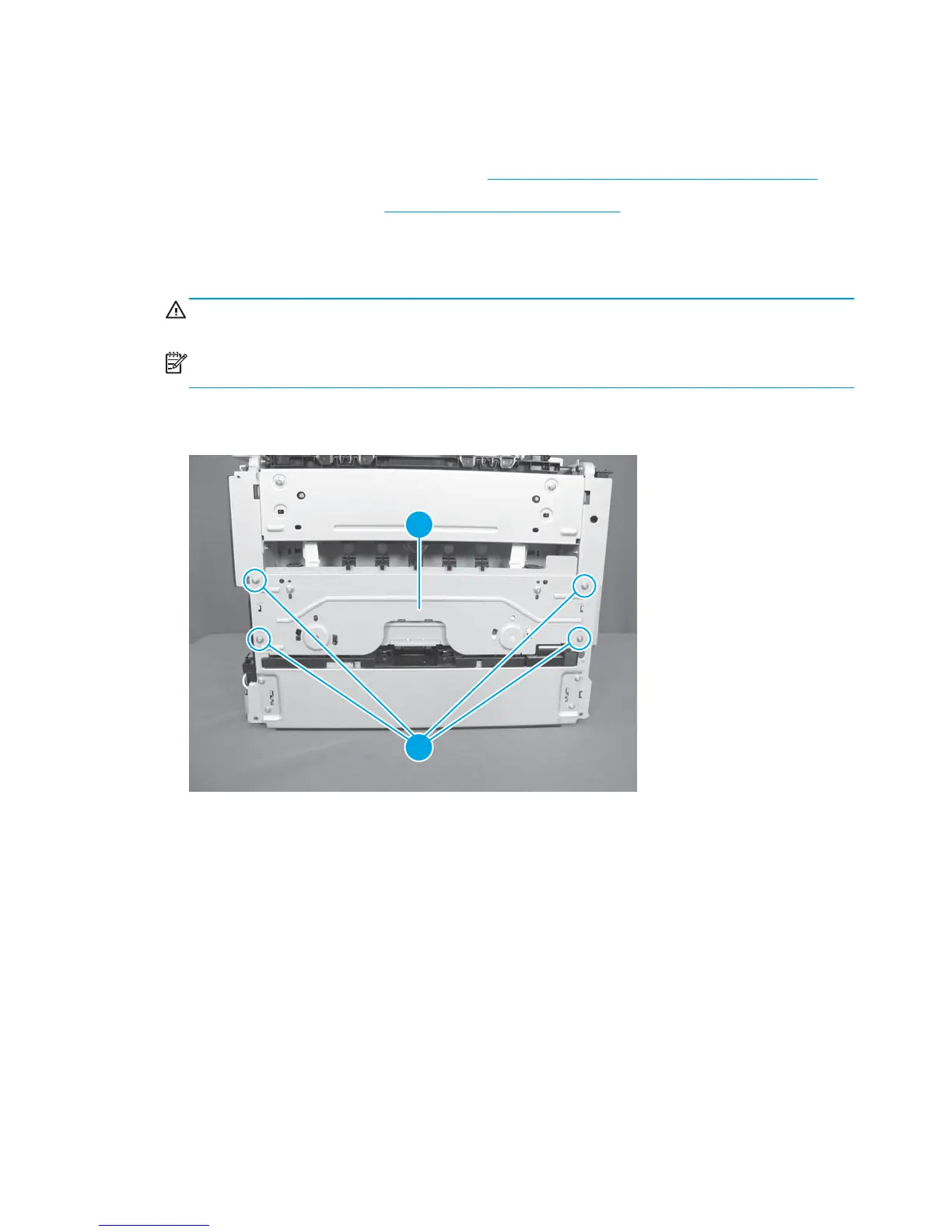
Remove the base plate assembly
1. Turn the product face up.
WARNING! The ADF portion of the document feeder is not captive and can open when the product is
placed face up. Make sure that to support the ADF when handling the product.
NOTE: Dirt and debris can scratch the surface of the product. Make sure that to place the product face
up on a clean work space or on a clean soft cloth.
2. Remove four screws (callout 1), and then remove the base plate (callout 2).
Figure 1-114 Remove the base plate assembly
2
1
78 Chapter 1 Removal and replacement ENWW



 To Next Page